Zeneat: Cleaning Service Website Template for Webflow
Zeneat is a bright, trust-first cleaning service website template for Webflow, made for house cleaning companies, maid services and commercial cleaners who want more quote requests from their website. You get 22 pages, three homepage layouts, service pages with pricing tiers, a four-step process section, a testimonial wall and a quote form on every page, all editable in Webflow without code.
$129 | Single Use License | Designed, built and supported by Flownix
What Is Zeneat?
Zeneat is a cleaning website template for the public site of a cleaning business. It covers what a homeowner or office manager checks before asking for a quote: what you clean, what it costs, how the visit works, what other customers say, and whether you are insured.
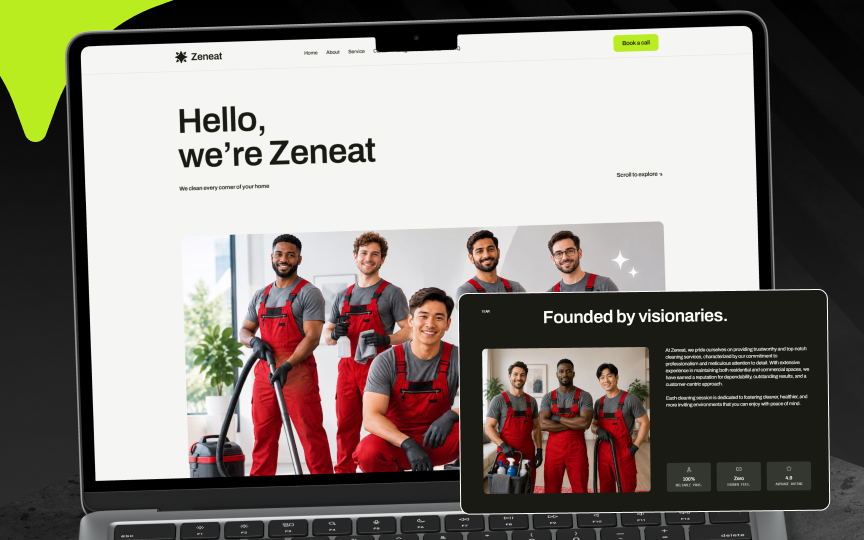
The layout leans on light neutrals, large cleaning photos and a lime-green accent for every call to action, so the next step is always easy to spot.
Three Homepage Layouts for Three Kinds of Cleaning Business
Zeneat gives you three complete homepages with the same sections arranged for different selling styles. Pick the one that matches how your business wins customers today.
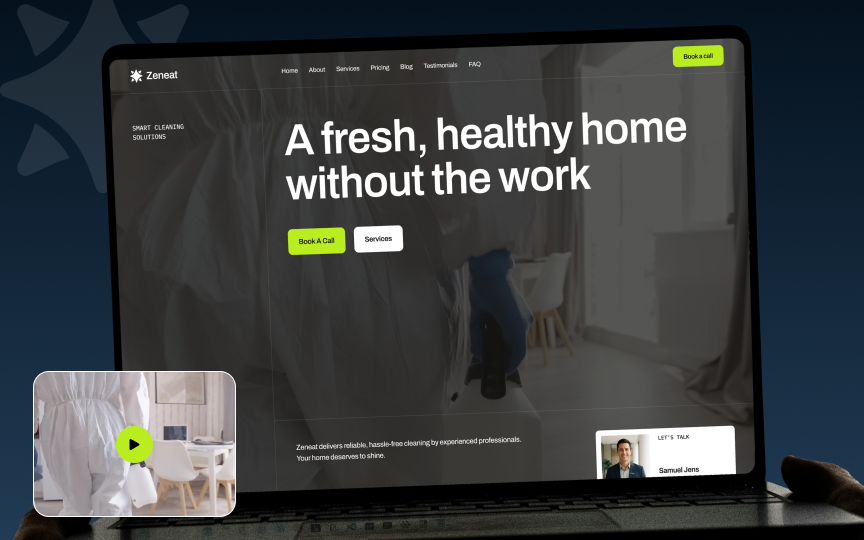
Home A: Lead With the Experience
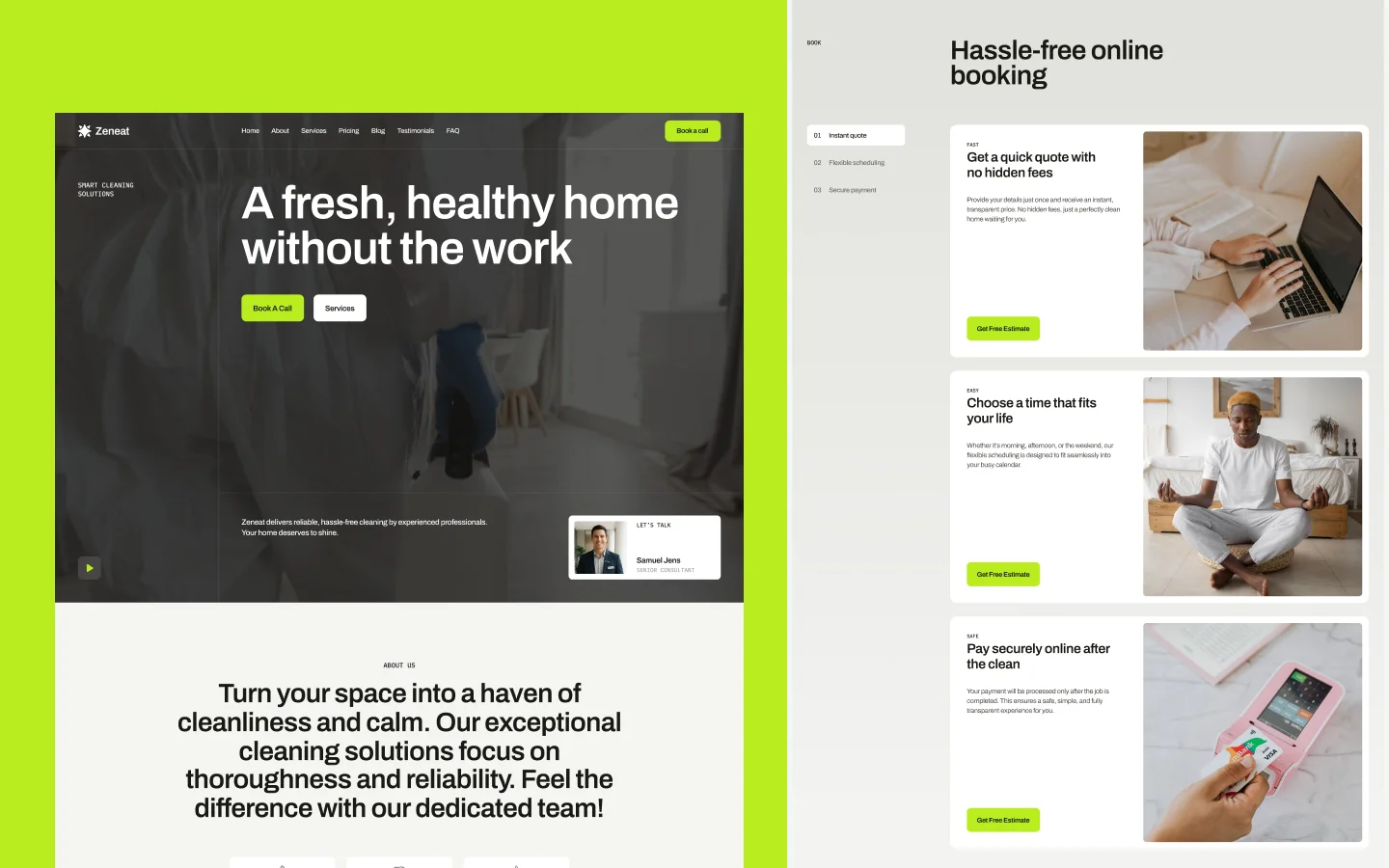
Home A opens with a full-width video of a home being cleaned, the headline "A fresh, healthy home without the work," and Book A Call and Services buttons. A small card with a team member's photo invites visitors to talk to a real person.
Below, a services slider, a three-card booking section, a four-step timeline on a dark background, rating stats over video, a testimonial wall, pricing, blog posts, an FAQ and the quote form follow in that order.
Best for: residential cleaning companies and maid services that want a calm, premium first impression.
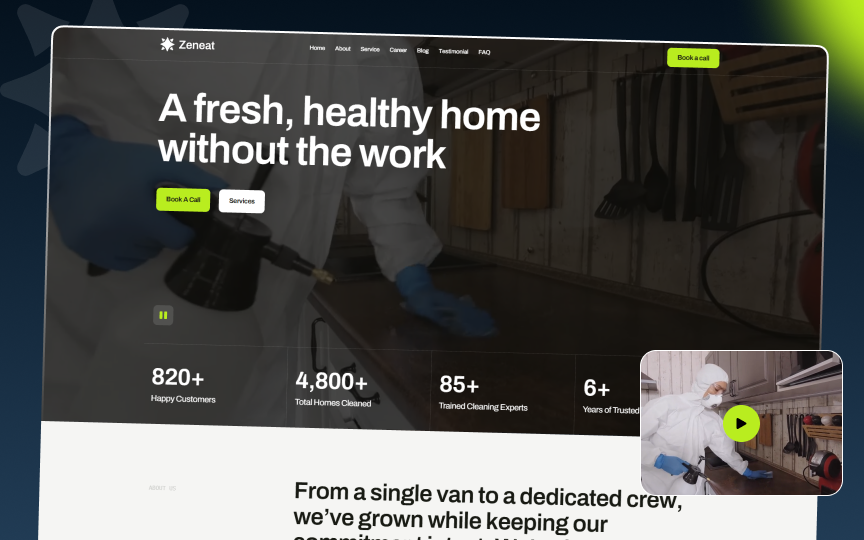
Home B: Lead With Your Numbers
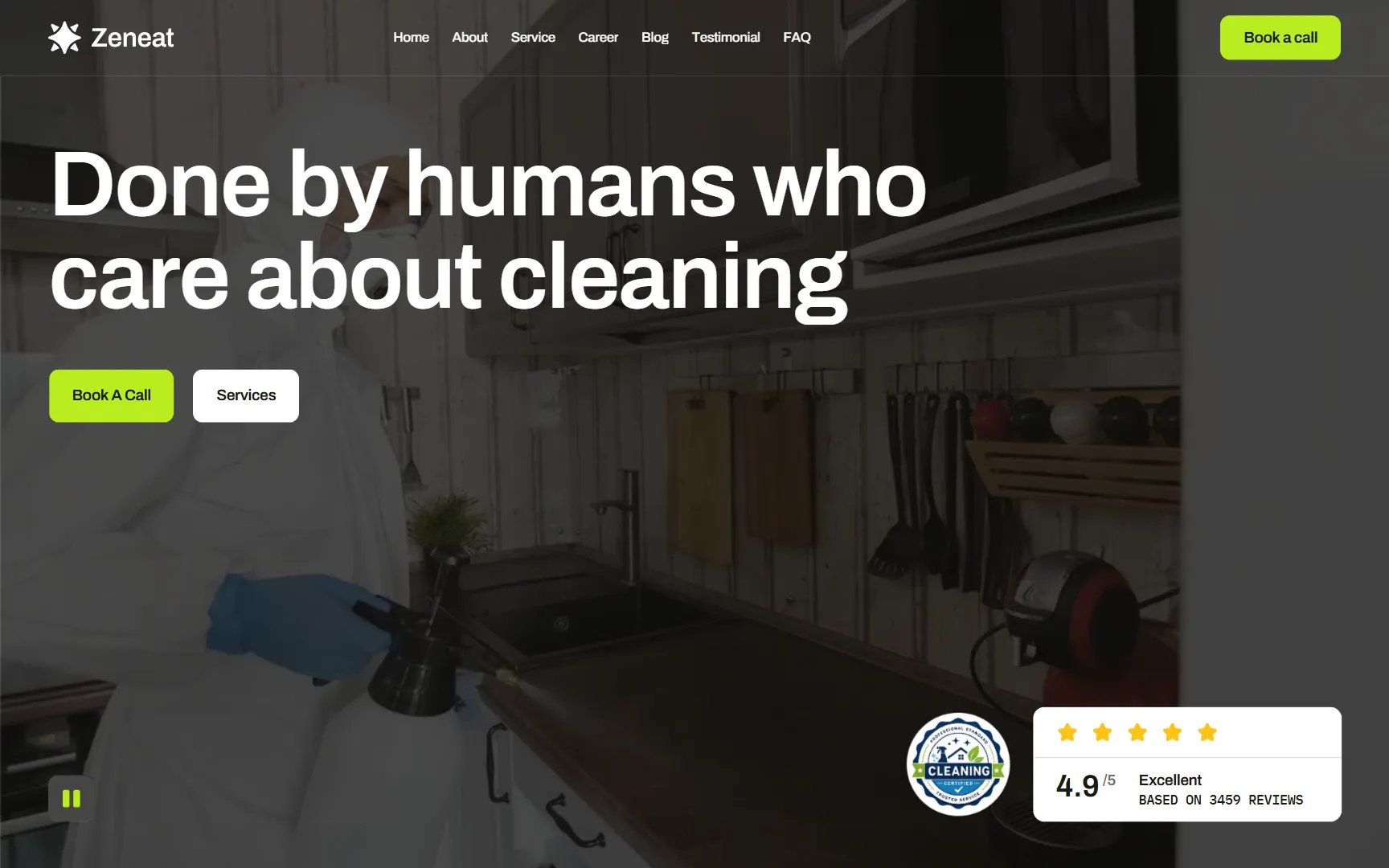
Home B keeps the video hero but places four counters right inside it: happy customers, homes cleaned, trained cleaning experts and years of service. Its testimonial wall sits on a dark background under a large customer count and a Google star rating.
Its FAQ answers booking questions instead of trust questions: what a standard clean includes, how far ahead to book, payment methods, pet-safe products and recurring discounts.
Best for: established companies with a track record to show, and businesses that sell recurring cleaning plans.
Home C: Lead With a Clear Offer
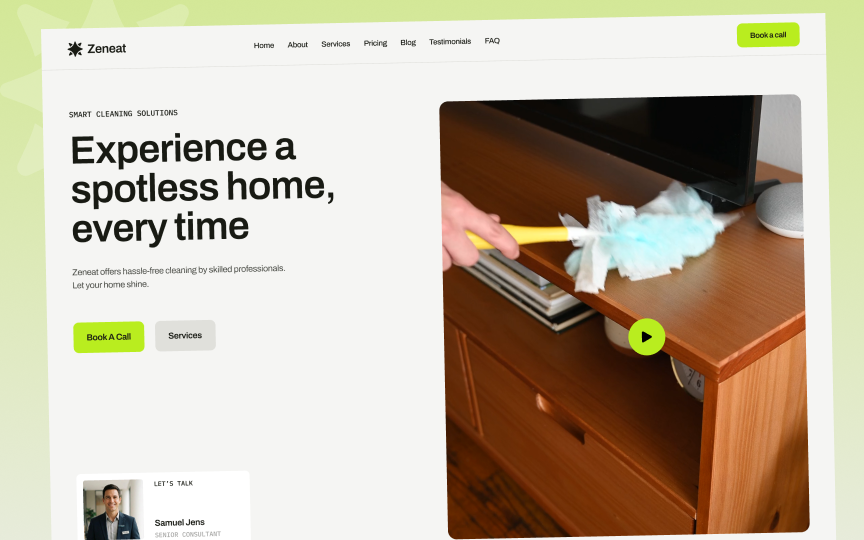
Home C uses a split hero: the headline "Experience a spotless home, every time" on the left and a cleaning video on the right. A "Because every home deserves care" section pairs a short why-us story with three numbers, and the four-step process appears as a grid of cards with a lime highlight.
Best for: smaller teams and new cleaning businesses that want a lighter, simpler page that still looks professional.
The Cleaning Sections, and What Each One Does for Your Business
People choosing a cleaner want three answers fast: what you clean, what it costs and whether they can trust you. Each Zeneat section answers one of those questions.
Service Cards
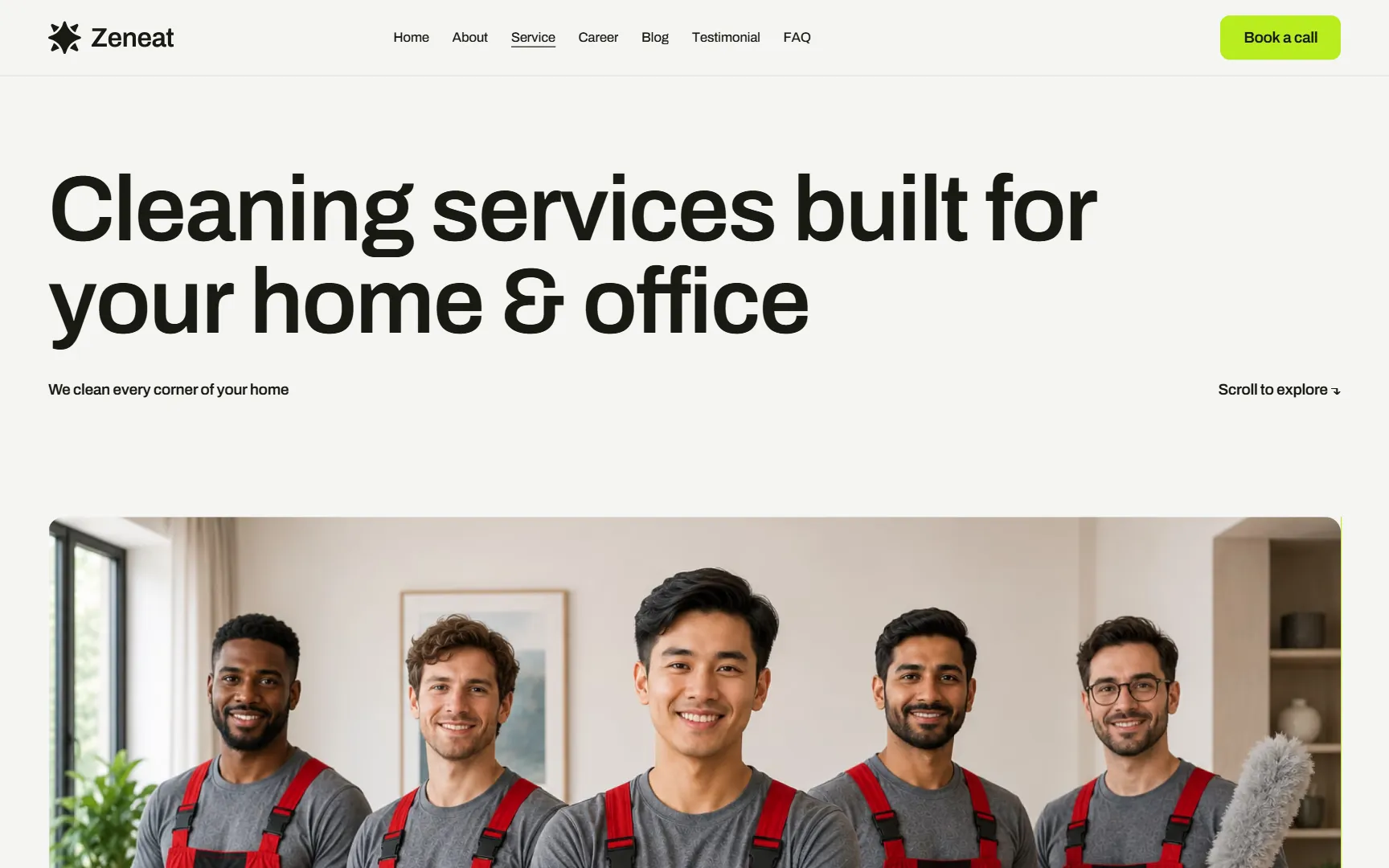
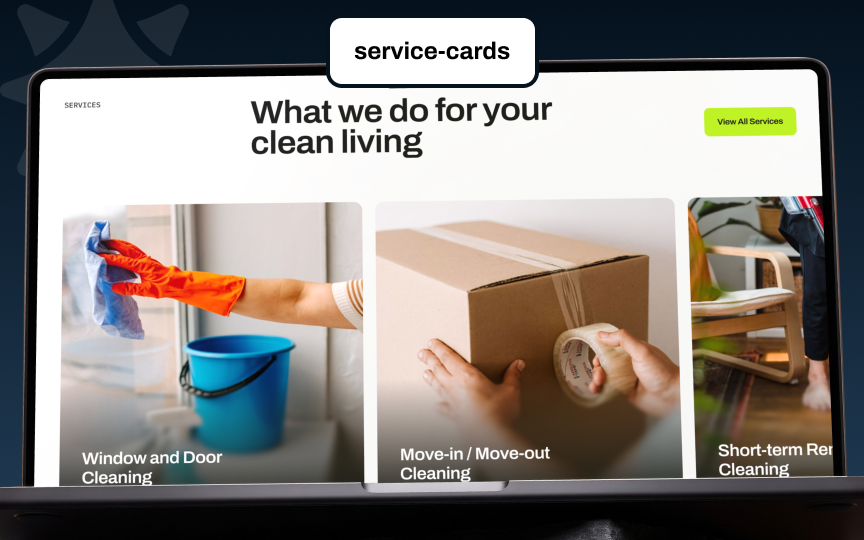
A "What we do for your clean living" slider shows photo cards for six services: window and door cleaning, move-in and move-out cleaning, short-term rental cleaning, office and studio cleaning, full home deep cleaning, and home and office deep cleaning. The cards come from the Services CMS collection and link to each service's own page.
Visitors find their job type in seconds, and you add or remove services in the CMS without touching the layout.
Online Booking Section
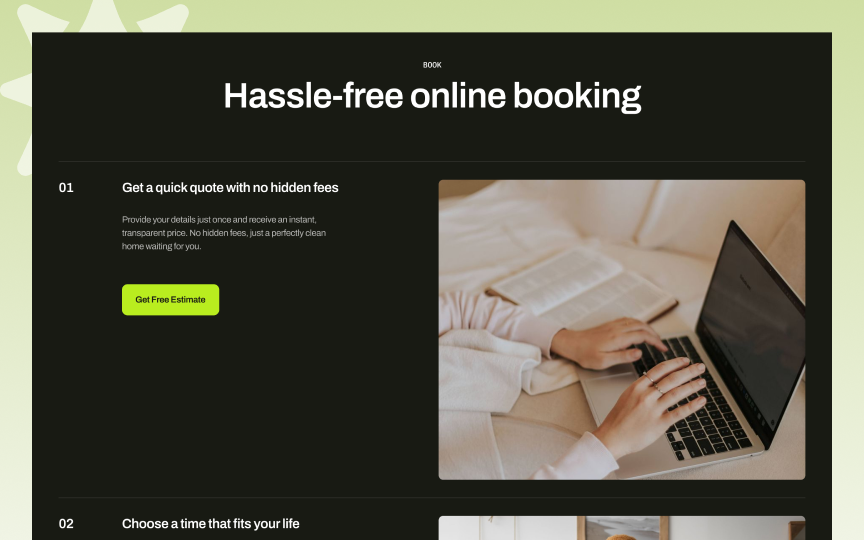
"Hassle-free online booking" explains three promises in three cards: a quick quote with no hidden fees, a time that fits your schedule, and payment only after the clean. Each card has a Get Free Estimate button.
It removes the usual worries about surprise prices and fixed time slots. The section describes your booking policy; it does not process bookings or payments itself (see "What Zeneat Is and Isn't" below).
Four - Step Process
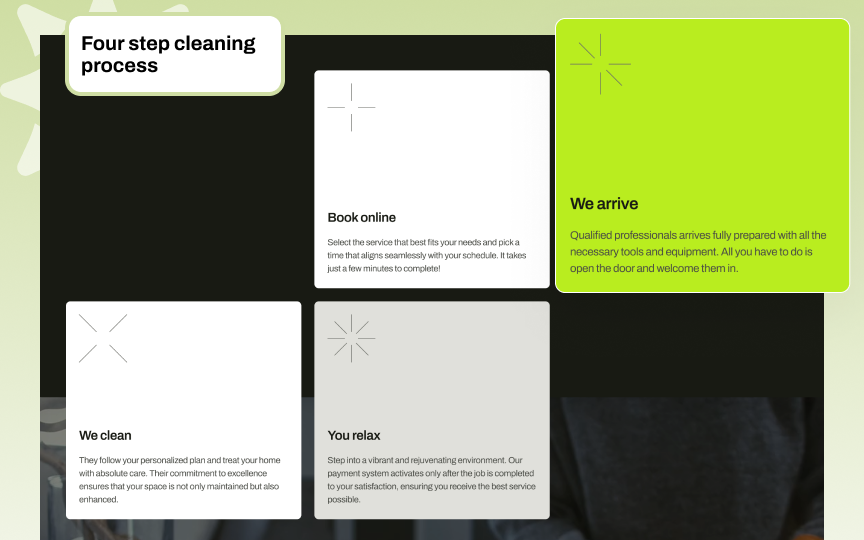
"A clean home in four simple steps away" walks through Book online, We arrive, We clean and You relax, each with a photo and a short description.
First-time customers often worry about what happens on the day. Showing the visit step by step makes letting a cleaner into the house feel routine.
Pricing Tiers
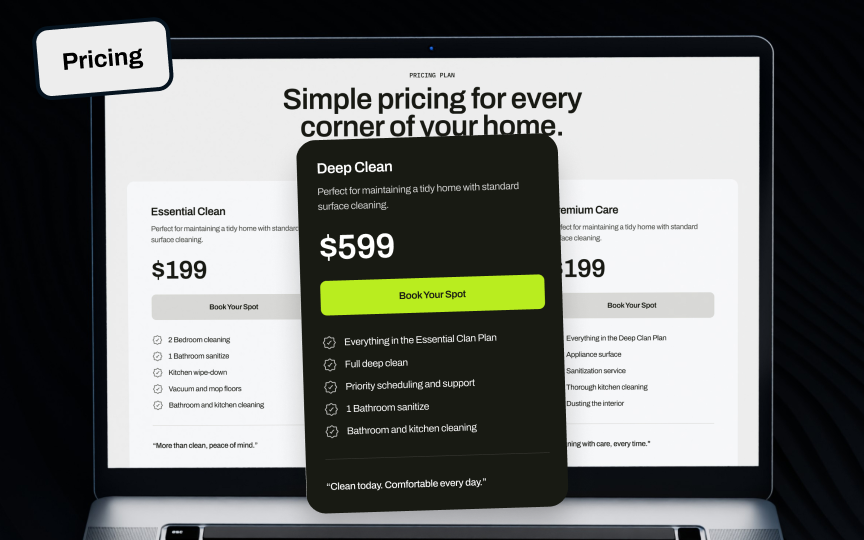
Three example plans show what each level includes: Essential Clean ($199), Deep Clean ($399) and Premium Care ($599), each with an itemized checklist and a Book Your Spot button. The same pricing block appears on the service detail pages.
Clear starting prices filter out mismatched leads and cut down on "how much is it?" calls. Replace the demo prices with your own or with "from" prices if your quotes vary.
Trust Points and Stat Blocks
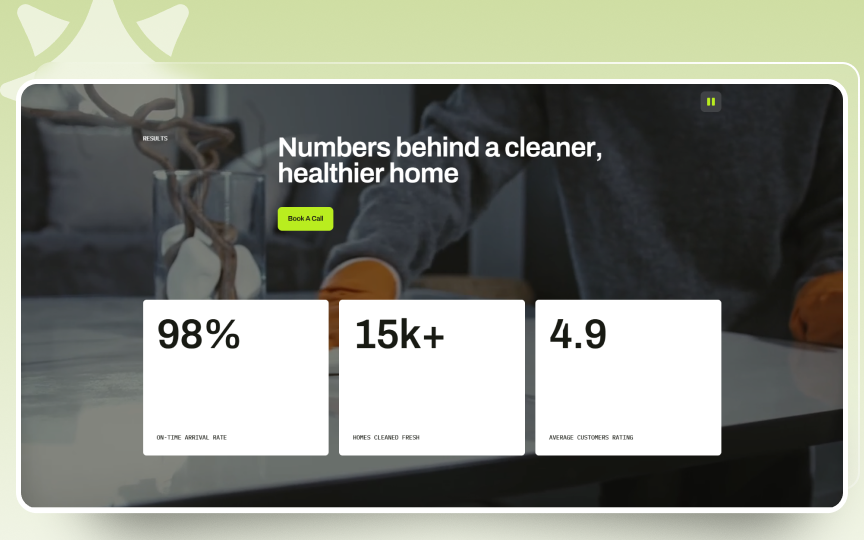
Counters show an on-time arrival rate, homes cleaned and an average customer rating. Elsewhere, trust points cover being licensed and insured, recurring clients, careful cleaning and eco-friendly products.
These are the facts homeowners look for before inviting a team inside. All figures in the demo are placeholders; publish only numbers and credentials your business can prove.
Testimonial Wall
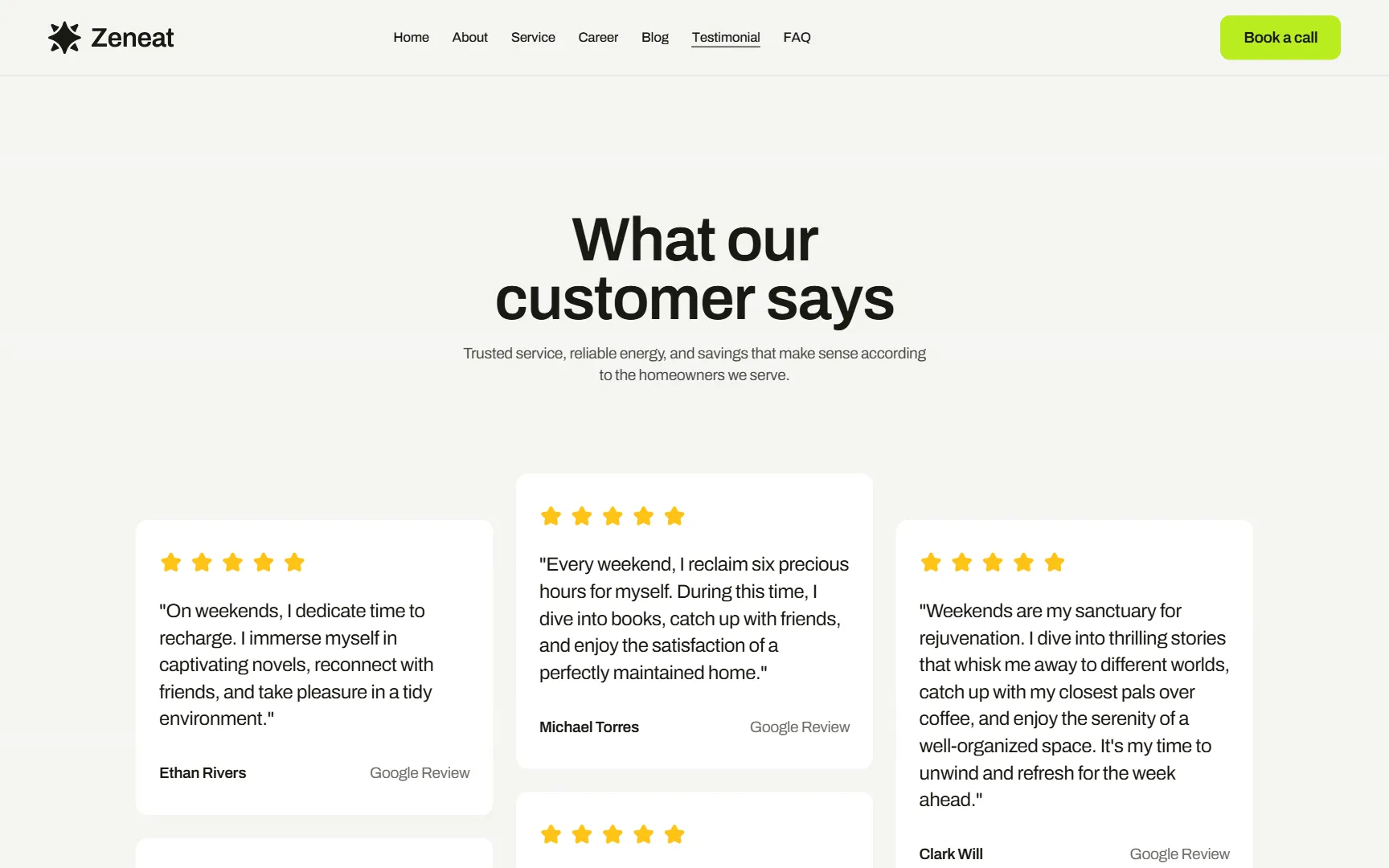
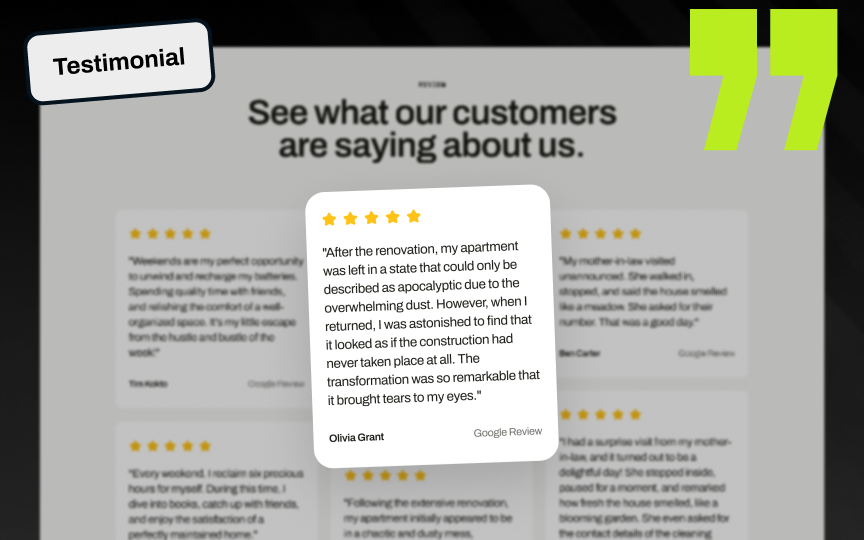
A masonry wall of review cards with star ratings and a source label sits on every homepage, plus a dedicated Testimonials page. A Read More Review button can link to your Google Business Profile.
Reviews from neighbors carry more weight than anything you say about yourself. The demo reviews are example text; replace them with real customer reviews or connect a review widget.
FAQ
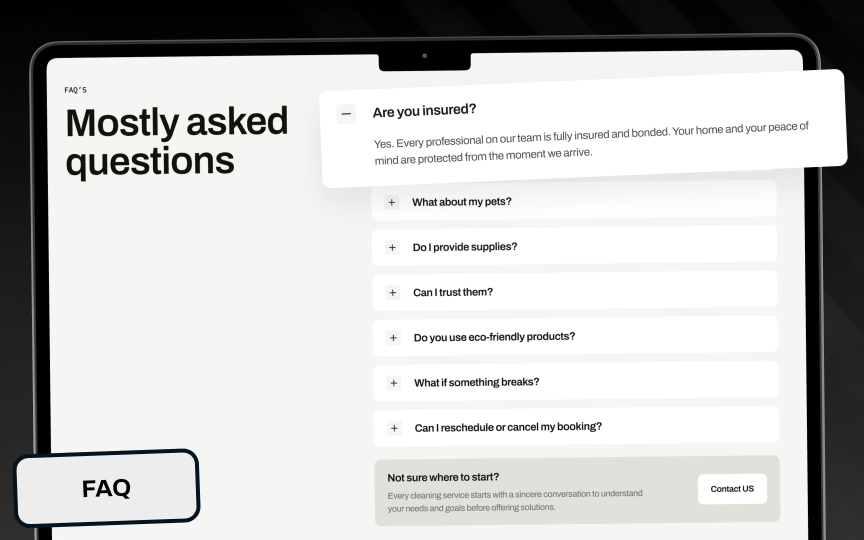
The homepage FAQ answers seven common objections: insurance, pets, supplies, trust, eco-friendly products, breakage, and rescheduling or cancelling. A "Not sure where to start?" card links to the contact page.
Answering these before a customer asks saves your team phone time and removes the last reasons to hesitate.
Quote Request Form
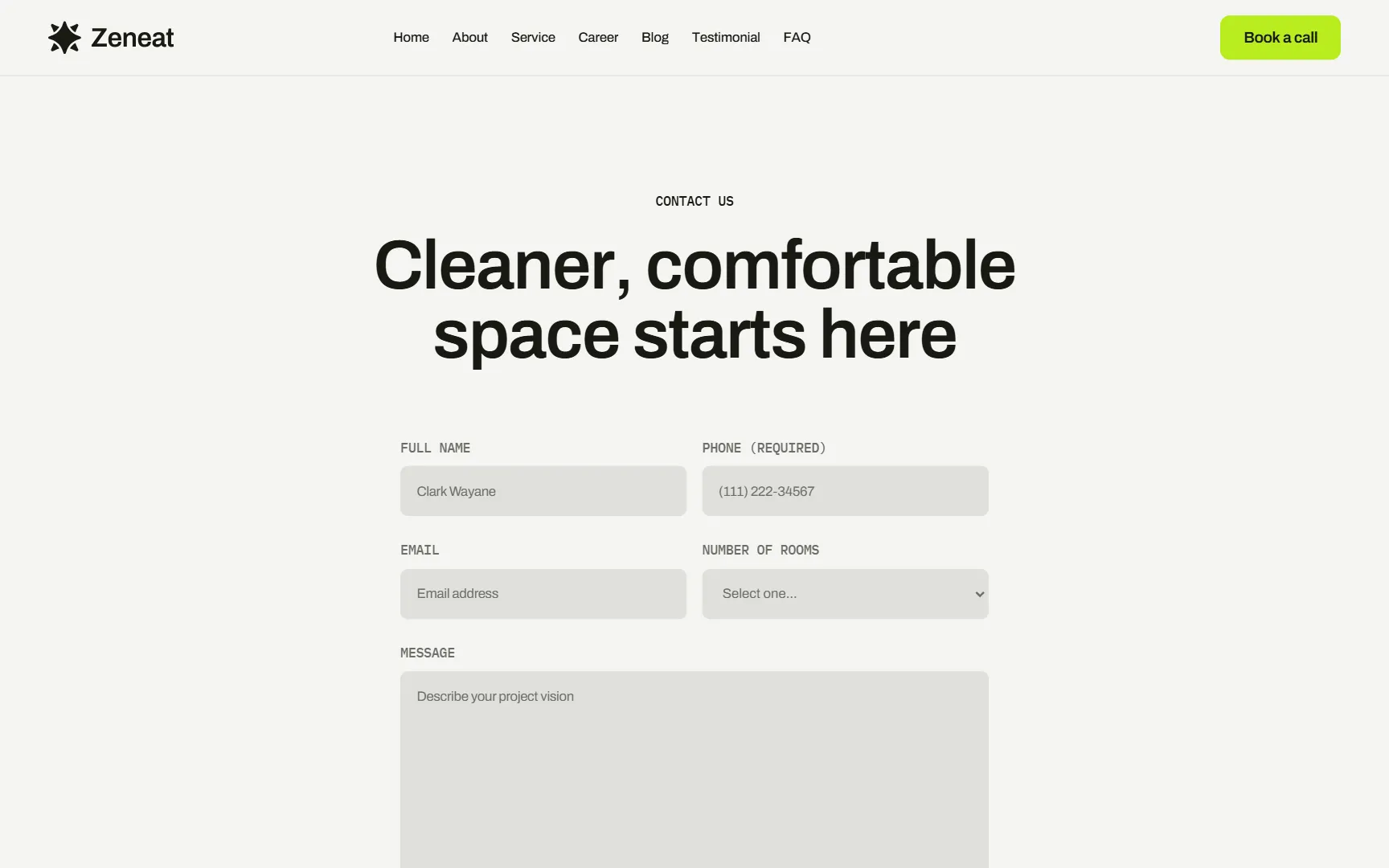
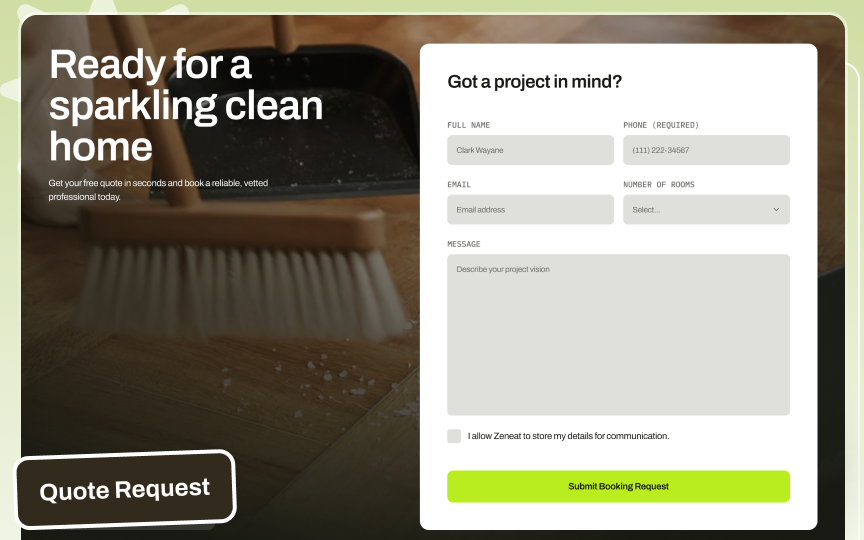
"Got a project in mind?" appears near the bottom of almost every page. It asks for full name, phone, email, number of rooms, a message and a consent checkbox, and is protected from spam bots by Cloudflare Turnstile.
The room count gives you enough to estimate a price before you call back, and having the form everywhere means a visitor never has to hunt for it.
What Zeneat Is and Isn't: A Quote Form, Not Booking Software
Zeneat is the website that wins the customer's trust and collects the request. Scheduling, payments and job management run in your own tools. Knowing this before you buy avoids surprises.
Already use booking software? Many cleaning businesses run on scheduling or field service tools that offer an embeddable booking widget or a booking link. Point Zeneat's Book A Call, Get Free Estimate and Book Your Spot buttons to that link, or place the widget on a page with Webflow's Embed element.
Just starting out? The built-in quote form is often enough. Submissions arrive in Webflow's form inbox and by email notification, and you reply with a price.
Every Page Inside the Template
Zeneat includes 22 pages: 14 static pages, 2 CMS collection templates and 6 utility pages. Here is what each one does, so you know what to keep and what to remove.
Static Pages
CMS Collections and Detail Pages
Two Webflow CMS collections let you publish content from the Webflow Editor without touching the layout.
- Services (6 demo services): each service gets its own detail page with an intro, a short benefit statement, the four-step process, a checklist of included tasks with optional add-ons, trust points, pricing tiers, an FAQ and the quote form. One page per service lets each one rank for its own searches, such as "move-out cleaning" in your city.
- Blog (6 demo posts): practical articles such as "Apartment cleaning checklist: Room-by-room guide" and "Standard cleaning vs. deep cleaning: which one is better?" Detail pages show related posts. Helpful articles like these answer real customer questions and can bring in search traffic over time.
Utility Pages
Six utility pages cover the essentials: Legal (privacy policy), 404, 401 (password-protected page), Style Guide, Licenses and Changelog. The Licenses page lists the fonts, images and icons used and their licenses.
Who This Cleaning Service Website Template Is For
Zeneat fits any cleaning business that sells on trust and wants more quote requests. Here is how different businesses would use it.
House Cleaning Companies and Maid Services
As a house cleaning website template, Zeneat works out of the box. Use Home A or C, set your real prices in the three tiers, and keep the FAQ about pets, supplies and insurance. A maid service selling weekly or biweekly visits can add recurring-plan pricing and use Home B's FAQ about recurring discounts.
Deep Cleaning and Move-In / Move-Out Specialists
The demo already includes full home deep cleaning and move-in and move-out service pages. Each has its own pricing block and process, so you can explain why a deep clean costs more than a standard visit. Landlords and property managers can be pointed straight to the move-out page.
Airbnb and Short-Term Rental Cleaners
The short-term rental cleaning service page covers turnovers between guests. Use the four-step process to explain how you handle linens, restocking and photo checks, and use the stats for turnaround times you can actually meet.
Commercial Cleaning and Janitorial Companies
For a commercial cleaning website template or janitorial website template, start from the office and studio cleaning service page and Contact A or B. Swap the room-count field for square footage or number of sites, and use About B's numbers and the team grid to show you can handle contracts.
Window, Carpet and Specialty Cleaners
Window cleaning is already a demo service, and carpet and upholstery cleaning fits the same service-page structure. Use the blog for stain and maintenance guides; the demo post on carpet and fabric stains shows the format.
Eco-Friendly and Home Service Brands
The eco-friendly products trust point and the light, natural look suit green cleaning brands. Other home services that sell visits on trust, such as organizing or laundry pickup, can reuse the same structure with new copy and photos.
How Zeneat Supports Your Business Goals
A template cannot promise bookings or rankings. It can remove the design and build work between you and a website that looks as reliable as your service.
- A trustworthy first impression. Clean layouts, a team section for your own staff photos and visible insurance answers help a stranger decide to let you into their home.
- Fewer price questions. Pricing tiers and a no-hidden-fees message set expectations before the first call.
- More complete leads. The quote form collects contact details and room count, so you can price a job before calling back.
- A quote form never out of reach. The form sits near the bottom of almost every page, so visitors can ask for a price wherever they are.
- Content that compounds. Service pages and blog posts give you pages that can rank for local cleaning searches and common questions.
- Help hiring. The Career page with values and benefits supports recruiting cleaners, which is often the real limit on growth.
- A consistent brand. The Style Guide and Webflow Variables keep colors and type the same across every page.
Cleaning Website Design You Can Make Your Own
Zeneat is built on 126 Webflow Variables, so most brand changes happen in one place and carry through every page. You adapt the cleaning website design to your brand instead of starting over.
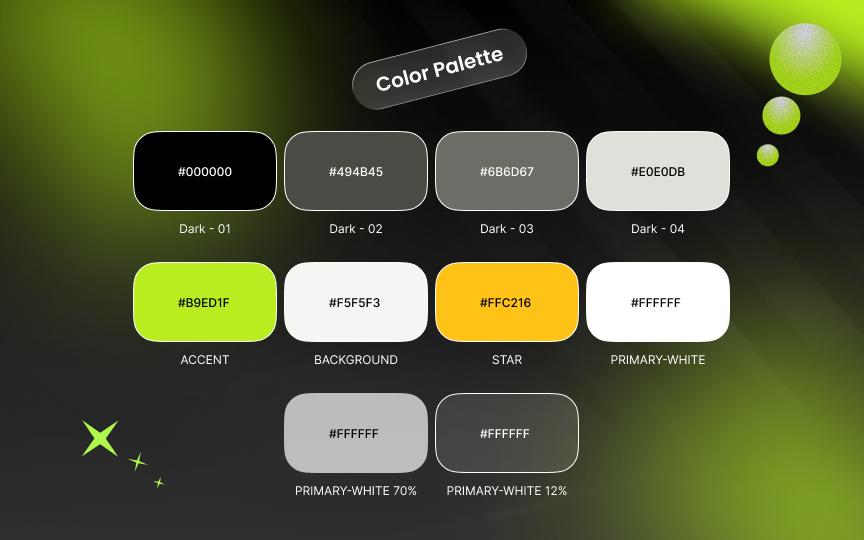
- Brand colors. Theme color variables control the background, text and the lime accent used for buttons. Change the accent once and every call to action updates.
- Typography. Archivo for headings and text and IBM Plex Mono for small labels are set as variables with sizes and line heights. Swap in your brand fonts at the variable level.
- Photos and video. The demo uses AI-generated stock photos and background videos. Replace them with photos of your own team, vans and finished jobs; real faces build more trust in a cleaning business than stock images.
- Services and blog. Add, edit or remove services and articles in the Webflow Editor. New services appear automatically in the services slider and on the Service page.
- Pricing and forms. Edit plan names, prices and checklists in the Designer. Change the quote form's room-count options to match how you price, such as square footage for offices.
- Sections and layouts. Duplicate, reorder or delete sections. Move pricing higher, or drop the booking section if you only take calls.
- Responsive layouts. Styles are set for large screens (1440px and 1280px), desktop, tablet (991px), mobile landscape (767px) and mobile portrait (479px). Check each breakpoint after you change text length.
A realistic note on the learning curve: editing text, photos, prices and CMS items is easy for anyone. Changing layouts and animations goes faster if you know the Webflow Designer. If you would rather have it done for you, Flownix offers Webflow template customization.
Performance and Loading Speed
We tested the Zeneat demo homepage (Home A) with Google Lighthouse instead of quoting a score we cannot show. These are single runs from 19 November 2026; scores change between runs, networks and devices.
What drives these numbers: background video. About 13 MB of the homepage's weight comes from four HD background videos, and the hero video is the largest element Lighthouse waits for. Images are light by comparison (AVIF, under 1 MB in total), and the layout does not shift as it loads.
Your site can be much faster than the demo. Most cleaning businesses will replace the demo videos anyway. To keep the site quick on phones, where most people search for a cleaner:
- Keep one background video at most, ideally in the hero, compressed below about 2 MB, or replace it with a photo.
- Use a still image instead of video on the stats and quote form sections.
- Compress your own photos and upload them as WebP or AVIF.
- Delete sections you do not use rather than hiding them.
- Test your pages with PageSpeed Insights after each major change.
Accessibility and Best Practices both score 100, which means good contrast, labeled controls (including video pause buttons) and no console errors.
Security and Customer Data
Webflow secures the hosting; you remain responsible for the customer details your forms collect and any tools you connect. A template never replaces your booking, payment or insurance arrangements.
What Webflow hosting provides (per Webflow Security and Webflow Hosting):
- SSL and TLS on every site plan, with HSTS enforced by default
- A global CDN with DDoS and bot protection
- Automatic platform patches and updates, with no server to maintain
- SOC 2 Type II compliance, listed on the Webflow Trust Center
What Zeneat adds: the quote form uses Cloudflare Turnstile to block spam bots, and it includes a consent checkbox so customers agree to you storing their details.
What stays on your side:
- Customer details. Quote requests include names, phone numbers and emails, and sometimes home details. Collect only what you need, keep the privacy policy page (Legal) accurate, and never ask for alarm codes, key locations or card numbers in a form.
- Booking and payment tools. If you add a booking widget or payment link, that provider handles the data and the security of those transactions.
- Reviews and claims. Show only real reviews, real insurance and real background-check policies.
- Account access. Turn on two-factor authentication for Webflow and give editors only the access they need.
Zeneat vs a Custom Build vs a Free Template
A premium template sits between a free starter and a custom website. Here is how the three compare for a cleaning business.
When Zeneat is the right call: you want a professional cleaning website soon, you can supply your own photos and prices, and you already have (or do not need) separate booking software.
When it is not: you need online booking and payments built directly into the website, or a fully unique brand experience. In that case consider a custom Webflow build.
What You Get With Your Purchase
One payment of $129 gets you the complete Zeneat Webflow project, ready to brand and publish.
- All 22 pages: 3 homepages, 3 about pages, 3 contact pages, Service, Testimonial, FAQ, Career, Blog, 2 CMS templates and 6 utility pages
- 2 CMS collections with demo content: 6 services and 6 blog posts
- A quote request form with spam protection, ready to receive submissions
- Pricing tiers, a four-step process, trust points and a testimonial wall you can edit
- A Style Guide built on Webflow Variables for colors, type and spacing
- Responsive layouts for large desktop, desktop, tablet and mobile
- Figma source file
- Delivery method after checkout (for example, a Webflow clone link or a project transfer)
License: Single Use. Use Zeneat for one end product, for yourself or one client. You cannot resell or redistribute the template, in its original or modified form.
What you will also need: a Webflow account to edit the project and a Webflow site plan that includes CMS to publish it on your own domain.
Support From Flownix
Flownix designs, builds and supports Zeneat in-house, so your questions go to the team that made it.
- Template questions: contact Flownix about setup, features or customization, and expect a reply within 2 business days.
- Guidance on features: help with the CMS, the quote form settings, pricing sections and the Style Guide.
- Common setup issues: help with publishing, connecting a domain and form notification emails.
- Personalized one-on-one help: for clients who need more specific guidance, Flownix offers personal support. Confirm whether this is free or paid, and the channel.
- Hands-off option: Flownix offers Webflow template customization if you would rather have the site set up for you.
Launch Your Cleaning Business Website With Zeneat
Three homepages, 22 pages, clear pricing and a quote form on every page, ready for your photos and prices. Explore the live demo, then make it yours.
Pages Included
- Home A
- Home B
- Home C
- About A
- About B
- About C
- Services
- Testimonials
- FAQ
- Career
- Blog
- Contact A
- Contact B
- Contact C
Single Use License
Can only be used by you or one client for one end product. You cannot resell or redistribute this template in its original or modified state.
Flownix supports this template
Questions about this template? Just reach out to the template designer and they will get back to you within 2 business days.
For advanced design guidance, please share your questions in the Webflow Forum or reach out to a Webflow Partner.
Can customers book and pay online with Zeneat?
Not by itself. Zeneat includes a quote request form and sections that explain your booking process. To take bookings or payments online, connect your booking software by linking the buttons to it or embedding its widget.
Where do quote requests go?
Submissions are stored in your Webflow project's form inbox and can be emailed to you. You can also route them to other tools through Webflow's integrations.
Do I need to know how to code?
No. You can edit text, photos, prices, colors and CMS content in Webflow without code. Changing layouts and animations is easier if you know the Webflow Designer.
Can I change the prices and services?
Yes. Pricing tiers are edited in the Designer, and services are managed in the CMS. Each new service gets its own page automatically.
Will the site be fast on phones?
The demo homepage is heavy because it uses four HD background videos. Using one compressed video or photos instead makes a big difference. See the performance section above for our tested results.
Which Webflow plan do I need?
A Webflow account to edit, and a site plan that includes CMS to publish on your own domain.
Can I use Zeneat for a client's cleaning business?
Yes, for one client. The Single Use License covers one end product. Each additional site needs another license.
Can I add Zeneat to my existing Webflow site?
No. Webflow templates start a new project and cannot be applied to an existing one.
Is the cleaning website template SEO-friendly?
It gives you one page per service, a CMS blog, a clean heading structure and Webflow's SEO settings for titles, descriptions and alt text. Rankings still depend on your content, reviews, links and local competition.
What support do I get?
Flownix answers template questions within 2 business days and can help with setup and customization.
Zeneat - Construction & Home Services Website Template
Zeneat is a cleaning services website template built with Webflow. It showcases house cleaning services, deep cleaning, move out cleaning, and office cleaning with online booking built in.
Why Flownix
You can pick a launch-ready template and go live right away, get it customized in 1-3 days, or let us build a complete Webflow website from scratch. Whatever your business needs, Flownix makes building on Webflow simple and efficient.



Frequently Asked Questions
Yes, of course. You can purchase an individual template to build one website.
If you need more than one website, you'll have to purchase every template separately. That’s because every template comes with its own license to use.
In that case, you can choose one of our bundles that suits you best. With our bundles, you can use several templates to build as many websites as you need with one license.
Yes, we do. If you buy our Yearly Webflow Template Bundle, you get every new template we release for one full year.
If you buy the Lifetime Webflow Template Bundle, you get every new template we release forever (along with all their updates).
Either way, we never push updates into a site you’ve already built, so your live site stays exactly the way you left it.
Absolutely. You can edit the layouts, colors, fonts, images, and other elements directly in the Webflow Designer. We use organized classes, Webflow variables, and CMS collections to make the process easier for you.
If you would rather have us do it, our Webflow Template Customization Service starts at $149.
Yes, you can. Since every template is also sold on its own, you’ll be fine with it as long as you need just one website.
If you think you’ll need more than one sooner or later, our bundles are the better deal.
You get access to our whole Webflow template collection for about what two or three single templates would cost. That means it saves you a lot in the long run.
It’s simple - you can either click “Buy Now” on any template or open the template’s “Details" page and click the “Purchase” button. Either way, you’ll go straight to the “Checkout” page. You can then complete your payment there and get instant access to your template.
A free Webflow account is enough to open and edit a template. If you want to publish your website on your own domain, you’ll need a paid Site Plan. If your preferred template has CMS features like blogs or project listings, make sure you choose a plan that supports the CMS features you need.
Yes, definitely. Our webflow HTML website templates are designed for desktop, tablet, and mobile screens. You can check how each one looks on different devices using the Live Preview feature. We recommend that you open the preview on your phone too so you can see how it feels to browse.
Yes, you can. If you own both templates, you can copy sections from one template and paste them into another. You may need to adjust some styles or settings to get everything looking right, but it’s a great way to create the best layout for your needs. If you get stuck along the way, we're here to help with the customization too.
No worries. Feel free to send us the template link and let us know what you’d like to add. We can design and build a new section that matches the rest of your website through ourWebflow Template Customization Service.
Success Stories
Here's what designers, agencies, and businesses think about their experience with Flownix.

Exactly what I needed
I wanted something clean and simple for my business. This template had pretty much everything I needed, and making changes was easier than I expected.

Launched in two days
I bought a template on Monday and our site was live by Wednesday. Everything was well organized, so I only had to change the text and images.

Really easy to customize
The design looked great already, but I wanted to make it feel more like our brand. Changing colors, fonts, and sections was pretty straightforward.

Would definitely use again
Loved how simple everything was. The design feels modern without being too much, and updating content is easy. Already considering another template for my next project.

Made our launch easier
We were on a pretty tight schedule and needed a website quickly. The template saved us a lot of work, and we managed to launch right on time.




So easy to customize!
The attention to detail in every template is impressive. Smooth animations, clean layouts, and flexible components made the entire customization process simple and enjoyable.
So easy to customize!
The attention to detail in every template is impressive. Smooth animations, clean layouts, and flexible components made the entire customization process simple and enjoyable.
So easy to customize!
The attention to detail in every template is impressive. Smooth animations, clean layouts, and flexible components made the entire customization process simple and enjoyable.
So easy to customize!
The attention to detail in every template is impressive. Smooth animations, clean layouts, and flexible components made the entire customization process simple and enjoyable.
So easy to customize!
The attention to detail in every template is impressive. Smooth animations, clean layouts, and flexible components made the entire customization process simple and enjoyable.



Experience the Power of Ready-to-Launch Webflow Templates with Flownix
You can pick a pre-made Webflow template to launch your website right away, get help with complete customization, or build a website designed specifically for your brand.