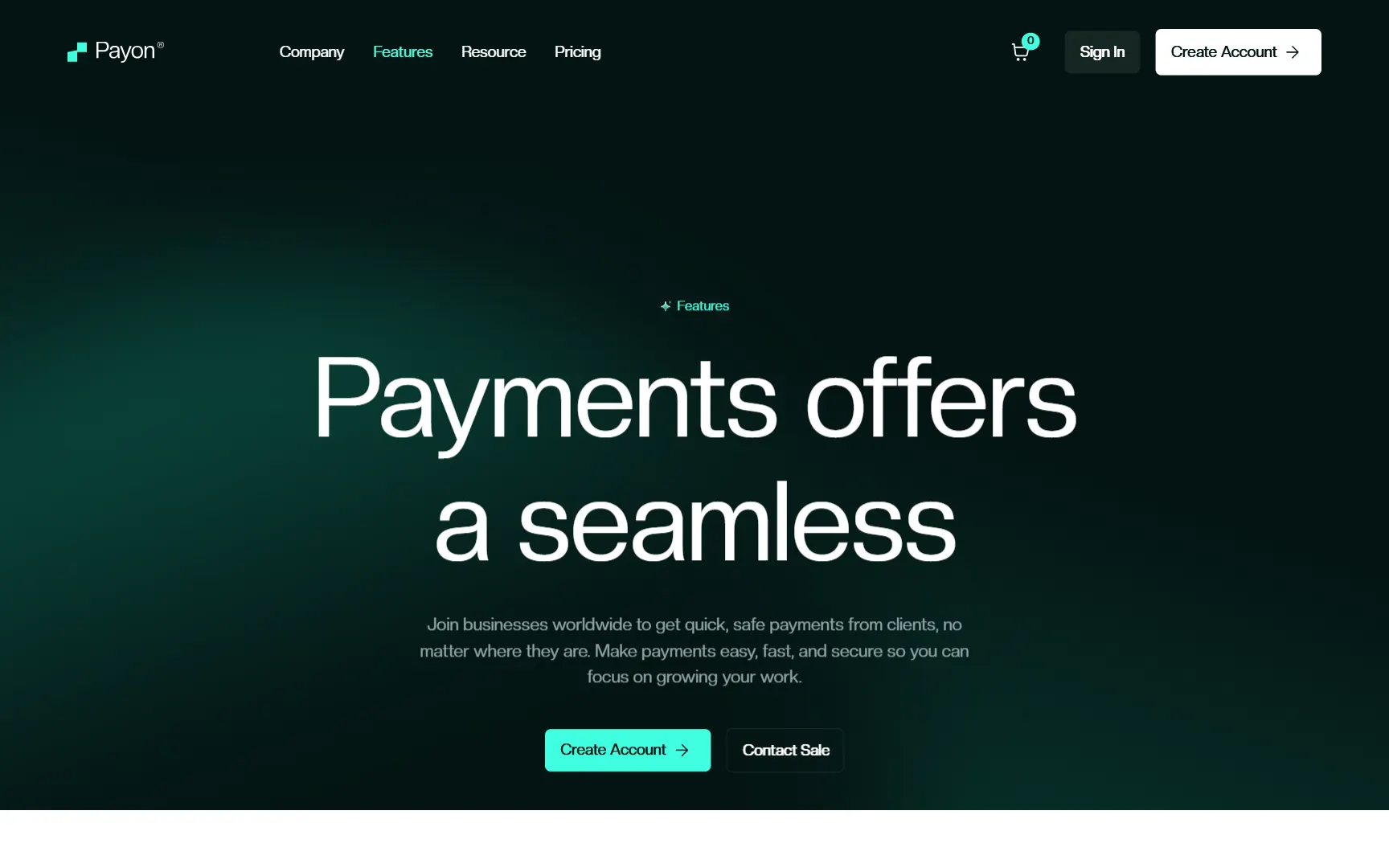
Payon: Payment Gateway Website Template for Webflow
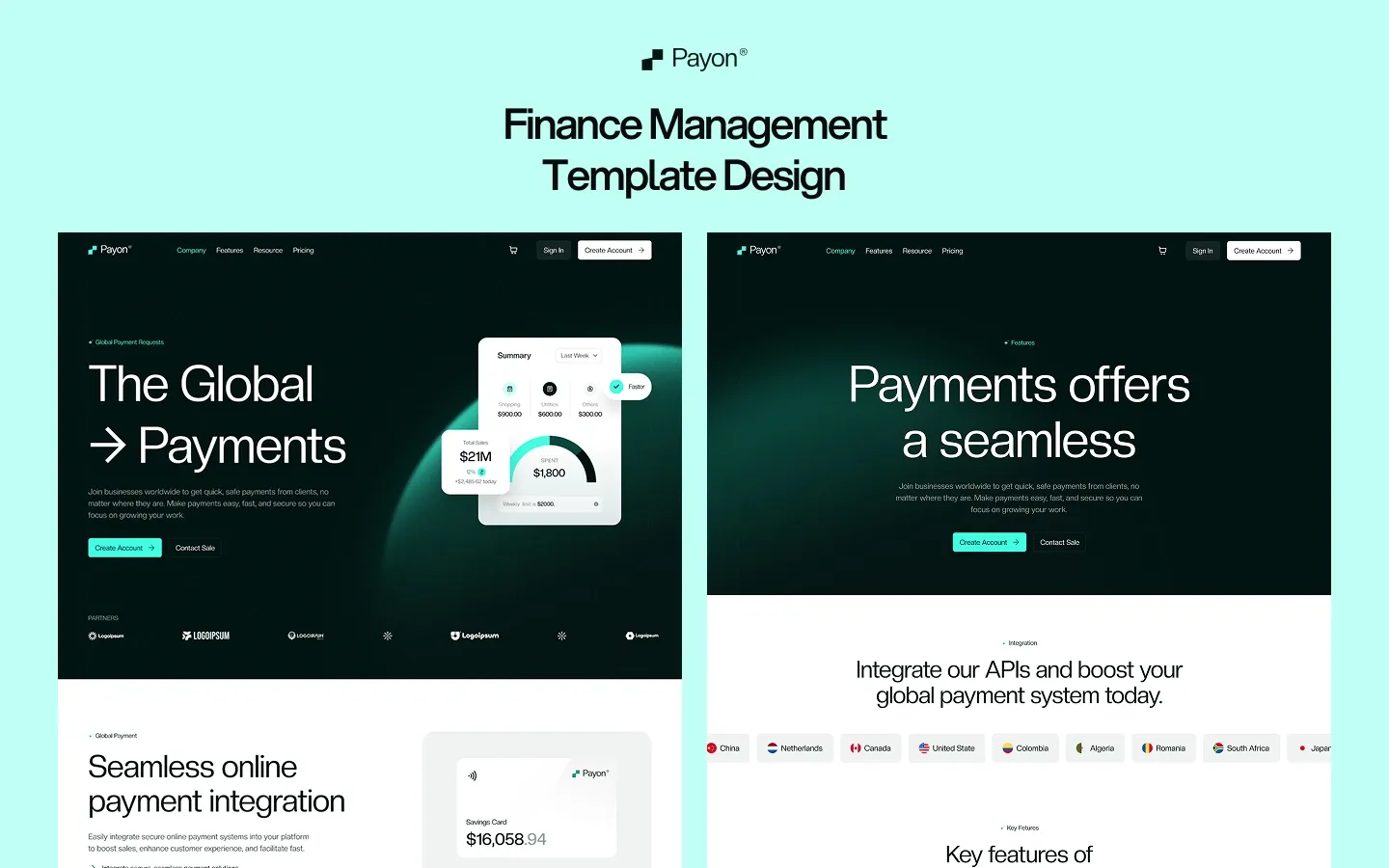
Payon is a payment gateway website template for Webflow, designed and built by Flownix for payment processors, merchant platforms and cross-border payment companies. It gives you 22 ready pages: a homepage with a live payment summary card, features, about, pricing plans with detail pages, an FAQ with category filters, a blog, contact, sign in, sign up and legal pages.
The design pairs near-black teal sections with clean light gray content blocks and aqua accents, so your numbers and product screens stand out. Every section is built with Webflow components and CMS collections, so you can swap in your own rates, screens and articles right in the Webflow Designer.
What's Inside the Payon Payment Gateway Website Template
Payon ships with 22 pages, ready to edit in the Webflow Designer.
- Main pages: Home, Features, About, Blog, Pricing, FAQ, Contact, Sign In, Sign Up, Privacy Policy and Terms and Conditions
- CMS template pages: Blog Single, Blog Category and Pricing Single
- Checkout pages: Checkout, Order Confirmation and PayPal Checkout
- Utility pages: Style Guide, License, Changelog, Password Protected and 404
- Free Figma file with the same design
Sample content included: 6 blog posts, 4 blog categories and 2 plans (Personal and Business), each with its own detail page. Every page is responsive and shares one style system, so brand changes carry across the whole site.
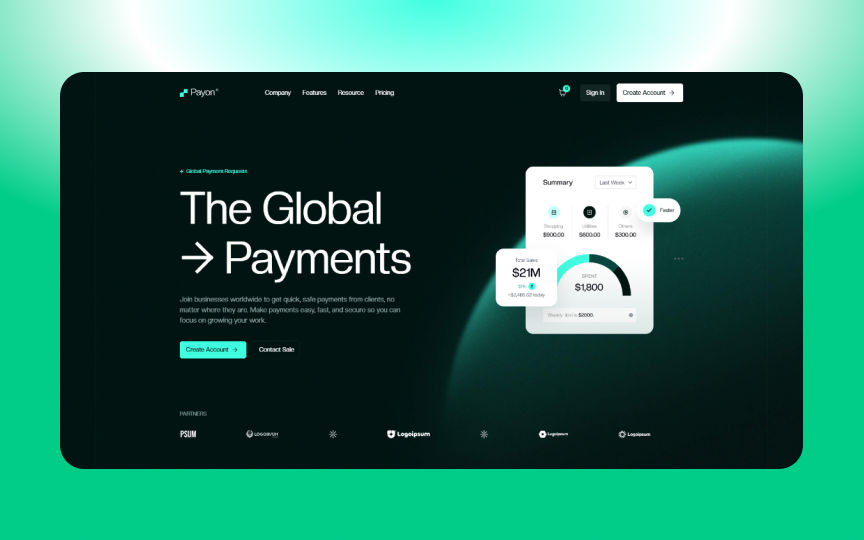
A Homepage Built Around Your Payment Flow
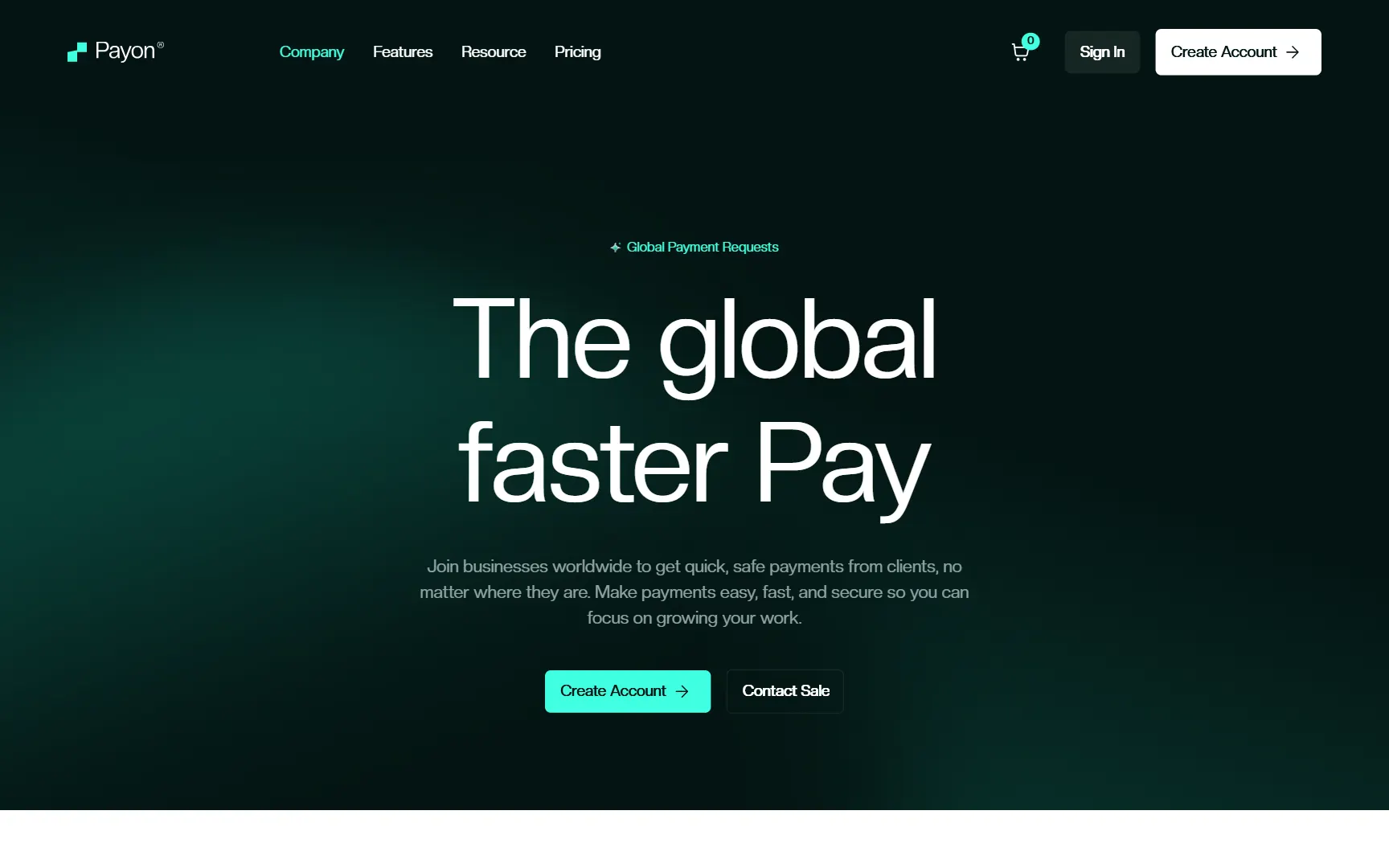
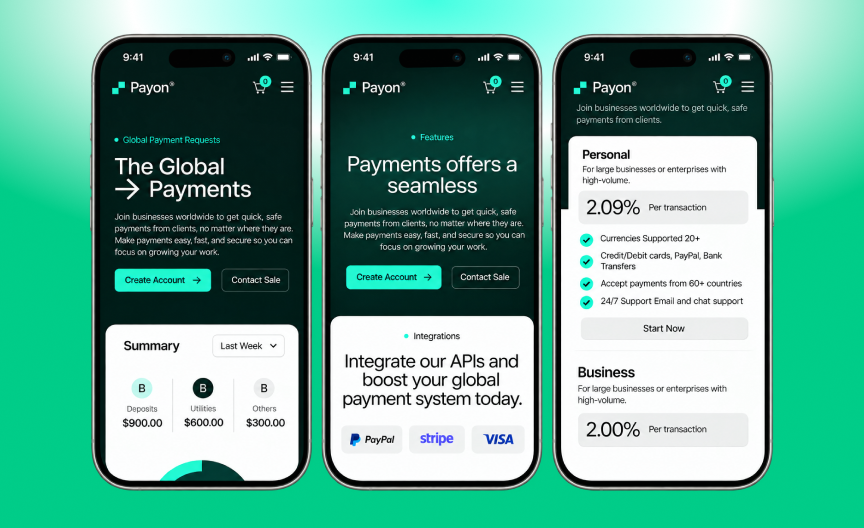
The hero opens with a big two-line headline and a payment summary card that shows spend by category, total sales and a weekly limit. Create Account and Contact Sales buttons sit right under the promise, and a row of partner logos follows. Below the hero, the page explains your product one step at a time:
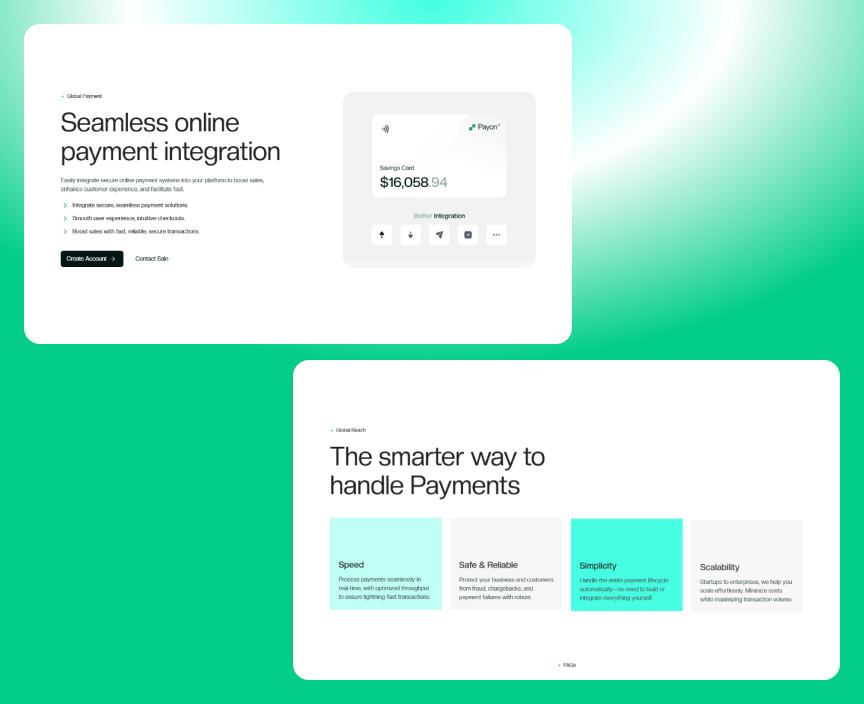
- Payment feature rows: three split sections for payment integration, payment links and recurring payments, each with a product card, three short benefits and two buttons
- Global reach: a dark section with animated counters for API calls, countries served and daily payments, plus a full dashboard mockup
- Integrations: a row of app icons with a slider
- Value cards: four cards for speed, safety, simplicity and scale
- FAQ: an accordion for the questions merchants ask before they sign up
- Call to action and footer: a dark band with one clear button, then a footer with your address, support contact and page links
A Features Page for Payments, APIs and Reach
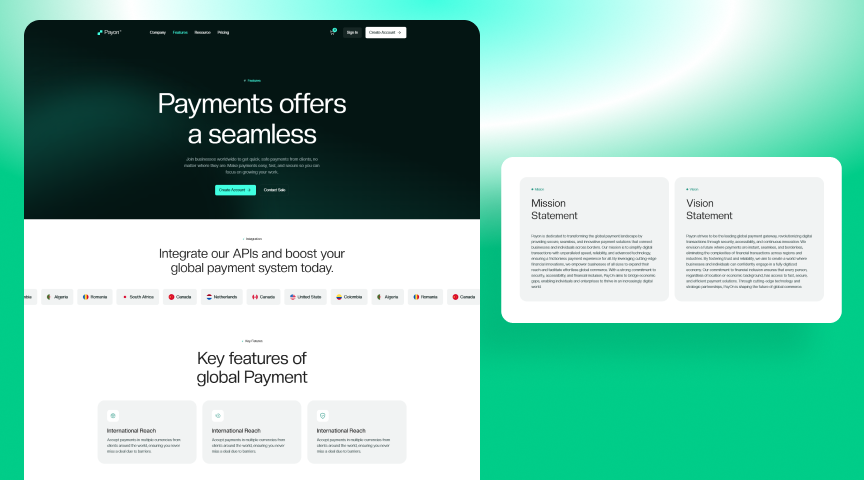
The Features page opens with a dark hero, then an integration section with a moving list of the countries you serve, a grid of key feature cards and a closing call to action. Use it to show currencies, payment methods, APIs and security in one scan.
An About Page That Builds Merchant Trust
The About page shows side-by-side mission and vision cards, four why-choose cards, animated company numbers and the integrations row. It gives a payment brand the trust story that merchants look for before they connect their store.
Pricing Plans, Plan Detail and Checkout Pages
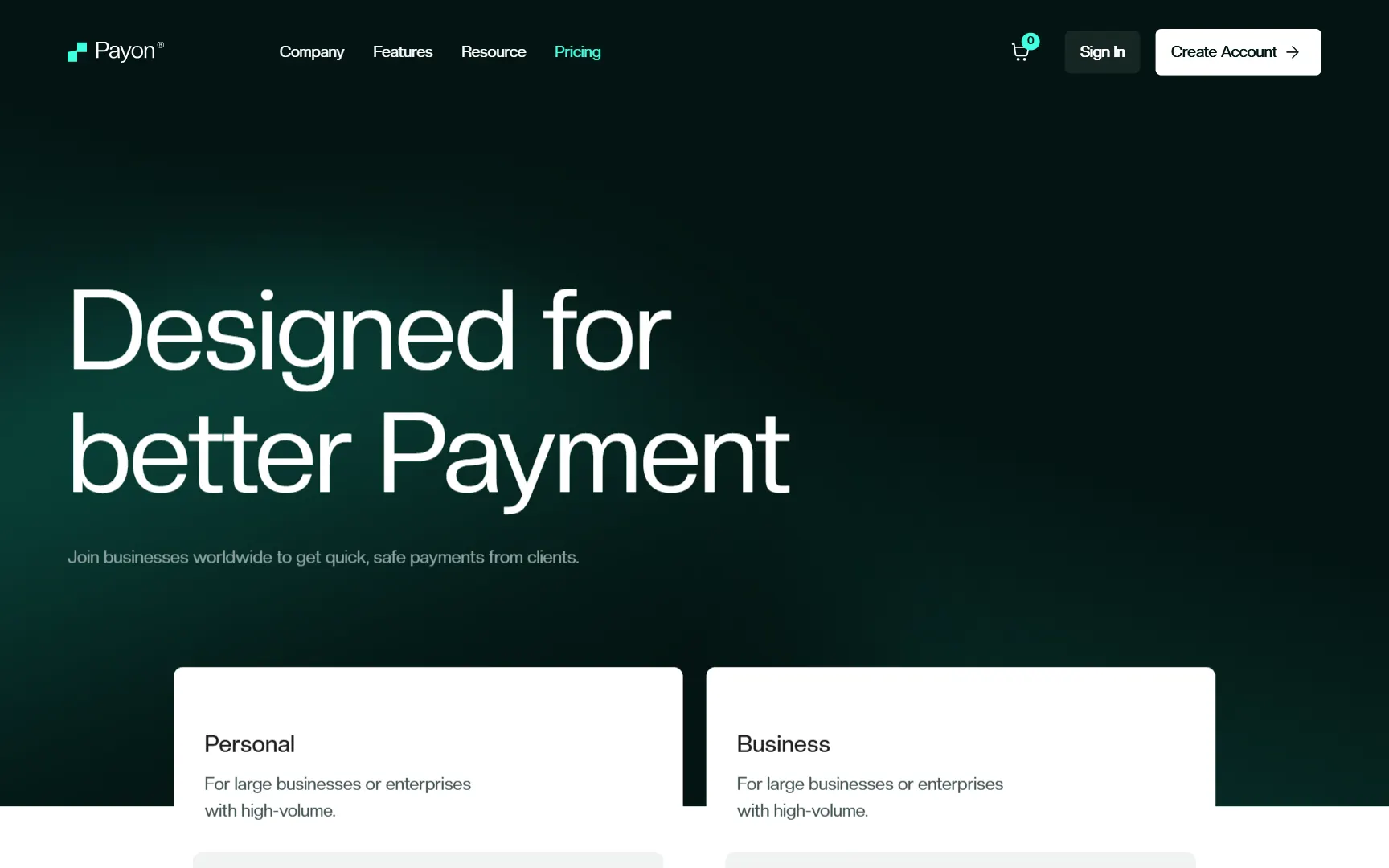
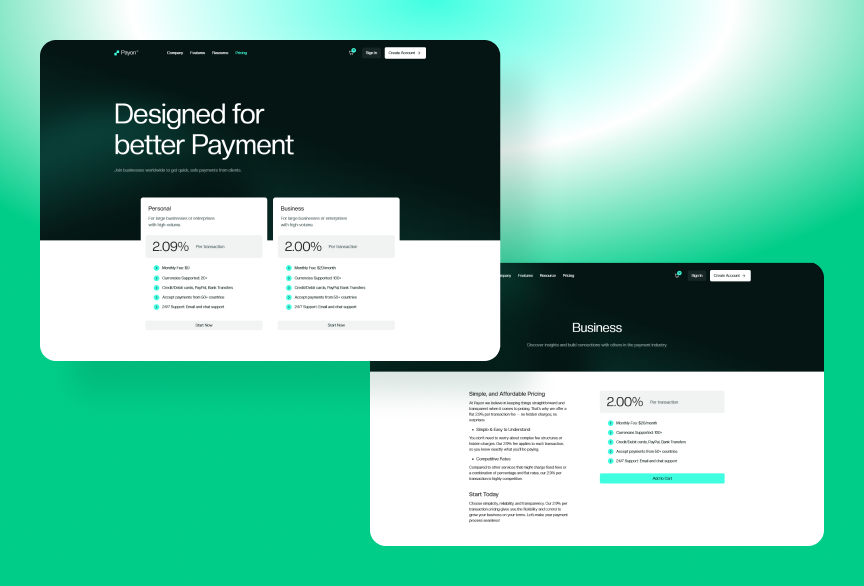
The Pricing page shows two plan cards with a short list of what each plan includes, three why-choose cards and an FAQ. Each plan opens its own Pricing Single page with a plain-language explainer next to the plan card. These detail pages are Webflow Ecommerce products, and they connect to the Checkout, Order Confirmation and PayPal Checkout pages, so merchants can sign up for a plan on your site. All plan names, rates and features are sample content: rename them and set your own. If merchants sign up inside your dashboard, point the Start Now buttons to your sign-up link and delete the sample products to keep the setup small.
An FAQ Page With Category Filters
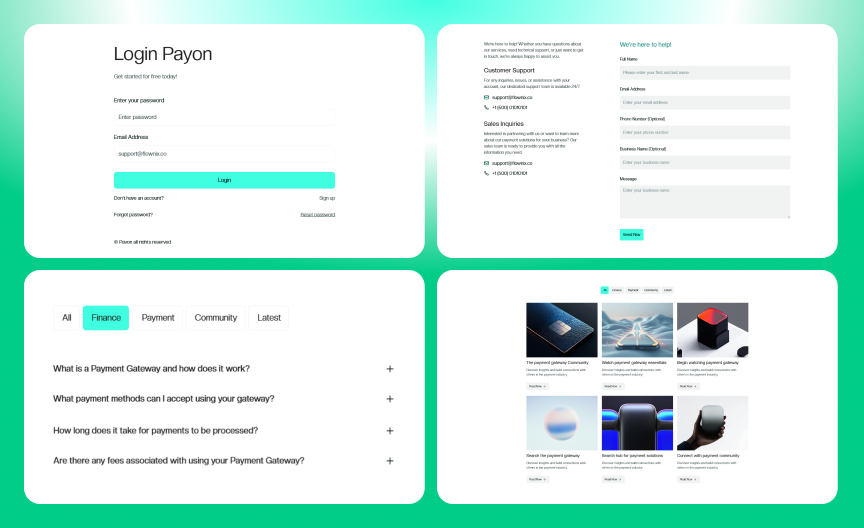
The FAQ page shows a full question list with filter tabs (All, Finance, Payment, Community and Latest), so merchants find answers on fees, security and payout times fast.
A CMS Blog With Categories
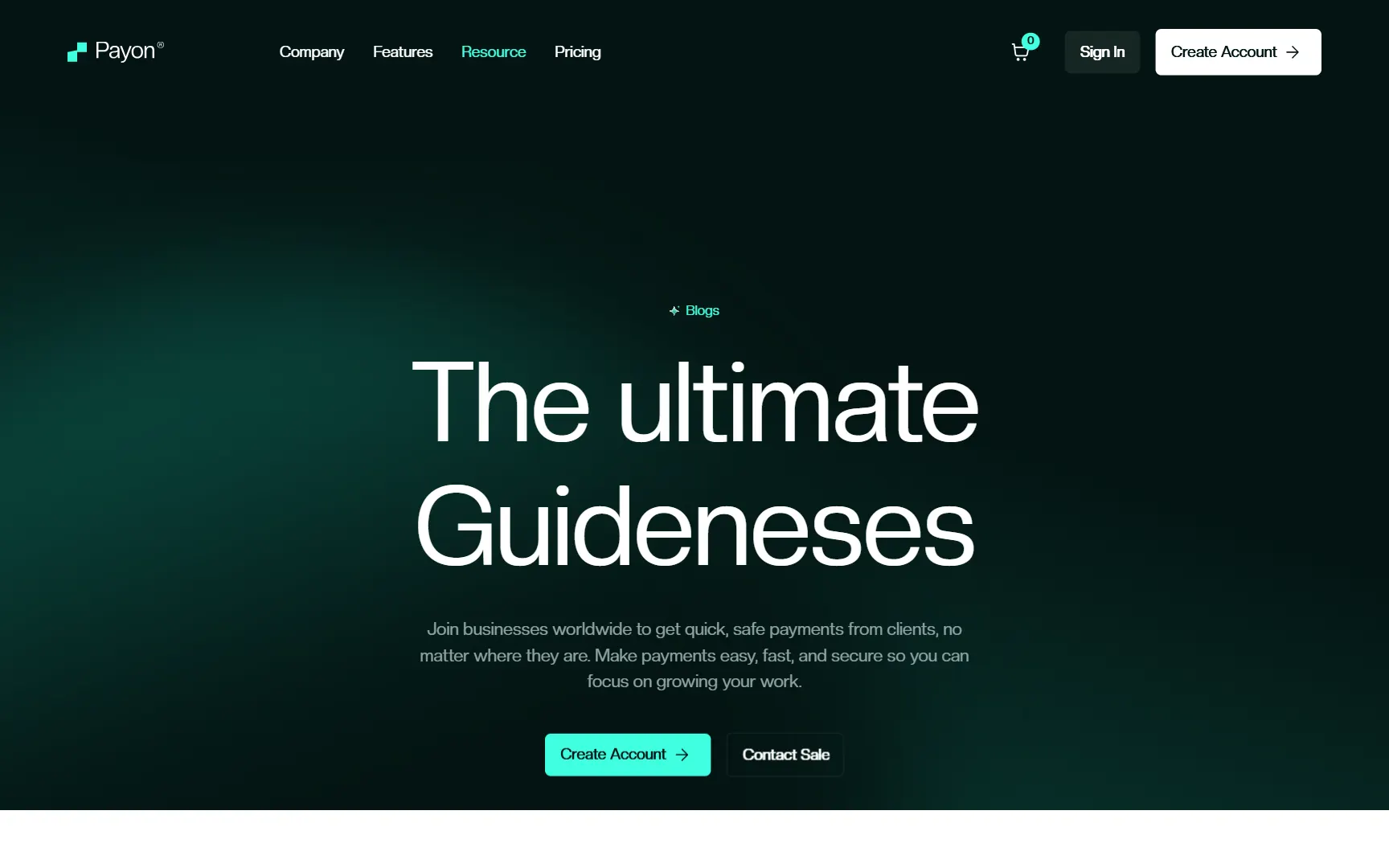
The Blog page shows an article grid with the same category filters. Each post opens on the Blog Single page with the writer and date, and each category has its own Blog Category page in the CMS.
Contact, Sign In and Sign Up Pages
- Contact: separate blocks for customer support and sales inquiries, each with email and phone, next to a form with name, email, phone, business name and message
- Sign In: an email and password form with a forgot password link
- Sign Up: name, email and password fields with a terms checkbox
Point the sign-in and sign-up forms to your real dashboard when you launch.
Legal and Utility Pages Included
Payon includes Privacy Policy and Terms and Conditions pages with long-form layouts and clear headings, ready for your legal team to edit. It also includes a Style Guide, a License page, a Changelog, a Password Protected page and a custom 404 page, so the small details are covered before launch.
A Teal-Black and Aqua Design System
Payon pairs near-black teal hero, call-to-action and footer sections with light gray content areas and bright aqua accents.
Creato Display is uploaded to the project as a custom font. Colors are stored as Webflow variables, and the Style Guide page shows every style in one place, so one change updates all 22 pages.
Responsive on Every Screen
Every Payon page is tuned for desktop, tablet and mobile. Feature rows, value cards and plan cards stack into one column, and the menu collapses into a compact dropdown, so merchants can compare plans and sign up from any screen.
Who Payon Is For
Before we designed Payon, we looked at how payment companies win merchants. A store owner choosing a gateway wants to see how payments look in practice, which features and integrations come with it, where it works, clear plans, answers on fees and security, a real company behind it and a quick way to sign up or talk to sales. So every section in Payon is there because it helps one of the teams below answer those questions.
- Payment gateways and processors. As a payment gateway template, Payon opens with a payment summary card and three feature rows for integration, payment links and recurring payments, so merchants see the product before they scroll.
- Merchant platforms. Create Account and Contact Sales buttons in the hero, plan cards with detail pages and sign-up pages turn interest into accounts.
- Cross-border and multi-currency payment companies. The moving country list on the Features page and the global reach counters show where you work and how much you handle.
- Payment API and developer platforms. The integrations row and API call counters give technical buyers a quick read of what connects to your product.
- Teams that answer many questions before a sale. The FAQ page with category filters and separate support and sales contact blocks cut down on back-and-forth.
- Studios and freelancers. A ready online payment website template, with legal pages included, saves days on a client project.
Looking for something else?
- Need payables and receivables pages? See Glopay.
- Building a banking app? See Trustify.
- Building an investing app? See Miclo.
What You Need in Webflow
- A Webflow account and Workspace to receive the template
- A CMS site plan to publish the blog and blog categories on a custom domain
- An Ecommerce site plan if you want the plan detail and checkout pages to work live
- A Core Workspace plan or higher if you want to export the code
Note: a template can't be added to an existing Webflow project, so you start a new site from Payon. The real homepage lives at /home, so set it as your home page before launch. Ecommerce can't be fully removed from the template, but you can delete the sample products to reduce the setup.
Getting Started with Payon
- Buy the template for $129. The Figma file is included free.
- Open your Polar link and send the template to your Webflow Workspace.
- Set /home as your home page in the site settings.
- Set your brand by changing the color variables and logo on the Style Guide page.
- Replace the payment summary card and dashboard mockup with your own screens, and update the feature rows.
- Update the plans or point the plan buttons to your dashboard, link the sign-in and sign-up forms, and edit the legal pages.
- Choose a site plan, connect your domain and publish.
Full Page List (22 Pages)
Launch Your Payment Gateway Site with Payon
Show merchants how your payments work and get them signed up. Payon gives you 22 pages, including the sign-in and legal pages a payment brand needs, and a free Figma file, all designed and built by Flownix.
Pages Included
- Homepage
- Features
- About/Company
- Blogs/Resources
- Blog Single (CMS)
- Pricing
- Pricing Single (Ecom)
- FAQs
- Contact
Single Use License
Can only be used by you or one client for one end product. You cannot resell or redistribute this template in its original or modified state.
Flownix supports this template
Questions about this template? Just reach out to the template designer and they will get back to you within 2 business days.
For advanced design guidance, please share your questions in the Webflow Forum or reach out to a Webflow Partner.
What is Payon?
Payon is a modern Webflow template for payment gateways and merchant platforms, designed and built by Flownix. It includes 22 pages with features, about, pricing plans with detail pages, an FAQ, a blog, contact, sign in, sign up and legal pages.
What makes Payon a good payment gateway website template?
It is built around how merchants choose a gateway: a payment summary in the hero, feature rows for integration and payment links, plan pages, an FAQ, and sign-in and legal pages. You replace the sample content with your own rates and screens.
Is Payon only for payment gateways?
No. This payment gateway template also fits payment processors, merchant platforms, payment API companies and cross-border payment services.
How many pages does Payon include?
22 pages: 11 main pages, 3 CMS template pages, 3 checkout pages and 5 utility pages.
Do I need to know how to code?
No. You edit text, images and colors in the Webflow Designer, and blog posts and categories are managed in the Webflow CMS.
Do I need a Webflow Ecommerce plan?
Only to publish the plan detail pages and checkout. If merchants sign up in your dashboard, link the plan buttons there and delete the sample products.
Do the sign in and sign up pages connect to my dashboard?
They are ready designs with the fields merchants expect. Point their forms and buttons to your real dashboard when you launch.
Is the Figma file included?
Yes. The Figma file comes free with this payment website template.
How do I get Payon after I buy it?
You get a Polar link that sends Payon to your Webflow Workspace as a new project, ready to edit.
Payon - Technology Website Template
Payon - Webflow template built for fintech SaaS companies. This template is perfect for capturing your users' attention and building trust. Our custom-made graphics effectively showcase your SaaS app's features.
Why Flownix
You can pick a launch-ready template and go live right away, get it customized in 1-3 days, or let us build a complete Webflow website from scratch. Whatever your business needs, Flownix makes building on Webflow simple and efficient.





Frequently Asked Questions
Yes, of course. You can purchase an individual template to build one website.
If you need more than one website, you'll have to purchase every template separately. That’s because every template comes with its own license to use.
In that case, you can choose one of our bundles that suits you best. With our bundles, you can use several templates to build as many websites as you need with one license.
Yes, we do. If you buy our Yearly Webflow Template Bundle, you get every new template we release for one full year.
If you buy the Lifetime Webflow Template Bundle, you get every new template we release forever (along with all their updates).
Either way, we never push updates into a site you’ve already built, so your live site stays exactly the way you left it.
Absolutely. You can edit the layouts, colors, fonts, images, and other elements directly in the Webflow Designer. We use organized classes, Webflow variables, and CMS collections to make the process easier for you.
If you would rather have us do it, our Webflow Template Customization Service starts at $149.
Yes, you can. Since every template is also sold on its own, you’ll be fine with it as long as you need just one website.
If you think you’ll need more than one sooner or later, our bundles are the better deal.
You get access to our whole Webflow template collection for about what two or three single templates would cost. That means it saves you a lot in the long run.
It’s simple - you can either click “Buy Now” on any template or open the template’s “Details" page and click the “Purchase” button. Either way, you’ll go straight to the “Checkout” page. You can then complete your payment there and get instant access to your template.
A free Webflow account is enough to open and edit a template. If you want to publish your website on your own domain, you’ll need a paid Site Plan. If your preferred template has CMS features like blogs or project listings, make sure you choose a plan that supports the CMS features you need.
Yes, definitely. Our webflow HTML website templates are designed for desktop, tablet, and mobile screens. You can check how each one looks on different devices using the Live Preview feature. We recommend that you open the preview on your phone too so you can see how it feels to browse.
Yes, you can. If you own both templates, you can copy sections from one template and paste them into another. You may need to adjust some styles or settings to get everything looking right, but it’s a great way to create the best layout for your needs. If you get stuck along the way, we're here to help with the customization too.
No worries. Feel free to send us the template link and let us know what you’d like to add. We can design and build a new section that matches the rest of your website through ourWebflow Template Customization Service.
Success Stories
Here's what designers, agencies, and businesses think about their experience with Flownix.

Exactly what I needed
I wanted something clean and simple for my business. This template had pretty much everything I needed, and making changes was easier than I expected.

Launched in two days
I bought a template on Monday and our site was live by Wednesday. Everything was well organized, so I only had to change the text and images.

Really easy to customize
The design looked great already, but I wanted to make it feel more like our brand. Changing colors, fonts, and sections was pretty straightforward.

Would definitely use again
Loved how simple everything was. The design feels modern without being too much, and updating content is easy. Already considering another template for my next project.

Made our launch easier
We were on a pretty tight schedule and needed a website quickly. The template saved us a lot of work, and we managed to launch right on time.




So easy to customize!
The attention to detail in every template is impressive. Smooth animations, clean layouts, and flexible components made the entire customization process simple and enjoyable.
So easy to customize!
The attention to detail in every template is impressive. Smooth animations, clean layouts, and flexible components made the entire customization process simple and enjoyable.
So easy to customize!
The attention to detail in every template is impressive. Smooth animations, clean layouts, and flexible components made the entire customization process simple and enjoyable.
So easy to customize!
The attention to detail in every template is impressive. Smooth animations, clean layouts, and flexible components made the entire customization process simple and enjoyable.
So easy to customize!
The attention to detail in every template is impressive. Smooth animations, clean layouts, and flexible components made the entire customization process simple and enjoyable.





Experience the Power of Ready-to-Launch Webflow Templates with Flownix
You can pick a pre-made Webflow template to launch your website right away, get help with complete customization, or build a website designed specifically for your brand.