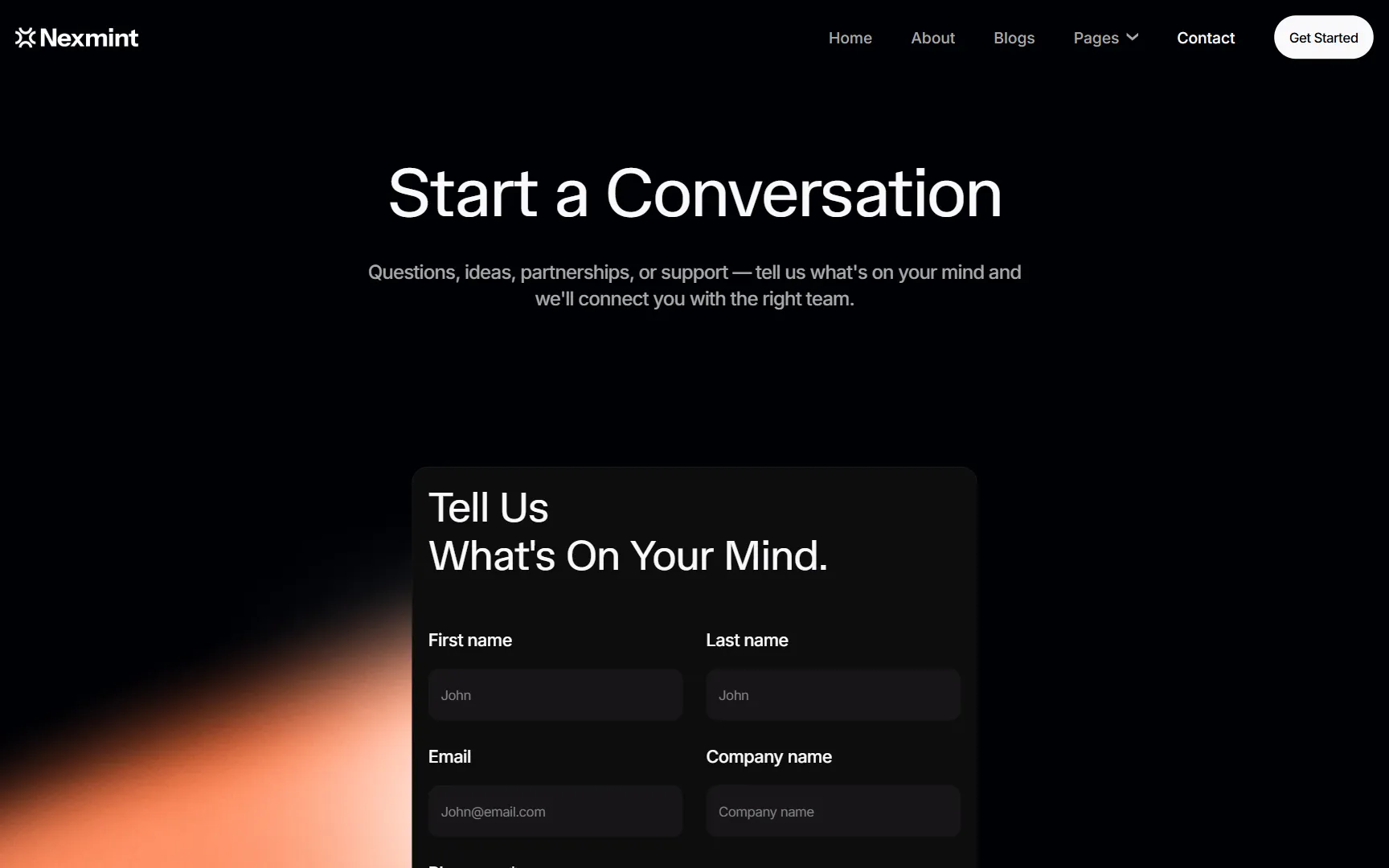
Nexmint: Crypto Website Template for Webflow
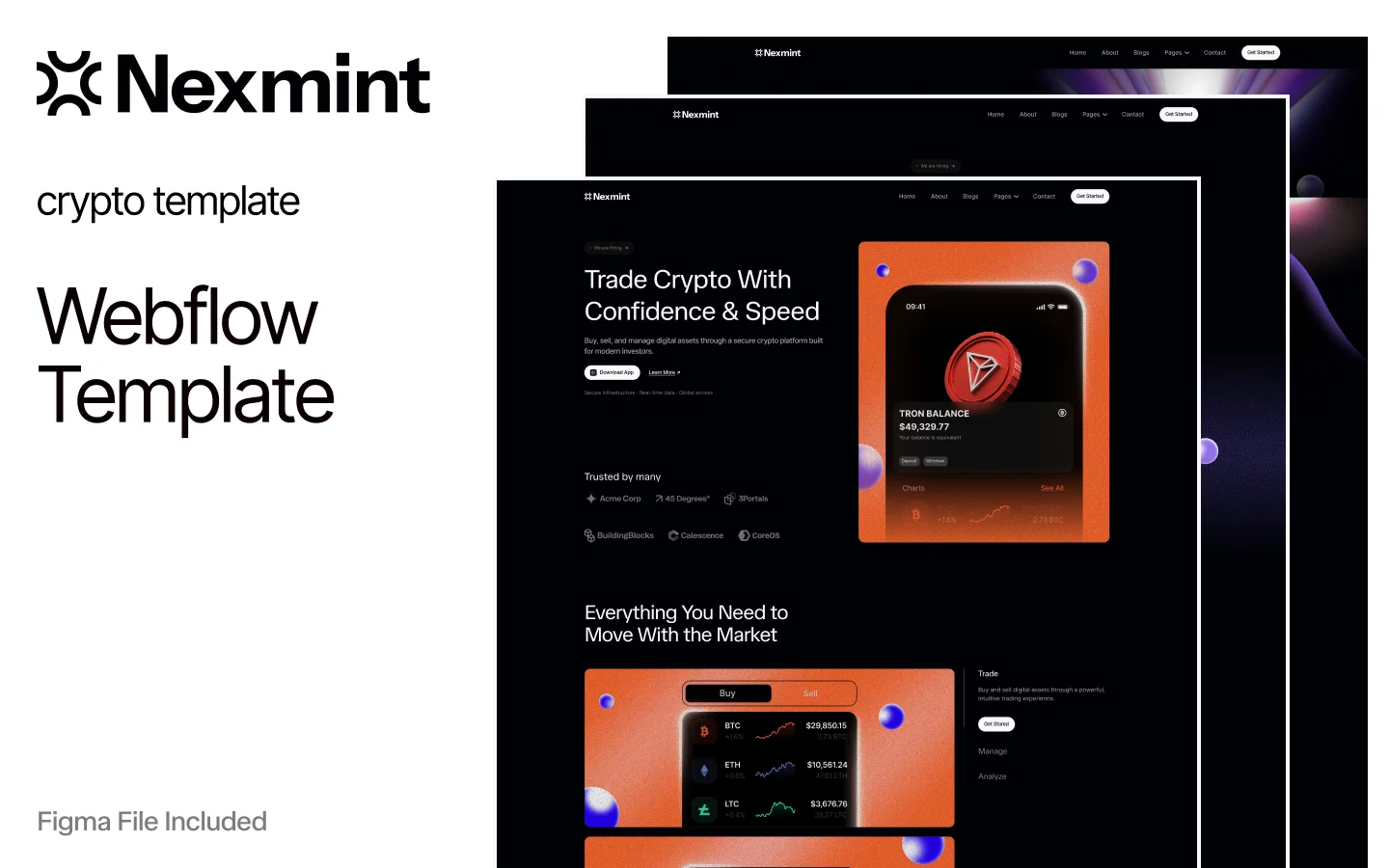
Nexmint is a dark, data-rich crypto website template for Webflow, made for exchanges, wallet apps, Web3 startups and fintech teams that need to look credible on launch day. You get 25 pages, three homepage layouts, market tables, a buy and sell swap card, portfolio mockups and a three-step onboarding flow, all editable in Webflow without writing code.
$129 | Single Use License | Designed, built and supported by Flownix
What Is Nexmint?
Nexmint is a crypto template for the public website of a digital asset product. It gives you the pages a crypto user checks before signing up: market data, a clear product story, proof that others trust the platform, pricing, an FAQ and a way to get in touch.
The sections describe products, not one specific coin. That makes it a cryptocurrency website template you can point at trading, payments, staking or portfolio tracking with copy changes rather than a redesign.
Three Homepage Layouts for Three Kinds of Crypto Business
Nexmint ships with three complete homepages, not three color swaps. Each one leads with a different promise, so you can pick the layout that matches how your product makes money and publish it as your home page. The other two stay in the project as reference or as a crypto landing page template for a campaign.
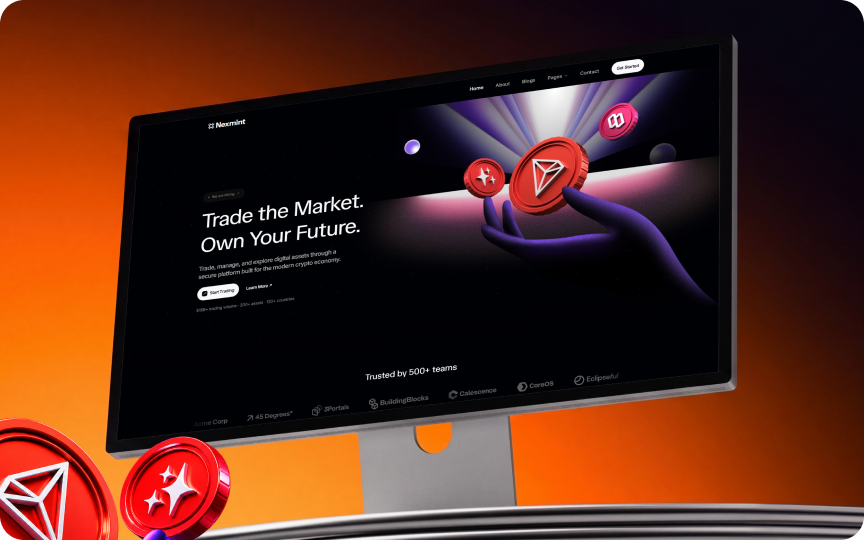
Home 01: Lead With Trading
Home 01 opens with "Trade the Market. Own Your Future." beside a 3D coin artwork on a purple glow. Right under the buttons, a single line carries your headline numbers: trading volume, number of assets and countries served.
The page then moves in the order a trader thinks: market growth bars for four coins, Explore, Trade and Manage tabs, four feature blocks, platform stats, an exchange widget with a price chart, a three-step onboarding flow, testimonials and an FAQ. It closes with a call to action over a dashboard mockup.
Best for: exchanges and trading platforms whose main pitch is "trade here."
Home 02: Lead With the Market and the App
Home 02 centers the headline "See the Market. Make Your Move." above a phone mockup showing a portfolio balance, with a Download App button as the main call to action. A price strip for Bitcoin, Ethereum, Solana and Chainlink sits directly below.
Its sections follow a Discover, Analyze, Act story, then show a dashboard overview, a trading screen inside a phone with Real-Time Execution, Advanced Order Types, Live Market Data and Custom Watchlists, and a closing grid of coin icons.
Best for: mobile-first products such as wallet apps and portfolio trackers, where getting the app installed is the goal.
Home 03: Lead With the Whole Platform
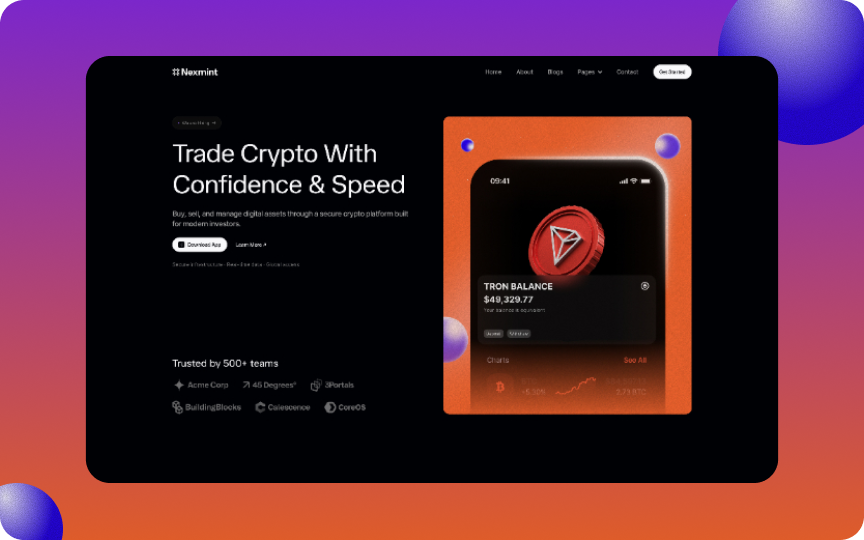
Home 03 uses a split hero, "Trade Crypto With Confidence & Speed," with an orange accent card holding a phone mockup and partner logos underneath. The orange gives this layout a warmer feel than the purple of Home 01 and 02.
It adds two things the other homepages do not have: a bento grid titled "One Platform. Multiple Ways to Engage With Crypto" and a blog feed that pulls the latest three posts from the CMS. Its market chart also covers five coins, adding XRP.
Best for: companies with several products (trading, infrastructure, APIs) and teams that plan to publish market content regularly.
The Crypto Sections, and What Each One Does for Your Business
Crypto users decide fast whether a platform looks real. These are the sections Nexmint uses to answer that question, what each one shows, and how you would use it.
Coin Price Table and Market Growth Visual
Gradient bars compare Bitcoin, Ethereum, Solana and Chainlink, each with a price and a daily change. On Home 02 and Home 03 the same idea appears as a price strip and a line chart.
The purpose is orientation. A visitor sees which assets you support and that your brand speaks the language of markets before reading a single paragraph. Swap the coins for the assets you actually list, and keep the figures current or labeled as examples.
Buy and Sell Swap Card
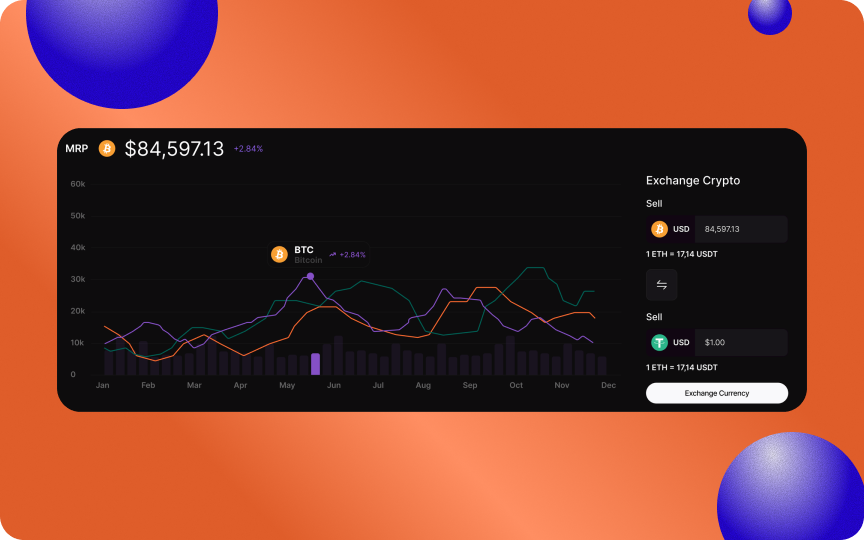
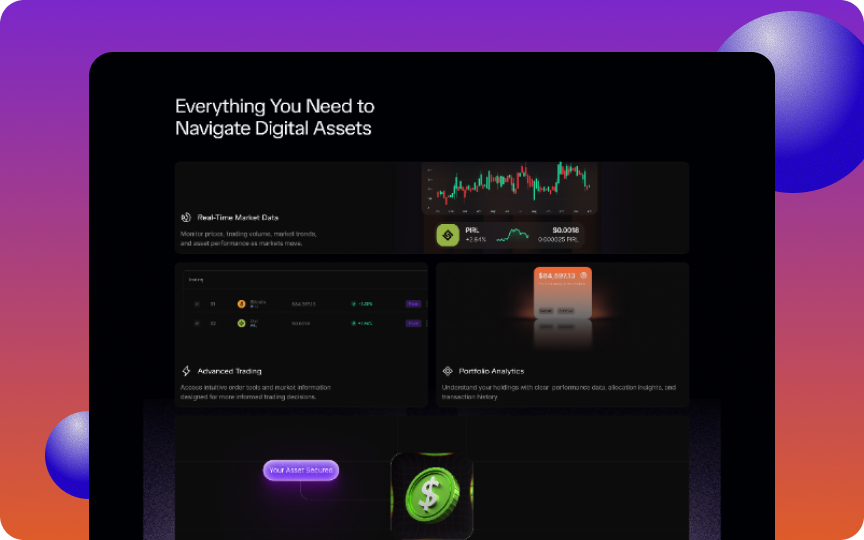
The "See What's Moving & Exchange" section places a Bitcoin price chart beside an Exchange Crypto card. The card has sell and buy fields, currency selectors, a rate line and an Exchange Currency button.
It shows visitors what a trade will look like before they create an account, which removes one unknown from the sign-up decision. In the template the card is a visual, not a working converter. Link its button to your sign-up page or app, or replace it with an embed from your trading provider.
Portfolio Cards and Dashboard Mockup
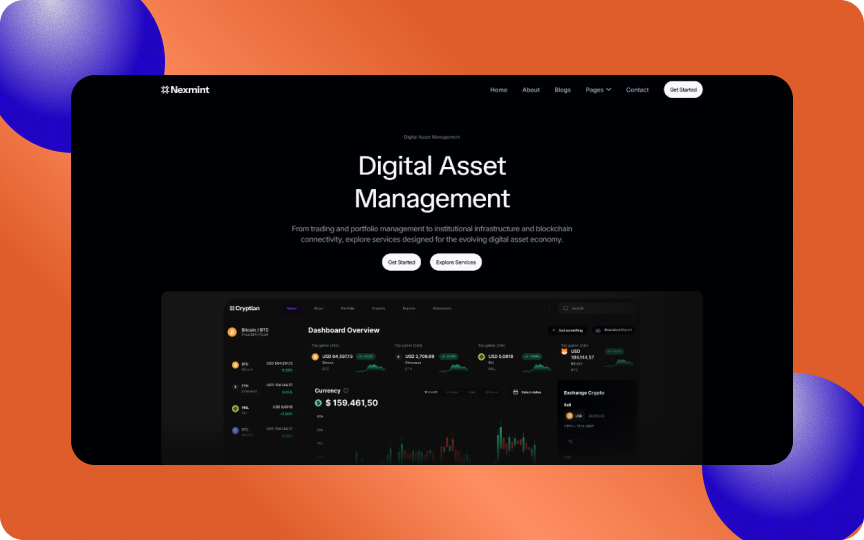
Nexmint includes a phone-sized portfolio card with a balance and Deposit and Withdraw buttons, plus a full Dashboard Overview with coin balances and a sales chart. Together they work as a crypto dashboard template for your marketing pages.
Product screens answer the question "what will I actually use?" Replace the mockup images with screenshots of your own app so the page sets accurate expectations. Fintech and SaaS teams can use the same frames for any data-heavy product.
Explore, Trade and Manage Feature Tabs
The "Everything crypto, built into one experience" section pairs a tab menu with three cards: Discover the market, Move with confidence and Own your portfolio. A customer quote sits under the tabs.
This is where you explain your product in three steps without a wall of text. Rename the tabs to your own product areas, such as Buy, Stake and Earn.
Stat Blocks and Partner Logos
Four animated counters show trading volume ($18B+), digital assets (200+), countries (120+) and platform uptime (99.99%). A "Trusted by 500+ teams" strip holds partner logos.
Numbers and logos are fast credibility, but only when they are true. The demo figures and logo names are placeholders. Replace them with numbers you can back up, and show partner logos only with permission.
Three-Step Onboarding Flow
"From Signup to Your First Trade" breaks the journey into Create Your Account, Fund Your Account and Start Trading. Each step has its own visual card.
Many first-time buyers do not know what happens after they click Sign Up. Three clear steps lower that hesitation. Edit the steps to match your real flow, including any identity verification you require.

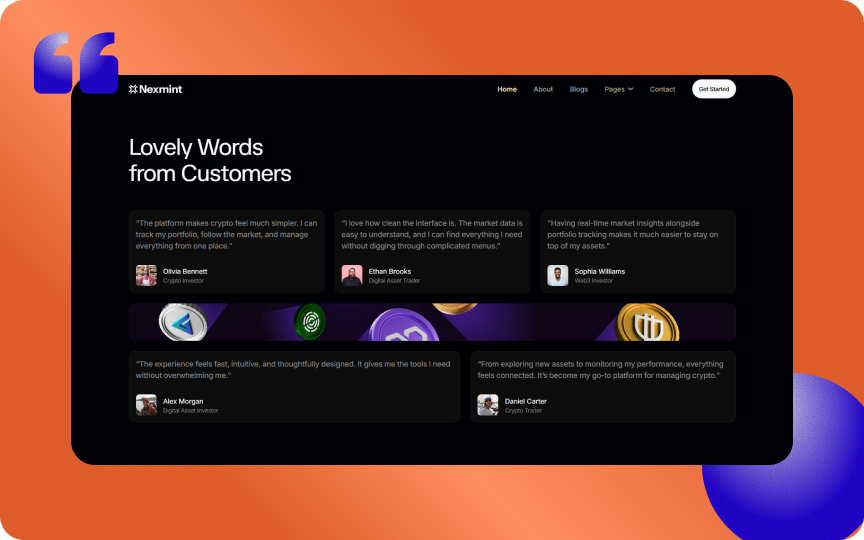
Security Block, Testimonials and FAQ
A Secure Infrastructure block, a values row (Fast, Transparent, Secure, Accessible), five customer testimonials and a seven-question FAQ accordion close the homepage. The FAQ covers buying crypto, supported coins, fees, portfolio tracking, account safety, withdrawals and support.
These sections handle the objections that stop a sign-up. Use real customer quotes only, and answer the FAQ in the words your support team already uses.
What Nexmint Is and Isn't: A Website, Not a Trading Engine
Nexmint is the public website for your crypto product. It is not the product itself. Knowing the difference before you buy saves you time and money.
Want live prices on the page? Add a price or chart widget from a market data provider through Webflow's Embed element, or connect an API with custom code. Check the provider's terms and how the widget affects load time before you publish.
Already have a trading app? Point the Start Trading, Get Started and Download App buttons to your app, sign-up page or app store listings. Nexmint then does its job: it explains the product and sends qualified visitors to it.
Every Page Inside the Template
Nexmint includes 25 pages: 14 static pages, 3 CMS collection templates and 8 utility pages. Here is what each one is for, so you know which pages to keep, merge or remove.
Static Pages
CMS Collections and Detail Pages
Three Webflow CMS collections let you add and edit content from the Webflow Editor without touching the layout.
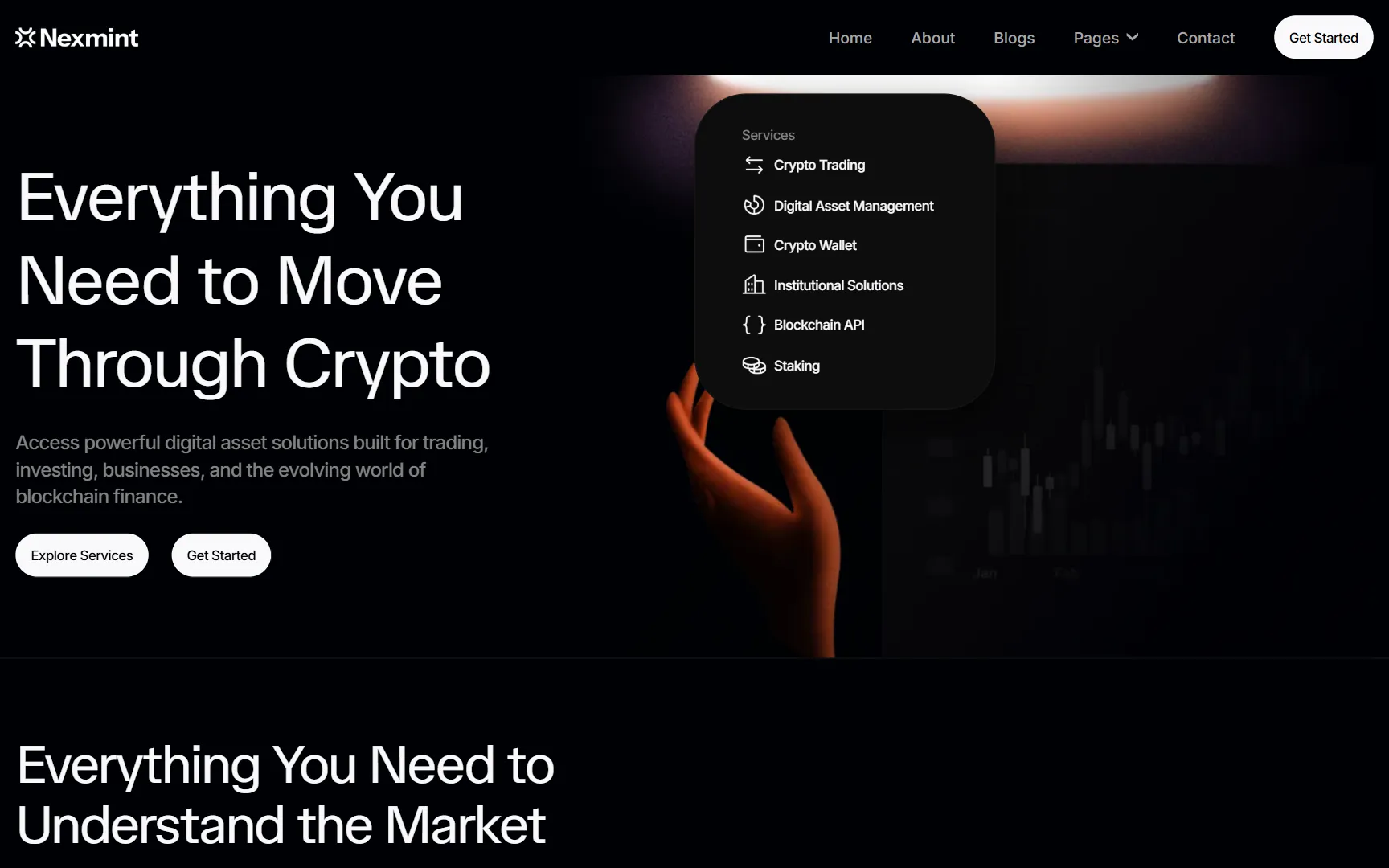
- Services (7 demo items): Crypto Trading, Digital Asset Management, Crypto Wallet, Institutional Solutions, Blockchain API, Staking and Crypto Exchange. Each detail page has a service overview with grouped feature lists, so every product gets its own page that can rank for its own search terms.
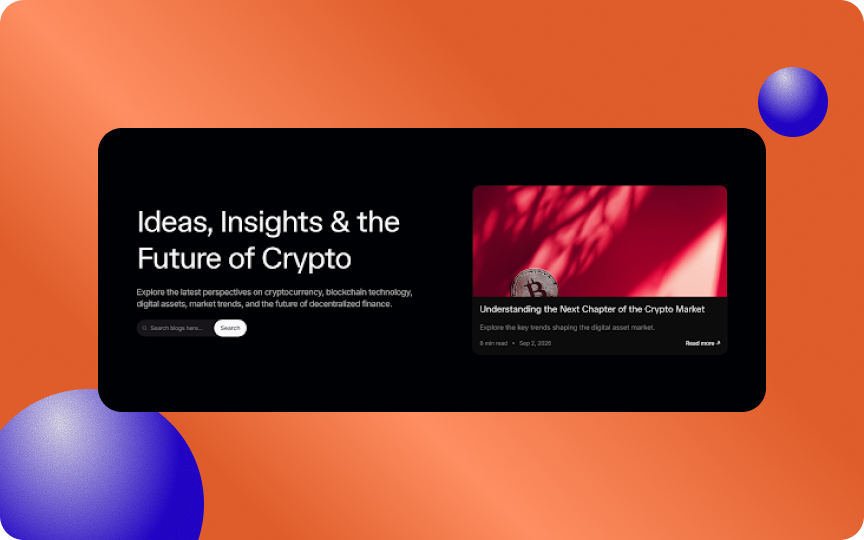
- Blog (6 demo posts): market explainers such as "Understanding Crypto Market Cycles and Volatility." Detail pages support long-form rich text with H3 sections, which suits educational content that brings in search traffic over time.
- Careers (9 demo roles): from Blockchain Engineer to Crypto Compliance Specialist. Each detail page lists the role, what you will do, requirements, nice-to-haves, the hiring process and job details, with an apply button.
Utility Pages:
Eight utility pages handle the essentials: Style Guide, Instructions, Licenses, Changelog, Terms and Conditions, Privacy Policy, 401 (password-protected page) and 404. The Instructions page documents the GSAP animation classes, marquees, counters and the Lenis smooth scroll setup. The Licenses page lists the fonts, icons and images used.
Who This Crypto Website Template Is For
Nexmint fits any business that has to explain a digital asset product to people who are cautious with their money. Here is how different teams would put it to work.
Crypto Exchanges and Trading Platforms
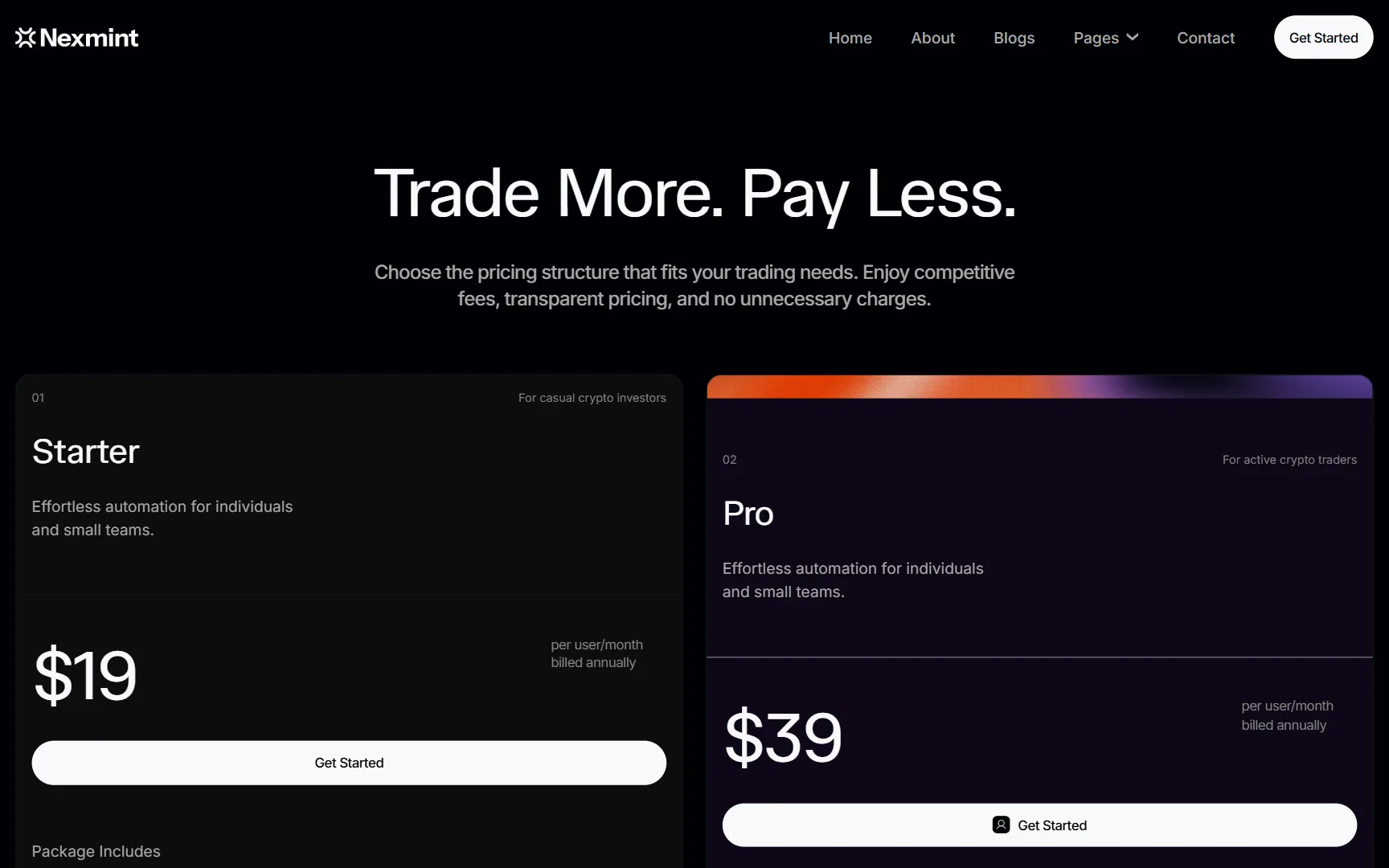
An exchange gets the most out of Home 01. The market growth bars, price chart and swap card show trading in action. The Pricing page maps directly to fee tiers, and the FAQ already covers order types, fees and withdrawals. As a crypto exchange website template, it gives you every page a trader expects except the exchange itself.
Crypto Wallet Providers
A wallet team would start from Home 02. The Download App button, phone portfolio mockup and Deposit and Withdraw actions match how wallet users think. Replace the mockups with your app screens, and use the Services collection for features such as multi-chain support or backup and recovery.
Web3 Startups and Blockchain Companies
For a Web3 website template, credibility matters more than features. Use About 02 or 03 to show the team and principles, the Career collection to show you are growing, and the Blog to publish technical explainers. Blockchain development studios can turn the Services collection into a list of what they build, such as smart contracts, integrations and APIs.
DeFi and Staking Platforms
A DeFi or staking product can use the Services collection for each pool or product, the stat blocks for figures such as assets supported, and the FAQ for risk and withdrawal questions. Treat it as a DeFi website template for the public site, and keep your app on its own domain or subdomain.
Portfolio Trackers and Crypto Payment Gateways
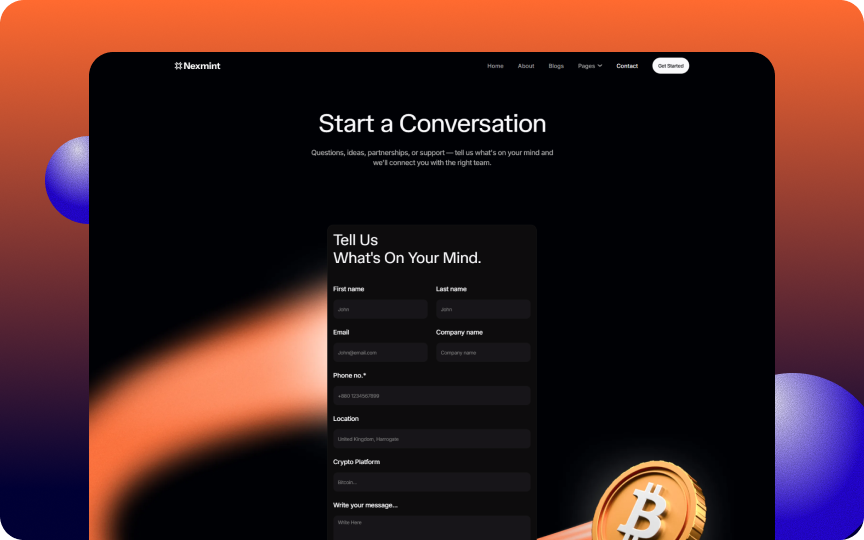
Portfolio trackers can lead with the dashboard mockup and portfolio cards. Payment gateways can rename the onboarding steps to Sign up, Integrate and Accept payments, and use the Pricing page for transaction tiers. Contact 01 already asks which crypto platform a lead uses, which helps sales.
Token, ICO and Tokenization Projects
Token projects can use Home 03 for its blog feed and multi-product layout, the About pages for team and principles, and the FAQ for how to buy and store the token. Note that Nexmint has no tokenomics, roadmap or countdown section, so you would build those from existing blocks.
Fintech and SaaS Teams
The dark, data-heavy style suits fintech products beyond crypto. As a fintech Webflow template, Nexmint's dashboard frames, pricing table and feature tabs work for analytics, payments or banking apps with copy and image changes.
How Nexmint Supports Your Business Goals
A template cannot promise sign-ups or rankings. What it can do is remove the design and build work that sits between you and a credible launch, so your time goes into the product and the message.
- A credible first impression. A dark, data-led design with product mockups looks like a real platform, which matters in a market where users are wary of scams.
- Complex products made clearer. Tabs, three-step flows and one page per service break a hard-to-explain product into parts a newcomer can follow.
- More qualified inquiries. Three contact layouts, including forms that ask for location and crypto platform, give your sales team context before the first reply.
- A path from visitor to user. Every homepage ends with a call to action, and the onboarding section shows what happens after sign-up.
- Content that compounds. The Blog and Services collections give you pages that can rank for market questions and product terms over time.
- A consistent brand. The Style Guide holds colors, type and buttons in one place, so new pages match the rest of the site.
- Hiring support. The Careers collection lets a growing team publish roles without a separate job board site.
Customizing Nexmint in Webflow
Nexmint is built on Webflow Variables, so most brand changes happen in one place and flow through every page. You adapt the template to your brand rather than rebuild it.
- Brand colors. Primary, secondary and dark color variables control the palette. Change a variable once and every button, gradient accent and card that uses it updates.
- Typography. Headings use TASA Orbiter and body text uses Inter, both set as variables along with sizes, line heights and letter spacing for H1 to H6. Swap in your brand fonts at the variable level.
- Text and images. Click any heading or paragraph in the Designer or Editor to rewrite it. Replace mockups, coin artwork and team photos from the asset panel.
- Sections and layouts. Sections are self-contained, so you can duplicate, reorder or delete them. Move the onboarding flow above the features, or drop the swap card if you do not offer trading.
- CMS content. Add services, blog posts and job openings through the Webflow Editor. Content teams can publish without opening the Designer.
- Animations. The Instructions page explains the GSAP classes for text and element staggers, the marquee and counter code, and the Lenis smooth scroll setup, so you can edit or turn off motion.
- Responsive layouts. Styles are set for large screens (1920px and 1440px), desktop, tablet (991px), mobile landscape (767px) and mobile portrait (479px). Check each breakpoint after you change content length.
A realistic note on the learning curve: editing text, images and CMS items is easy for anyone. Changing layouts, classes and GSAP interactions goes faster if you already know the Webflow Designer. If you would rather not do that part, Flownix offers Webflow template customization.
Performance and Loading Speed
We tested the Nexmint demo homepage with Google Lighthouse rather than quote a score we cannot show. The results below are from one run each on 19 November 2026. Scores vary between runs, networks and devices.
What helps speed: Webflow serves pages and images from a global CDN, most images use WebP with responsive sizes, off-screen images load lazily, and the layout does not shift as it loads (CLS 0).
What costs speed: the homepage is rich in motion. GSAP with ScrollTrigger, SplitText and smooth scrolling adds JavaScript that the phone has to run, and Lighthouse lists several scripts as render-blocking. That is the main reason the mobile score is lower than desktop.
Your finished site will perform differently from the demo. It depends on the images you upload, the sections you keep, any widgets you embed and your Webflow plan. To keep it fast:
- Compress images and use WebP or AVIF before uploading.
- Delete sections and pages you do not use, rather than hiding them.
- Reduce or remove animations on sections where motion adds little.
- Load third-party widgets such as price tickers or chat only where they are needed.
- Test your own pages with PageSpeed Insights after each major change.
Security: What Webflow Covers and What You Still Own
Webflow secures the hosting. You remain responsible for your content, your forms and anything you connect. And a website template is never a substitute for exchange, wallet or payment security.
What Webflow hosting provides (per Webflow Security and Webflow Hosting):
- SSL and TLS on every site plan, with HSTS enforced by default
- A global CDN with DDoS and bot protection
- Automatic platform patches and updates, with no server for you to maintain
- SOC 2 Type II compliance, listed with ISO 27001 and other standards on the Webflow Trust Center
What stays on your side:
- Forms and customer data. Nexmint's contact forms send submissions through Webflow forms. Ask only for what you need, publish a privacy policy (a template page is included), and never ask for passwords, seed phrases or private keys in a form.
- Third-party code. Every widget, chat tool or analytics script you add brings its own risk. Add only trusted providers and remove what you no longer use.
- Access and upkeep. Turn on two-factor authentication for your Webflow account, limit editor access and review CMS content regularly.
- Your actual platform. Trading, custody, wallets, KYC and payment processing run on your own systems and need their own security and compliance review. Nexmint does not provide any of them.
Nexmint vs a Custom Build vs a Free Template
A premium template sits between a free starter and a custom build. Here is how the three compare for a crypto company launching a marketing site.
When Nexmint is the right call: you need a credible, complete site soon and you can bring your own copy and product screenshots.
When it is not: you need a fully unique brand experience, or your site must run trading features directly in the browser. In that case, start with a custom build. Flownix also builds custom Webflow websites.
What You Get With Your Purchase
One payment of $129 gets you the complete Nexmint Webflow project, ready to customize and publish.
- All 25 pages: 3 homepages, 3 about pages, 3 contact pages, Services, Pricing, FAQ, Blog, Career, 3 CMS templates and 8 utility pages
- 3 CMS collections with demo content: 7 services, 6 blog posts and 9 job openings
- GSAP animations with setup notes on the Instructions page
- A Style Guide built on Webflow Variables for colors, typography and spacing
- Responsive layouts for large desktop, desktop, tablet and mobile
- Figma source file
- Delivery method after checkout (for example, a Webflow clone link or a project transfer)
License: Single Use. You can use Nexmint for one end product, for yourself or one client. You cannot resell or redistribute the template, in its original or modified form.
What you will also need: a Webflow account to edit the project and a Webflow site plan to publish it on your own domain. Sites that use the CMS collections need a plan that includes CMS.
Support From Flownix
Flownix designs, builds and supports Nexmint in-house, so your questions go to the people who made it.
- Template questions: contact Flownix about setup, features or customization, and expect a reply within 2 business days.
- Guidance on features: help understanding how the CMS, animations, Style Guide and page structure work.
- Common setup issues: help with publishing, connecting a domain, form settings and similar first-launch questions.
- Personalized one-on-one help: for clients who need more specific guidance, Flownix offers personal support. Confirm whether this is free or paid, and the channel (email, call or chat).
- Hands-off option: if you would rather have the work done for you, Flownix offers Webflow template customization and custom Webflow builds.
Launch Your Crypto Website With Nexmint
Three homepages, 25 pages and the crypto sections your users expect, ready to brand as your own. Explore the live demo, then make it yours.
Pages Included
- Home 01
- Home 02
- Home 03
- About 01
- About 02
- About 03
- Contact 01
- Contact 02
- Contact 03
- Service
- Blog
- Career
- FAQ
- Pricing
Single Use License
Can only be used by you or one client for one end product. You cannot resell or redistribute this template in its original or modified state.
Flownix supports this template
Questions about this template? Just reach out to the template designer and they will get back to you within 2 business days.
For advanced design guidance, please share your questions in the Webflow Forum or reach out to a Webflow Partner.
Is Nexmint a working crypto exchange?
No. Nexmint is a crypto website template: the public site that explains your product. Trading, wallets, accounts and payments run on your own platform, which you link to from the template's buttons.
Can I show live crypto prices?
The demo uses fixed example prices. You can add live prices with an embedded widget from a market data provider or with custom code that calls a price API.
Do I need to know how to code?
No. You can edit text, images, colors, fonts and CMS content in Webflow without code. Changing layouts and animations is easier if you know the Webflow Designer.
Which Webflow plan do I need?
You need a Webflow account to edit the project and a site plan to publish on your own domain. Because Nexmint uses CMS collections, choose a plan that includes CMS.
Can I use Nexmint for a client project?
Yes, for one client. The Single Use License covers one end product, for you or one client. Each additional site needs another license.
Can I add Nexmint to my existing Webflow site?
No. Webflow templates start a new project and cannot be applied to an existing one. You can copy sections between projects in the Designer if needed.
Is Nexmint only for crypto companies?
It is designed for crypto, but the dashboards, pricing table and feature sections also suit fintech, payments and data-heavy SaaS products.
Is the cryptocurrency website template SEO-friendly?
It gives you a clean heading structure, one page per service, a CMS blog and Webflow's built-in SEO settings for titles, descriptions and alt text. Rankings still depend on your content, links and competition.
Can I export the code?
Webflow lets you export a site's code on a Core plan or higher, so you can host it elsewhere. CMS content and forms do not work the same way outside Webflow.
What support do I get?
Flownix answers template questions within 2 business days and can help with setup and customization. See the support section above for details.
Nexmint - Technology Website Template
Nexmint is a crypto trading and web3 website template built with Webflow. It showcases live market data, portfolio analytics, and secure exchange features through dark, data-rich layouts.
Why Flownix
You can pick a launch-ready template and go live right away, get it customized in 1-3 days, or let us build a complete Webflow website from scratch. Whatever your business needs, Flownix makes building on Webflow simple and efficient.



Frequently Asked Questions
Yes, of course. You can purchase an individual template to build one website.
If you need more than one website, you'll have to purchase every template separately. That’s because every template comes with its own license to use.
In that case, you can choose one of our bundles that suits you best. With our bundles, you can use several templates to build as many websites as you need with one license.
Yes, we do. If you buy our Yearly Webflow Template Bundle, you get every new template we release for one full year.
If you buy the Lifetime Webflow Template Bundle, you get every new template we release forever (along with all their updates).
Either way, we never push updates into a site you’ve already built, so your live site stays exactly the way you left it.
Absolutely. You can edit the layouts, colors, fonts, images, and other elements directly in the Webflow Designer. We use organized classes, Webflow variables, and CMS collections to make the process easier for you.
If you would rather have us do it, our Webflow Template Customization Service starts at $149.
Yes, you can. Since every template is also sold on its own, you’ll be fine with it as long as you need just one website.
If you think you’ll need more than one sooner or later, our bundles are the better deal.
You get access to our whole Webflow template collection for about what two or three single templates would cost. That means it saves you a lot in the long run.
It’s simple - you can either click “Buy Now” on any template or open the template’s “Details" page and click the “Purchase” button. Either way, you’ll go straight to the “Checkout” page. You can then complete your payment there and get instant access to your template.
A free Webflow account is enough to open and edit a template. If you want to publish your website on your own domain, you’ll need a paid Site Plan. If your preferred template has CMS features like blogs or project listings, make sure you choose a plan that supports the CMS features you need.
Yes, definitely. Our webflow HTML website templates are designed for desktop, tablet, and mobile screens. You can check how each one looks on different devices using the Live Preview feature. We recommend that you open the preview on your phone too so you can see how it feels to browse.
Yes, you can. If you own both templates, you can copy sections from one template and paste them into another. You may need to adjust some styles or settings to get everything looking right, but it’s a great way to create the best layout for your needs. If you get stuck along the way, we're here to help with the customization too.
No worries. Feel free to send us the template link and let us know what you’d like to add. We can design and build a new section that matches the rest of your website through ourWebflow Template Customization Service.
Success Stories
Here's what designers, agencies, and businesses think about their experience with Flownix.

Exactly what I needed
I wanted something clean and simple for my business. This template had pretty much everything I needed, and making changes was easier than I expected.

Launched in two days
I bought a template on Monday and our site was live by Wednesday. Everything was well organized, so I only had to change the text and images.

Really easy to customize
The design looked great already, but I wanted to make it feel more like our brand. Changing colors, fonts, and sections was pretty straightforward.

Would definitely use again
Loved how simple everything was. The design feels modern without being too much, and updating content is easy. Already considering another template for my next project.

Made our launch easier
We were on a pretty tight schedule and needed a website quickly. The template saved us a lot of work, and we managed to launch right on time.




So easy to customize!
The attention to detail in every template is impressive. Smooth animations, clean layouts, and flexible components made the entire customization process simple and enjoyable.
So easy to customize!
The attention to detail in every template is impressive. Smooth animations, clean layouts, and flexible components made the entire customization process simple and enjoyable.
So easy to customize!
The attention to detail in every template is impressive. Smooth animations, clean layouts, and flexible components made the entire customization process simple and enjoyable.
So easy to customize!
The attention to detail in every template is impressive. Smooth animations, clean layouts, and flexible components made the entire customization process simple and enjoyable.
So easy to customize!
The attention to detail in every template is impressive. Smooth animations, clean layouts, and flexible components made the entire customization process simple and enjoyable.
Experience the Power of Ready-to-Launch Webflow Templates with Flownix
You can pick a pre-made Webflow template to launch your website right away, get help with complete customization, or build a website designed specifically for your brand.