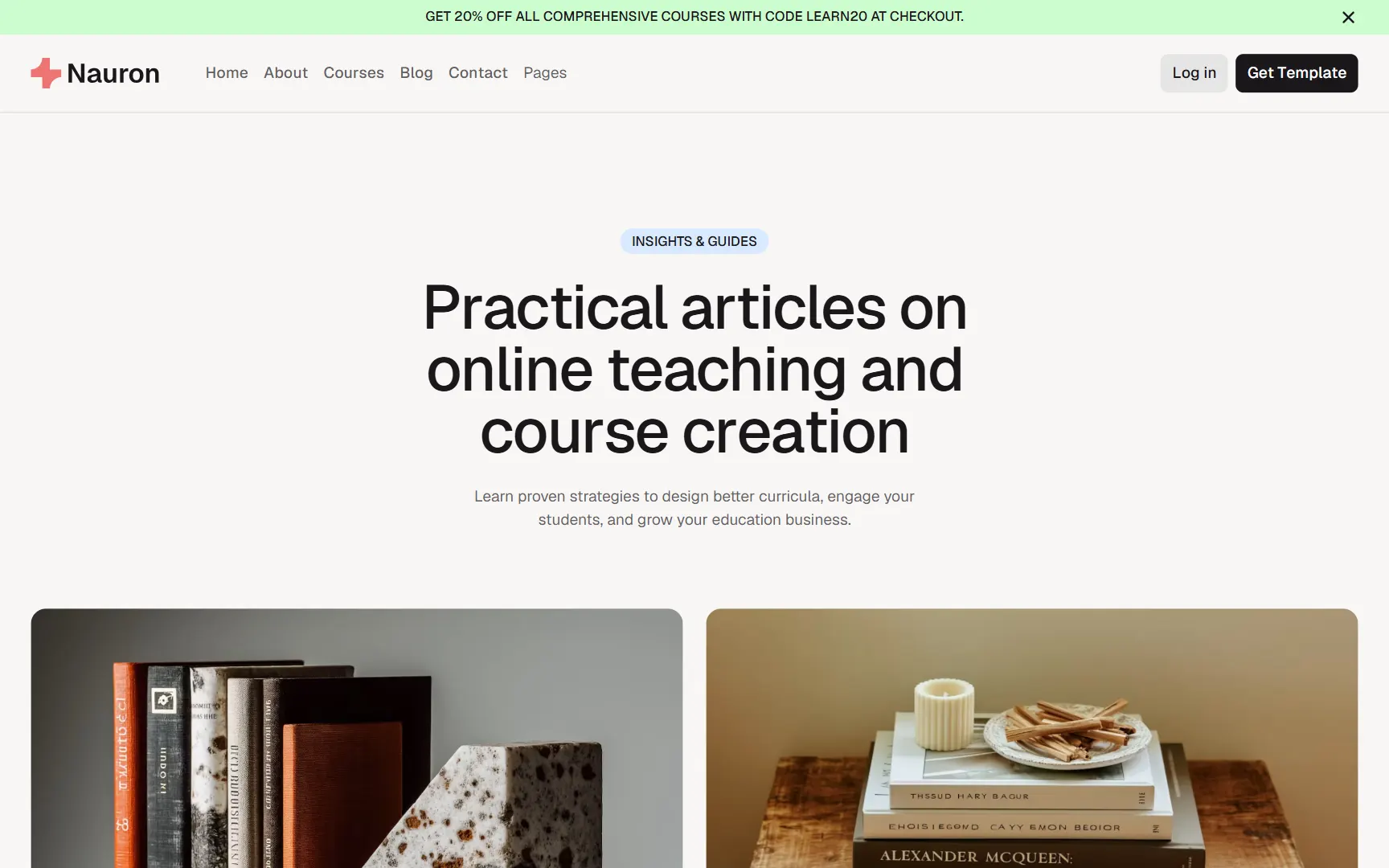
Nauron: Online Course Website Template for AI Academies
Nauron is an online course website template for Webflow, built for academies, bootcamps and instructors who teach technical skills such as AI engineering, LLM systems and agent workflows. Every course gets its own page with price, outcomes, curriculum, a learning journey and a sample class, and every instructor gets a profile that builds trust before a student enrolls. Pricing plans, an FAQ and a blog complete the path from browsing to enrolling. Every purchase includes the Figma file for free.
Quick facts
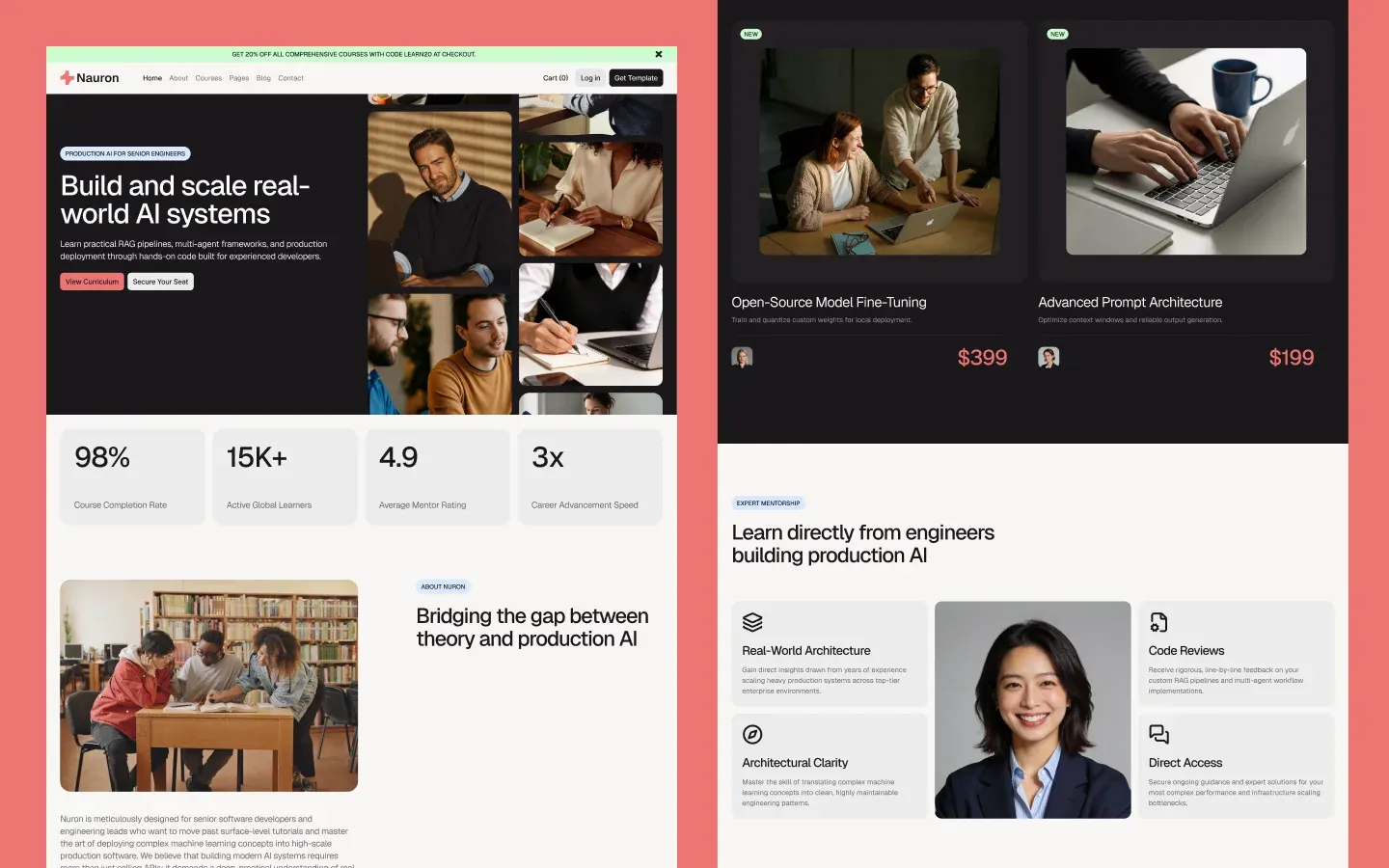
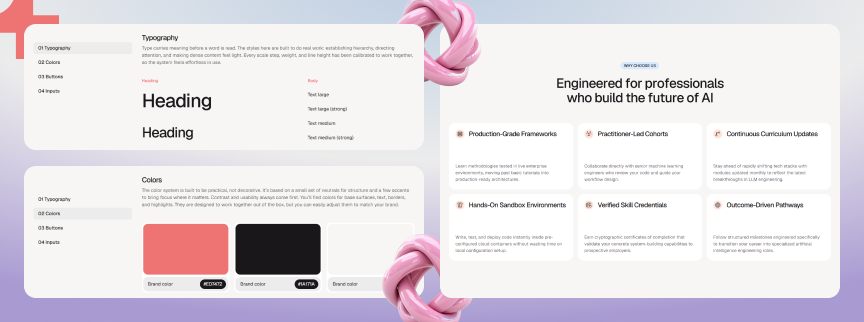
A Calm, Focused Design for Serious Learners
People buying a technical course want to feel that the academy is credible and that the material is organized. Nauron answers with a calm, uncluttered look: warm neutral backgrounds, deep charcoal sections for contrast, and soft mint, peach and lavender accents that guide the eye without shouting. A coral call-to-action color makes Enroll and Get Started easy to find on every page.
Typography that stays readable
Nauron uses Geist for headings and body text. It is clean, modern and easy to read in long course descriptions and curriculum lists, and it is free for commercial use from Google Fonts.
Proof in numbers
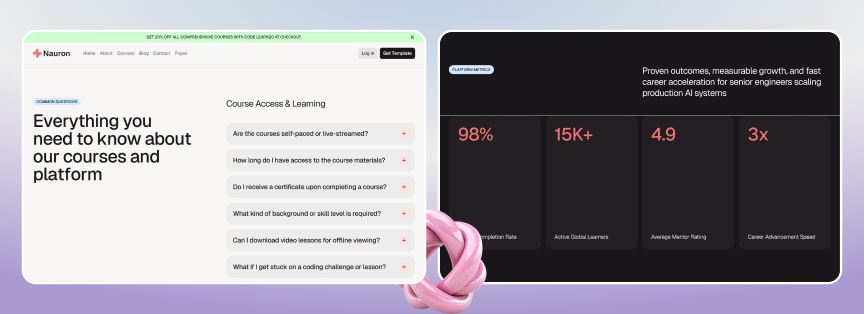
Completion rates, enrolled students, course ratings and "applied skills at work" appear as large animated counters on course pages and homepages. Change a counter's data-target value in the Designer to show your own numbers.
Motion with restraint
Scroll-triggered GSAP animations, course and testimonial sliders, a scrolling topic marquee (RAG pipelines, model tuning, agent workflows) and background video add life. Lenis smooth scrolling runs on desktop only, so phones keep their native feel.
Imagery
Photos and video loops come from Lummi and are free for commercial use. Swap in photos of your own instructors and students for the strongest trust signal.
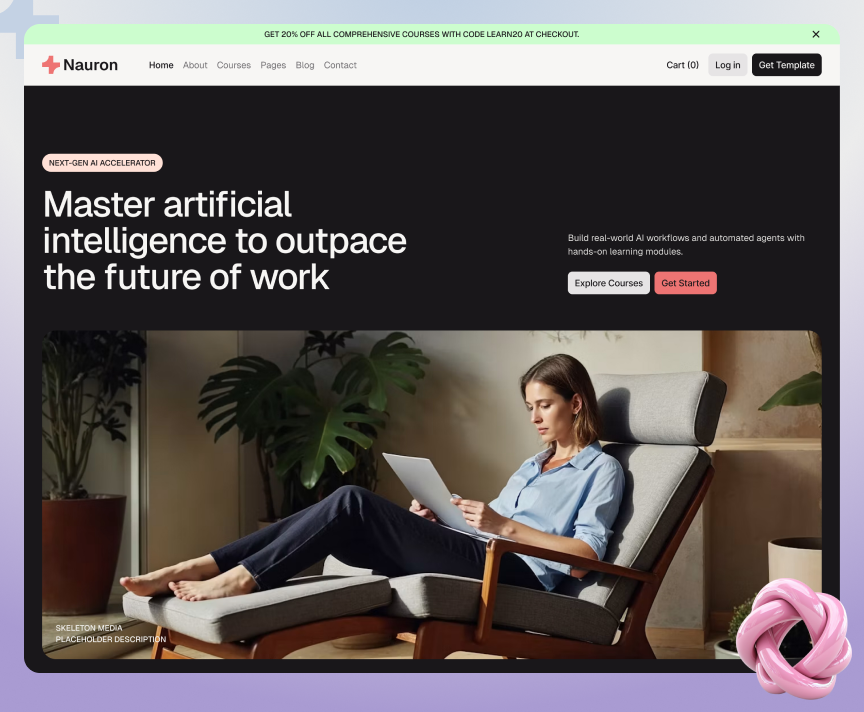
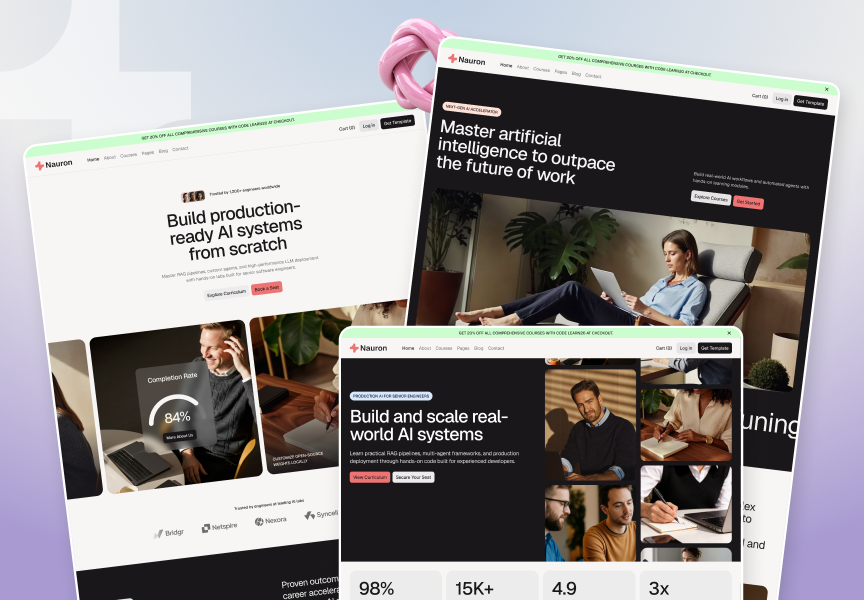
Three Homepage Layouts for Different Kinds of Academies
A self-paced course library, a cohort bootcamp and an advanced program for senior engineers sell in different ways. Nauron gives you three complete homepages; keep the one that fits and set it as your homepage.
All three share the announcement bar, the navbar with Log in and Get Template buttons, and the footer with a newsletter signup.
A Course Website Template Built Around the Enrollment Decision
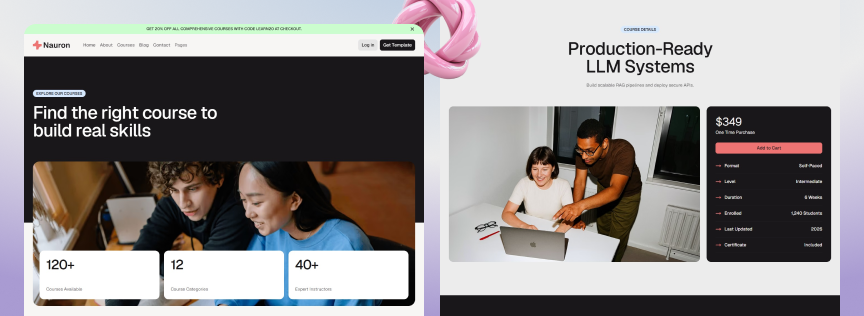
Before someone pays for a course, they ask: what will I learn, who teaches it, did it work for others, and what does it cost? Each Nauron course page answers all four on one page.
On the Courses page, each card shows the category, title, short description, instructor and price, so visitors can compare programs quickly.
Enrollment Screens, Forms and Integrations
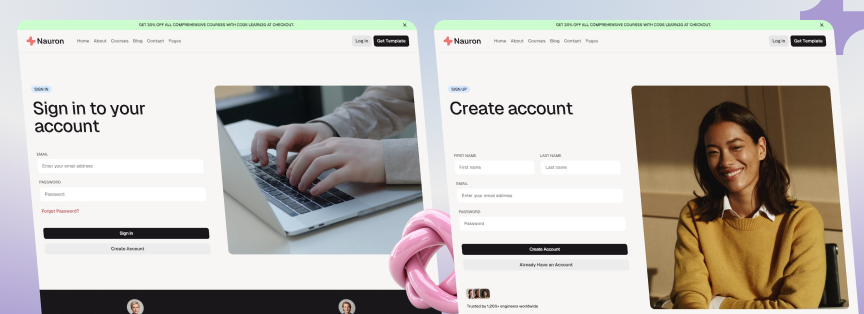
Sign In, Sign Up and Reset Password screens
Nauron includes fully designed account screens, so your academy looks complete from the first visit. Webflow retired its built-in User Accounts feature on 29 January 2026, so these screens are the front end: connect them to a membership or course platform such as Memberstack, Outseta or your LMS to handle real logins, paid access and course delivery.
Payments and course delivery
The "Add to Cart" and "Enroll Now" buttons are ready to link to your checkout. Point them at Stripe Payment Links, your course platform's checkout page or a membership tool's plan page. Nauron does not process payments or host lessons itself.
Forms and other working features
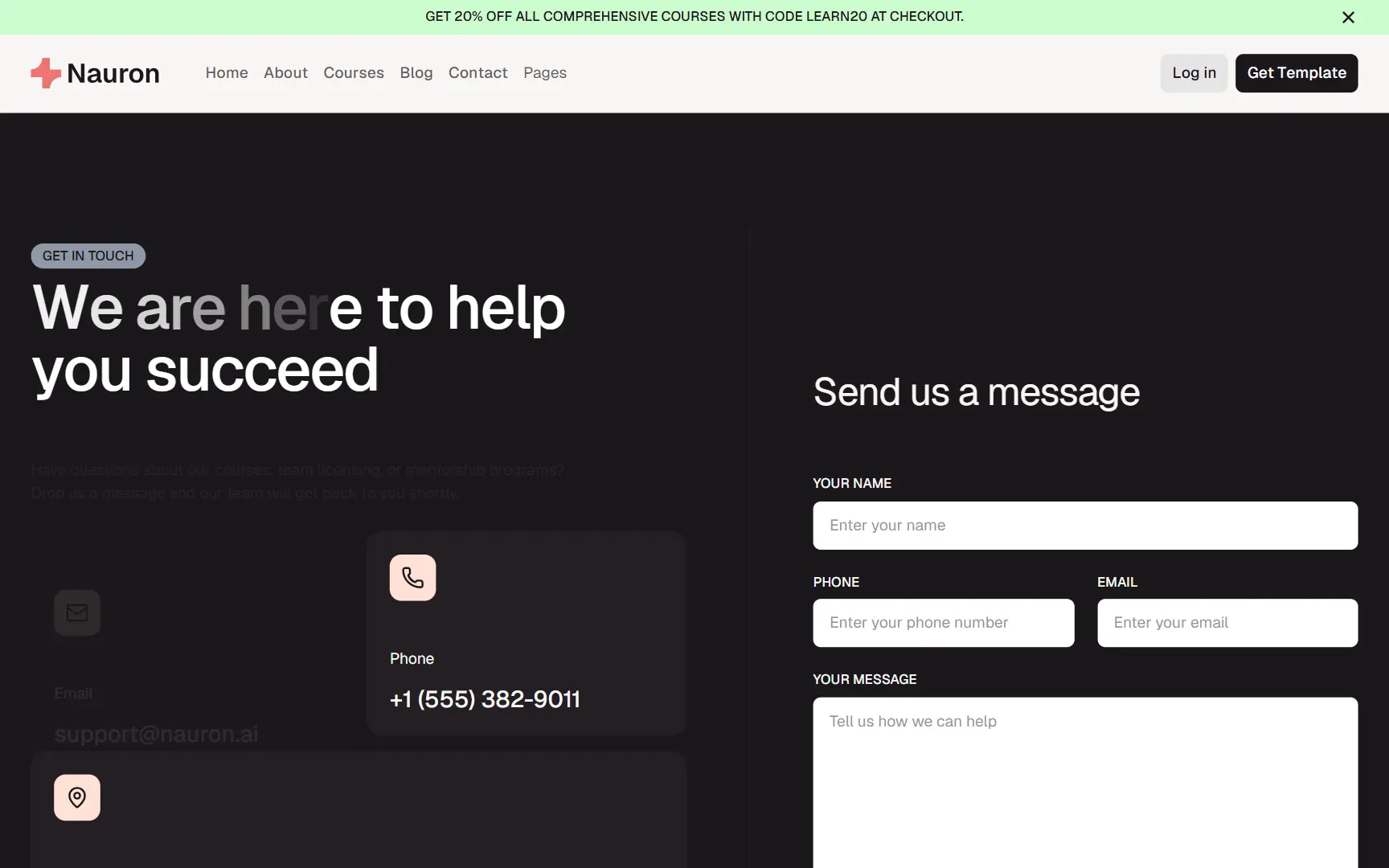
- Contact forms on all three contact pages and the FAQ page: name, phone, email and message.
- Newsletter signup in the footer of every page, with success and error messages.
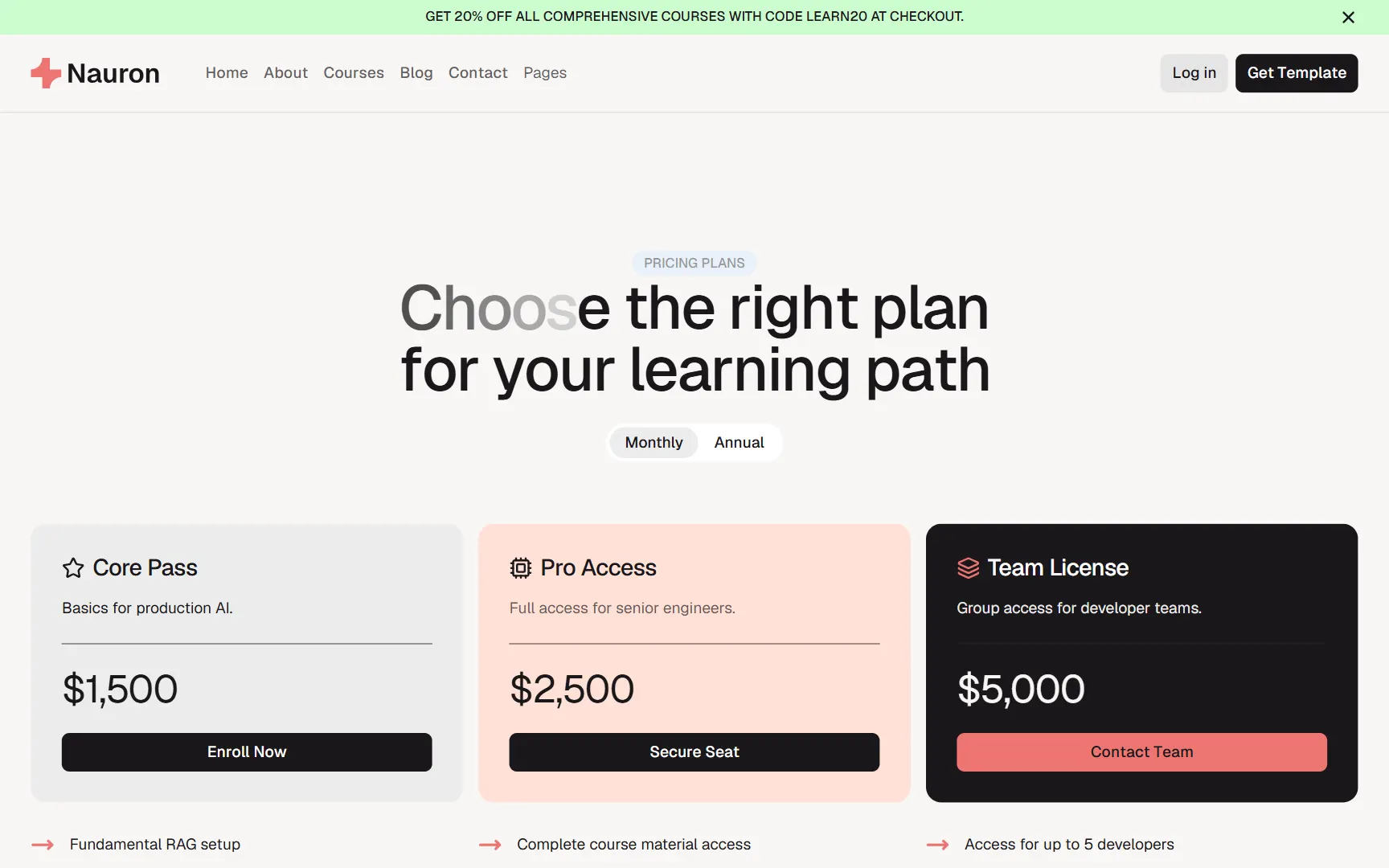
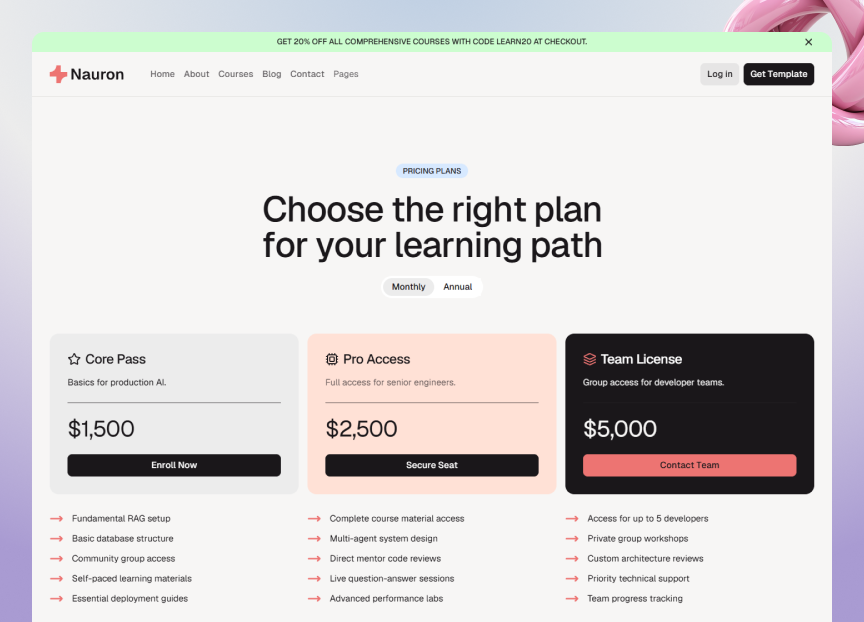
- Monthly and annual pricing switch on the Pricing page and Home C.
- Announcement bar for promo codes and launches, with a close button.
- FAQ accordions on the FAQ page, course pages and homepages.
- Counters, sliders and a topic marquee powered by GSAP, plus Lenis smooth scrolling on desktop.
Form submissions use Webflow's built-in form handling. Route them to email, or to your CRM through Webflow's form integrations or a tool like Zapier.
What This Online Course Website Template Is (and Isn't)
Many course creators pair a Webflow marketing site like Nauron with a course platform for delivery: the website attracts and converts students, and the platform runs the lessons.
Every Page in the Nauron Template
Nauron has 26 pages: 14 static pages, 2 account pages, 3 CMS template pages and 7 utility pages, plus a Reset Password screen.
Static pages (14)
Account pages (2 + reset)
Sign In, Sign Up and Reset Password screens, designed to connect to a membership tool.
CMS template pages (3)
- Course details: price card, outcomes, curriculum, learning journey, sample class video, instructor and testimonials.
- Instructor details: role, bio, years of experience, department, qualifications, teaching approach and expertise.
- Blog details: article with related posts.
Utility pages (7)
Style Guide, Instructions, Licenses, Changelog, Privacy Policy, 401 password page and 404.
An E-Learning Website Template That Grows With Your Catalog
Courses, instructors and articles live in the Webflow CMS. Add a new course or mentor, publish, and the course listing, homepage sliders, related items and detail pages update on their own.
Tips for your content
- Write a unique bio for every instructor and a unique description for every course.
- Record a short sample class for each course; it is often the deciding factor for buyers.
- Keep outcome numbers honest and up to date.
Plan note: publishing CMS collections on a custom domain needs a Webflow CMS site plan or higher. Check Webflow's current limits for how many CMS items you can add.
[IMAGE: nauron-instructors-cms-pages.png | Caption: The Instructors page and an instructor profile from the CMS.]
Students Can Browse and Enroll From Any Device
Many students discover courses on their phones, from social posts and newsletters. Nauron is styled for desktop, tablet and both mobile breakpoints.
Mobile details that help enrollment
- The course price, format and level stay visible near the top of each course page.
- Buttons are full width and easy to tap.
- Curriculum and FAQ accordions keep long pages short on small screens.

Who Nauron Is For
AI and machine learning academies
The sample content already speaks to AI engineering, LLM systems, fine-tuning and agent workflows, so you edit details instead of rewriting from scratch.
Coding bootcamps and cohort-based courses
Live cohort sections, outcome metrics and a learning journey suit programs that run in groups with start dates.
Independent instructors selling courses
A course selling website template that gives a solo creator a professional catalog, instructor profile and pricing page.
Corporate training and upskilling programs
A training website template with a Team License plan for groups of developers, private workshops and progress tracking in the plan details.
Online academies and e-learning brands
An online academy website template that scales from a handful of courses to a full catalog with the CMS.
Not the right fit
If you need a K-12 school or university website, built-in lesson hosting, or payments without a third-party tool. For broader education website template needs, a school-focused design will fit better.
Why Course Creators Choose Nauron
- Answer every enrollment question on one page. Price, outcomes, curriculum, a sample class and the instructor sit together on each course page.
- Look like an established academy. A calm, consistent design and clear numbers build trust with technical learners.
- Own your marketing site. Keep your brand and SEO on your own domain, and use any course platform behind it.
- Sell to teams, not just individuals. The Team License plan and FAQ cover group purchases.
- Grow without a developer. Add courses, instructors and articles in the CMS.
- Own it outright. One payment, a free Figma file and free one-on-one support from Flownix.
Enrollments depend on your courses, audience and marketing; Nauron gives you a strong foundation, not guaranteed sales.
How to Customize Nauron in Webflow
- Pick your layouts. Keep the home, about and contact versions you like, delete the rest, and set your homepage in the Pages panel.
- Set your brand. Change colors and type styles once and they update across the site; swap Geist in Site settings if your brand uses another font.
- Add your courses. Enter each course in the CMS with its price, format, level, duration, curriculum answers and sample video.
- Add your instructors. Upload photos and write a unique bio, qualifications and expertise for each one.
- Connect enrollment. Link the Add to Cart and Enroll buttons to your checkout, and connect the Sign In and Sign Up screens to your membership tool.
- Update the announcement bar. Use it for launch dates, cohort deadlines or promo codes.
- Adjust motion. Counters use a data-target value, and smooth scrolling speed is set in page settings, as the Instructions page explains.
- Finish SEO settings. Update the SEO title, meta description and Open Graph image of every page and CMS template.
Learning curve: if you know the Webflow Designer, most edits take minutes. New to Webflow? Start with the Instructions page and Webflow University. Prefer to hand it off? Flownix offers Webflow template customization.
Hosted on Webflow's Secure Infrastructure
When you publish Nauron on Webflow hosting, your marketing site runs on the same infrastructure as every Webflow site:
- Free SSL/TLS certificates on every published site, with HSTS support.
- Global CDN so course pages load quickly for students anywhere.
- DDoS protection at the hosting layer.
- No plugins to patch, which removes a common source of vulnerabilities.
- Compliance: Webflow publishes its SOC 2 report and security practices on its Trust Center.
Learn more on Webflow Security, Webflow Hosting and the Webflow Trust Center.
Important for account screens: the Sign In and Sign Up screens are styled forms. Before launch, connect them to a membership tool that handles passwords securely, or remove the password fields. Do not collect passwords through standard Webflow form submissions. The included Privacy Policy page is a starting point to review with your legal advisor.
Nauron vs a Course Platform's Built-In Site vs a WordPress LMS Theme
If you want everything in one tool and don't mind a standard look, a course platform's built-in pages may be enough. If you want a distinctive academy brand with full SEO control, use Nauron for the marketing site and connect your course platform for delivery.
What You Get With Nauron
- A Webflow project with all 26 pages plus a Reset Password screen: 3 homepages, 3 about pages, 3 contact pages, Courses, Instructors, Pricing, Blog, FAQ, Sign In, Sign Up, 3 CMS templates and 7 utility pages
- CMS collections for courses, instructors and blog posts, with 6 sample items each
- Course pages with a price card, outcomes, curriculum, learning journey, sample class video and testimonials
- Three pricing plans with a monthly and annual toggle, including a Team License plan
- Contact forms, a footer newsletter signup and an announcement bar
- GSAP animations, counters, sliders and Lenis smooth scrolling, explained on the Instructions page
- Style Guide, Licenses, Changelog and Privacy Policy pages
- The full Figma design file, free with every purchase
- Instant delivery: after checkout you receive a link, and one click adds Nauron to your Webflow Workspace
License
Nauron is sold under a Single Use license: use it for one website, for yourself or for one client. You can customize it as much as you like, but you can't resell or redistribute it, as is or modified. For more sites, buy one license per site.
Webflow plan requirements
- Templates are added as a new Webflow project; they can't be applied to an existing project.
- Publishing to a custom domain needs a Webflow site plan, and the CMS collections need a CMS site plan or higher.
- Exporting code needs a paid Workspace plan (Core or higher).
- Student logins, payments and course delivery need a third-party tool; their costs are separate.
Pages Included
- Home A
- Home B
- Home C
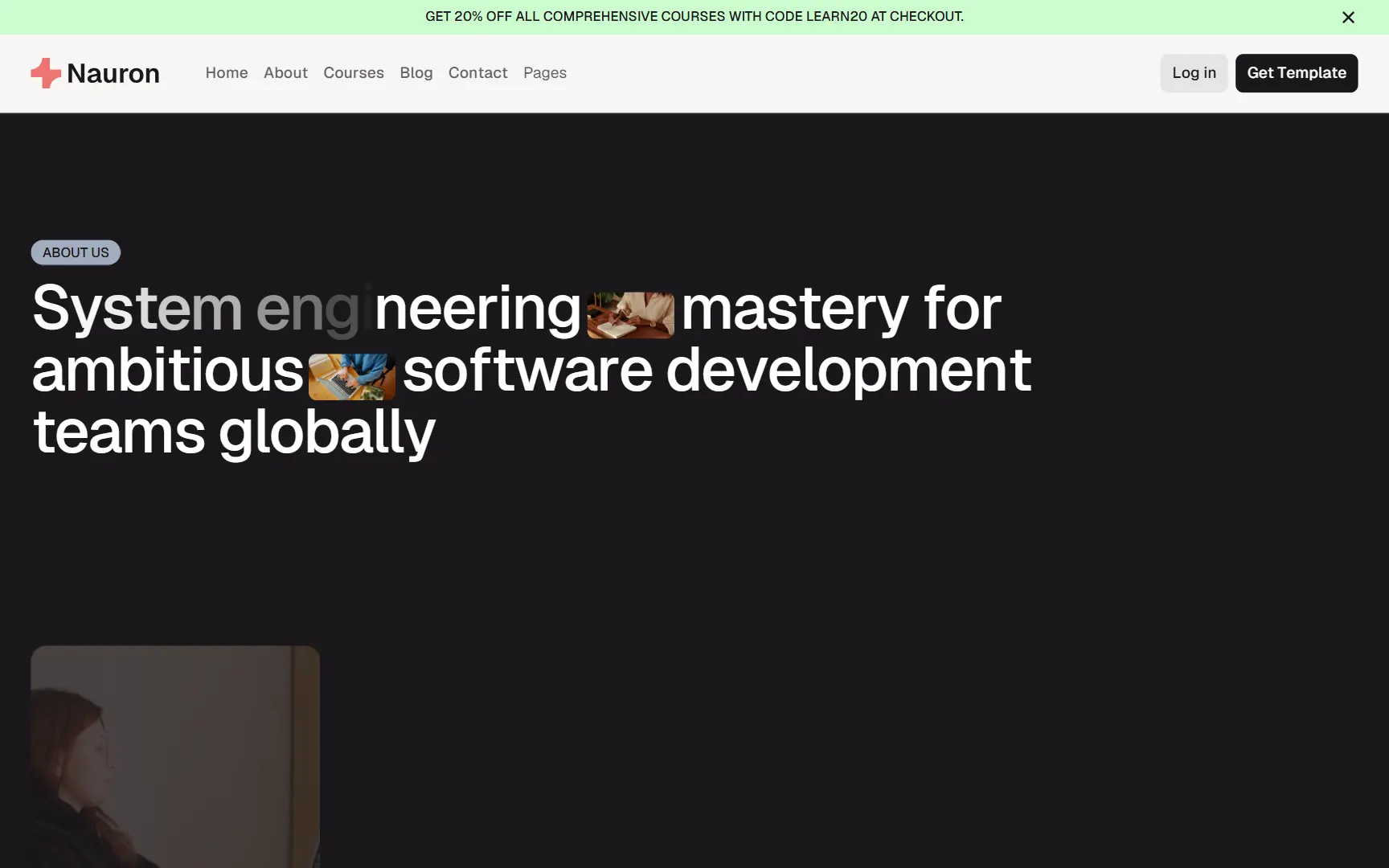
- About A
- About B
- About C
- Contact A
- Contact B
- Contact C
- Courses Listing
- Instructors
- Pricing
- Blog
- FAQ
Single Use License
Can only be used by you or one client for one end product. You cannot resell or redistribute this template in its original or modified state.
Flownix supports this template
Questions about this template? Just reach out to the template designer and they will get back to you within 2 business days.
For advanced design guidance, please share your questions in the Webflow Forum or reach out to a Webflow Partner.
Is there a template demo available?
Use the Preview in Designer option to make any edits to the template pages and preview how the layout would fit your content. Changes in preview mode won't be saved.
Can templates be used in existing projects?
It isn't possible to apply a template to an already existing project. Instead, you'll need to create a new project based on the Template.
Can templates be exported?
With a Core plan (or higher), you can export sites you build in Webflow, including templates, to host them anywhere you'd like.
How to purchase a template from a legacy team account?
Webflow templates are only available for purchase through Workspaces and legacy individual accounts.
How to remove the CMS functionality from a template?
CMS templates are designed to use the power of the Webflow CMS. It is possible to downgrade to a Basic Site Plan as long as all CMS content is deleted from the project.
Use the View Connections tool to understand where the CMS content is on the site and delete any dynamic listings and CMS content. We also recommend you to check Components and the Collection page Templates.
How to remove the Ecommerce functionality from a template?
Ecommerce templates are designed to use the power of Webflow Ecommerce. It is not possible to remove Ecommerce from a template, however, deleting all Ecommerce Products and Categories from the project, will allow to select a lower Site Plan.
How to remove the Memberships functionality from a template?
Membership templates are designed to use the power of Webflow Membership. It is not possible to remove Memberships from a template.
Nauron - Education Website Template
Nauron is an AI course website template built with Webflow. It showcases online courses, instructor profiles, pricing plans, and student sign-up for academies teaching AI engineering, LLM systems, and agent workflows.
Why Flownix
You can pick a launch-ready template and go live right away, get it customized in 1-3 days, or let us build a complete Webflow website from scratch. Whatever your business needs, Flownix makes building on Webflow simple and efficient.



Frequently Asked Questions
Yes, of course. You can purchase an individual template to build one website.
If you need more than one website, you'll have to purchase every template separately. That’s because every template comes with its own license to use.
In that case, you can choose one of our bundles that suits you best. With our bundles, you can use several templates to build as many websites as you need with one license.
Yes, we do. If you buy our Yearly Webflow Template Bundle, you get every new template we release for one full year.
If you buy the Lifetime Webflow Template Bundle, you get every new template we release forever (along with all their updates).
Either way, we never push updates into a site you’ve already built, so your live site stays exactly the way you left it.
Absolutely. You can edit the layouts, colors, fonts, images, and other elements directly in the Webflow Designer. We use organized classes, Webflow variables, and CMS collections to make the process easier for you.
If you would rather have us do it, our Webflow Template Customization Service starts at $149.
Yes, you can. Since every template is also sold on its own, you’ll be fine with it as long as you need just one website.
If you think you’ll need more than one sooner or later, our bundles are the better deal.
You get access to our whole Webflow template collection for about what two or three single templates would cost. That means it saves you a lot in the long run.
It’s simple - you can either click “Buy Now” on any template or open the template’s “Details" page and click the “Purchase” button. Either way, you’ll go straight to the “Checkout” page. You can then complete your payment there and get instant access to your template.
A free Webflow account is enough to open and edit a template. If you want to publish your website on your own domain, you’ll need a paid Site Plan. If your preferred template has CMS features like blogs or project listings, make sure you choose a plan that supports the CMS features you need.
Yes, definitely. Our webflow HTML website templates are designed for desktop, tablet, and mobile screens. You can check how each one looks on different devices using the Live Preview feature. We recommend that you open the preview on your phone too so you can see how it feels to browse.
Yes, you can. If you own both templates, you can copy sections from one template and paste them into another. You may need to adjust some styles or settings to get everything looking right, but it’s a great way to create the best layout for your needs. If you get stuck along the way, we're here to help with the customization too.
No worries. Feel free to send us the template link and let us know what you’d like to add. We can design and build a new section that matches the rest of your website through ourWebflow Template Customization Service.
Success Stories
Here's what designers, agencies, and businesses think about their experience with Flownix.

Exactly what I needed
I wanted something clean and simple for my business. This template had pretty much everything I needed, and making changes was easier than I expected.

Launched in two days
I bought a template on Monday and our site was live by Wednesday. Everything was well organized, so I only had to change the text and images.

Really easy to customize
The design looked great already, but I wanted to make it feel more like our brand. Changing colors, fonts, and sections was pretty straightforward.

Would definitely use again
Loved how simple everything was. The design feels modern without being too much, and updating content is easy. Already considering another template for my next project.

Made our launch easier
We were on a pretty tight schedule and needed a website quickly. The template saved us a lot of work, and we managed to launch right on time.




So easy to customize!
The attention to detail in every template is impressive. Smooth animations, clean layouts, and flexible components made the entire customization process simple and enjoyable.
So easy to customize!
The attention to detail in every template is impressive. Smooth animations, clean layouts, and flexible components made the entire customization process simple and enjoyable.
So easy to customize!
The attention to detail in every template is impressive. Smooth animations, clean layouts, and flexible components made the entire customization process simple and enjoyable.
So easy to customize!
The attention to detail in every template is impressive. Smooth animations, clean layouts, and flexible components made the entire customization process simple and enjoyable.
So easy to customize!
The attention to detail in every template is impressive. Smooth animations, clean layouts, and flexible components made the entire customization process simple and enjoyable.

Experience the Power of Ready-to-Launch Webflow Templates with Flownix
You can pick a pre-made Webflow template to launch your website right away, get help with complete customization, or build a website designed specifically for your brand.