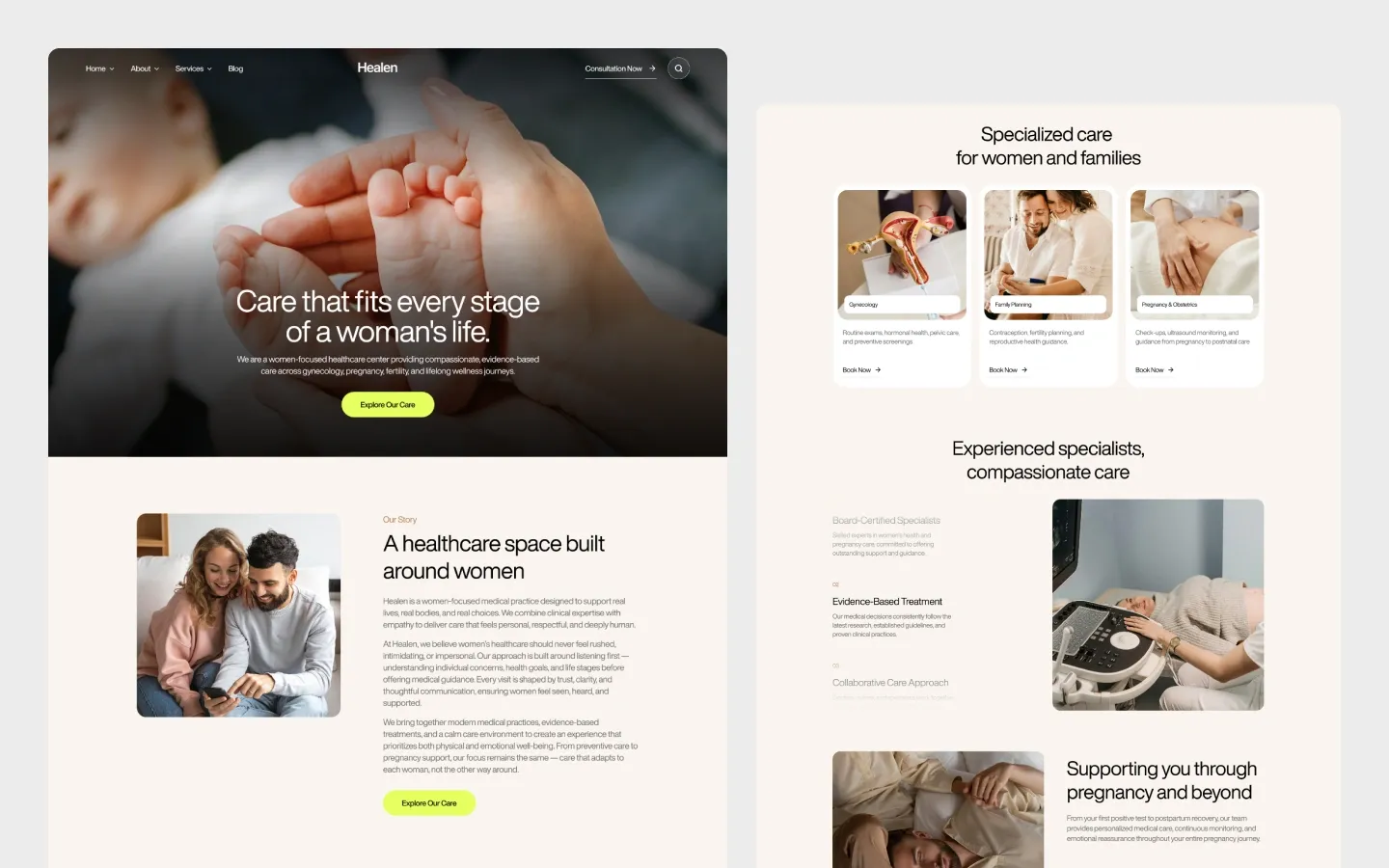


Healen: Medical Website Template for Women's Health and Pregnancy Care
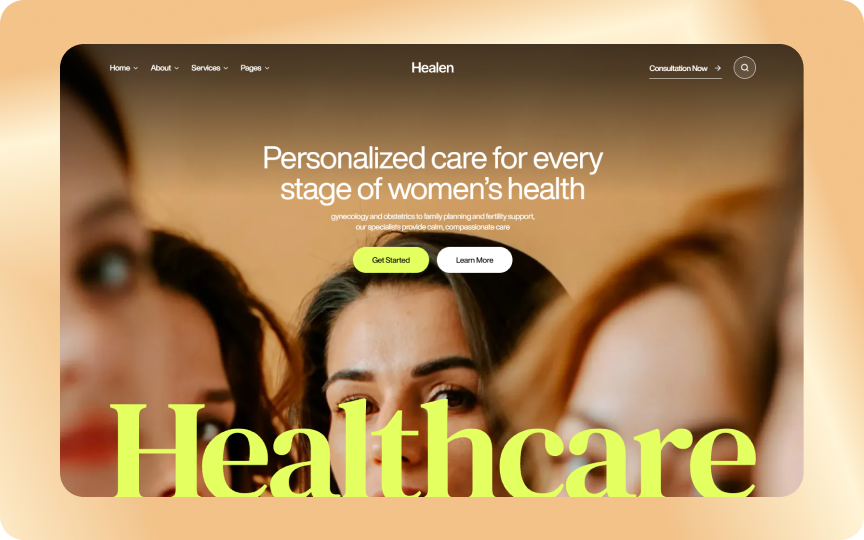
Healen is a medical website template for Webflow, made for women's health clinics, gynecology practices and pregnancy care centers. Present your services, introduce your doctors, answer patient questions and let women book an appointment online, with three homepage styles and 22 ready pages.
Quick facts
Warm, Calm Design That Puts Patients at Ease
Women choosing a gynecologist or pregnancy care provider want to feel safe before they book. Healen uses soft cream backgrounds, warm brown tones and gentle photography, so your clinic feels personal and reassuring instead of cold and clinical.
Color
A warm cream background (#FAF5EF), near-black text (#020202), a soft brown secondary color (#AF7C54) and a fresh lime accent (#E4FF60) for buttons and highlights.
Typography
Helvetica Now Display across the site, with large, friendly headlines and easy-to-read body text.
Motion
Number counters on the homepage, tabbed care sections, sliders for doctors and testimonials, and expandable FAQ items. The motion stays gentle, in line with the calm tone.
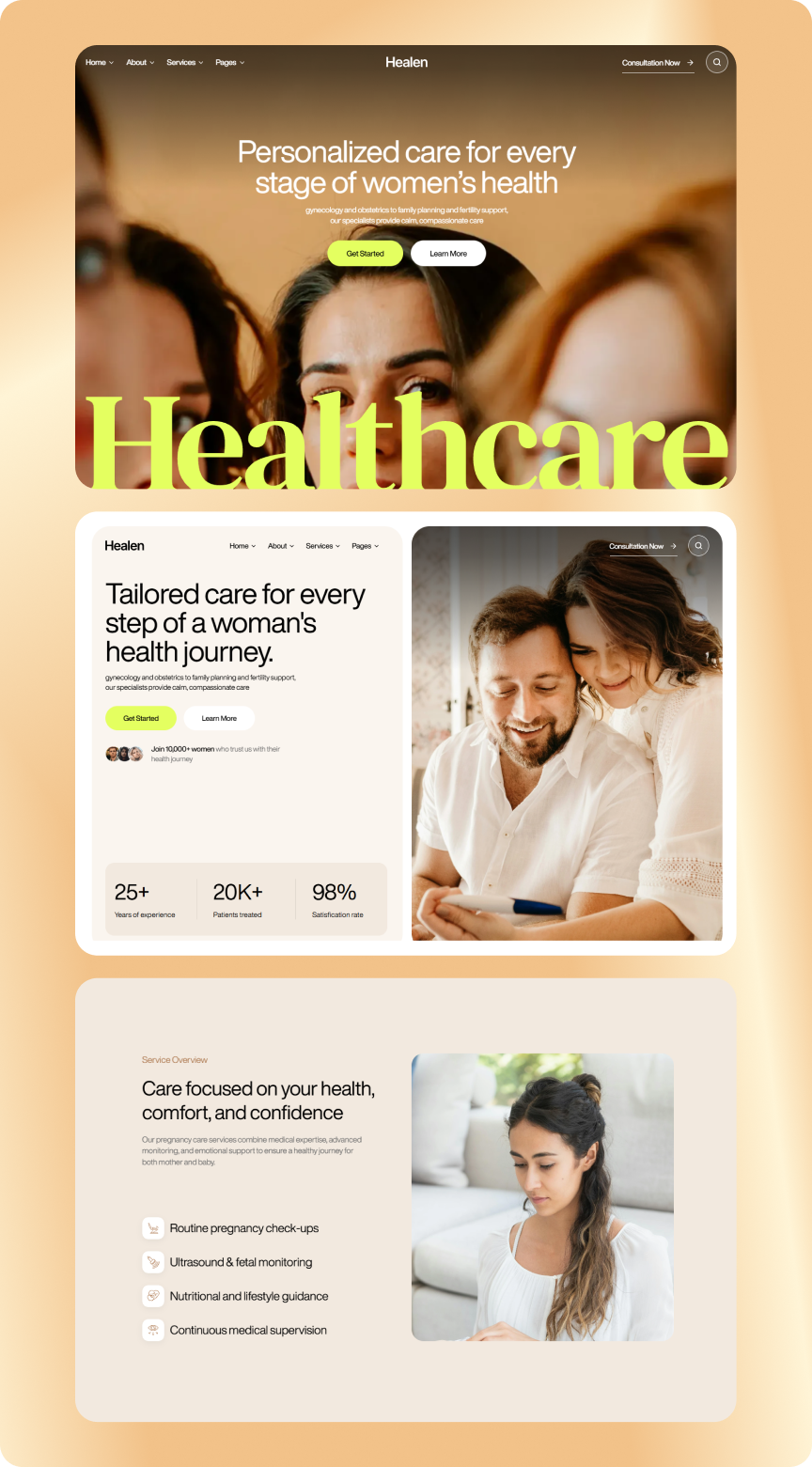
Three Homepage Layouts for Your Clinic
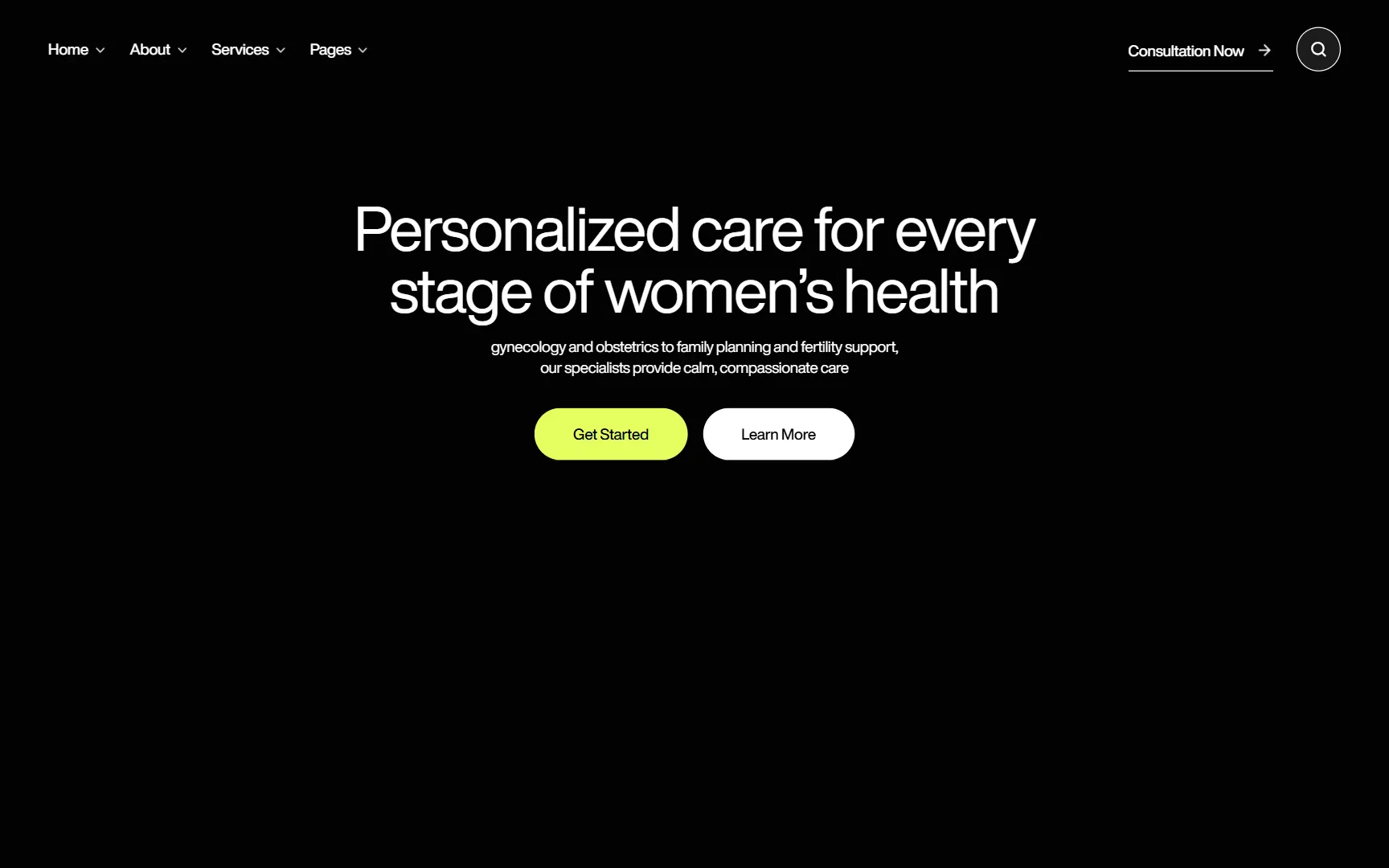
Every clinic tells its story differently. Healen gives you three complete homepages to start from.
All three share the core sections a medical website template needs: services for gynecology, family planning and pregnancy, a three-step care explanation, a women's health journal, patient stories and an FAQ split into general care and appointments.
About Pages That Build Patient Trust
- About v1: your story, specialist strengths (board-certified, evidence-based, collaborative), a care timeline and a tour of your clinic spaces (private rooms, calm design, family-friendly areas)
- About v2: your story with a "healthcare that listens first" section on how you treat patients
- About v3: a shorter page with your approach, specialists, patient stories and care process
Pick the version that matches how much your clinic wants to say, or mix sections between them.
Service Pages for Every Stage of Women's Health
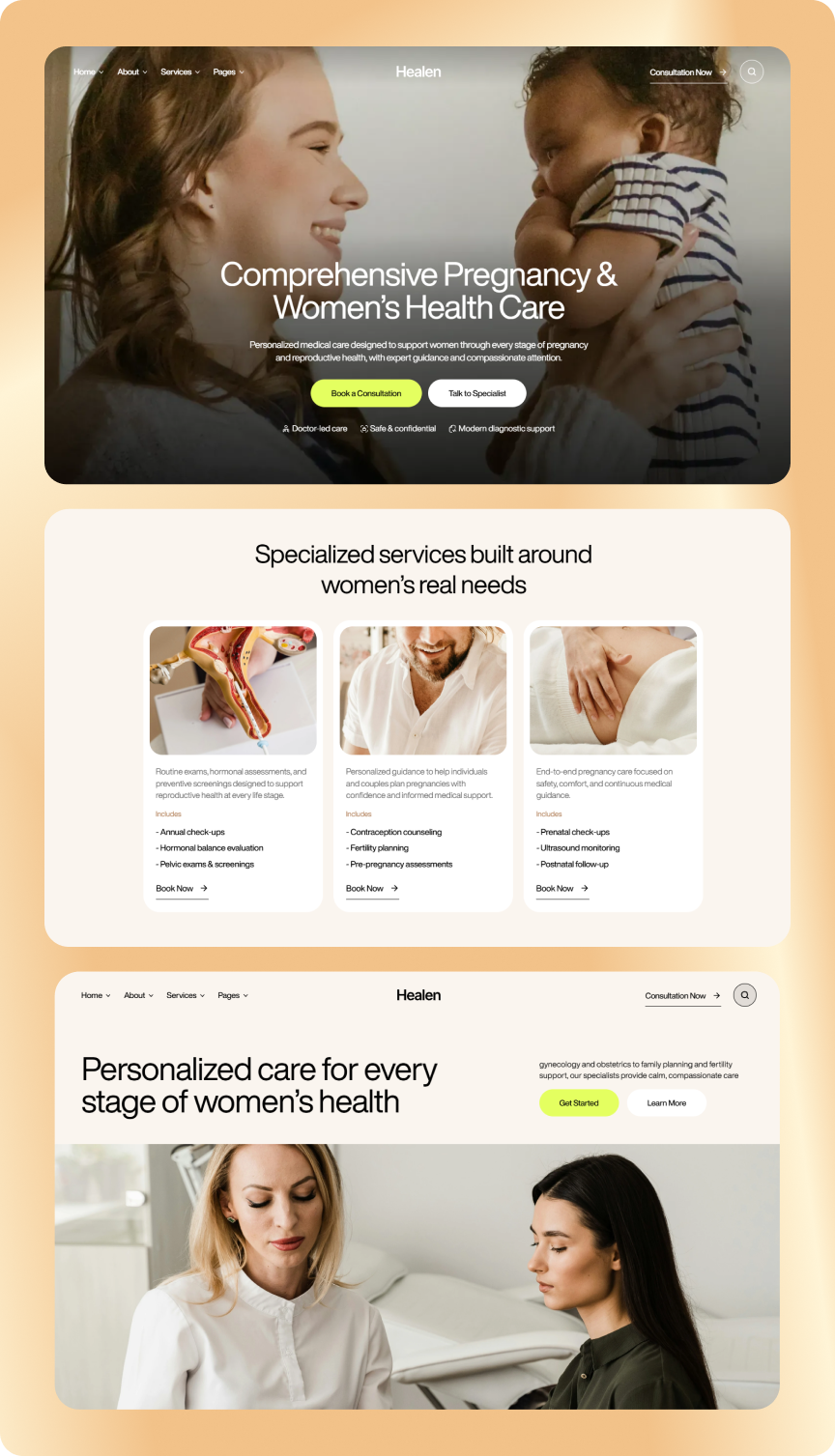
Three Services layouts present your care areas, each with what's included and a Book Now button.
The Service Details page goes deeper on one service:
Doctor Profiles Patients Can Trust
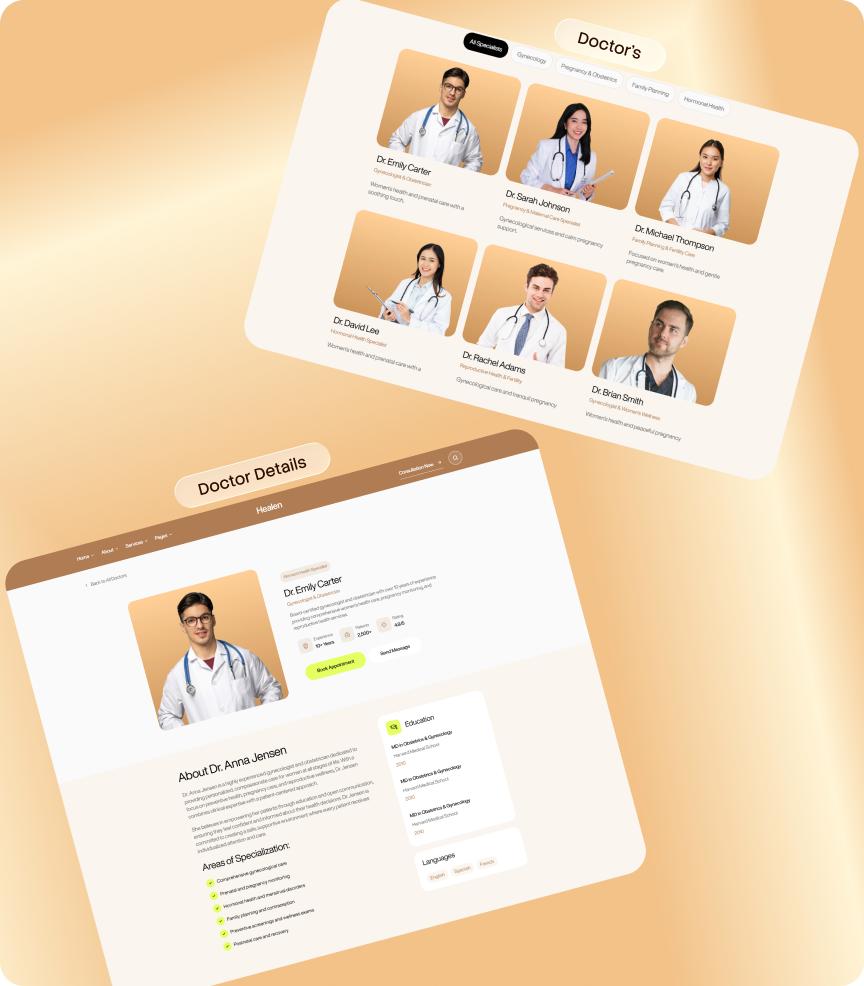
Women often choose a clinic by its doctors. Healen gives every specialist a card on the Doctors page and a full profile page from the CMS.
- Doctors page: filter by specialty (Gynecology, Pregnancy & Obstetrics, Family Planning, Hormonal Health), with View Profile and Book Appointment on every card
- Doctor profile: title, short bio, years of experience, patients treated, rating, areas of specialization, education, languages and services offered
- Book Appointment and Send Message buttons on every profile
Nine sample doctors are ready to edit.
An Appointment Page That Makes Booking Easy
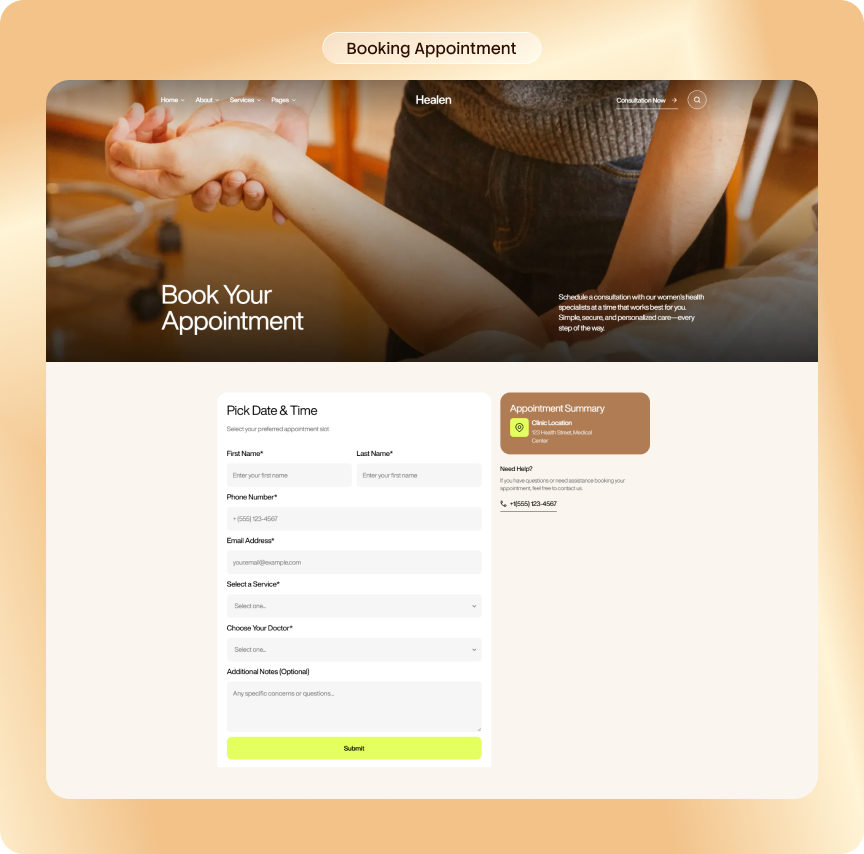
The Appointment page turns a visit into a booking request in one form.
An appointment summary card shows the clinic location and a help phone number. The form is sent through Webflow Forms, so you can connect it to your inbox or booking tools.
A Women's Health Journal for Patient Education
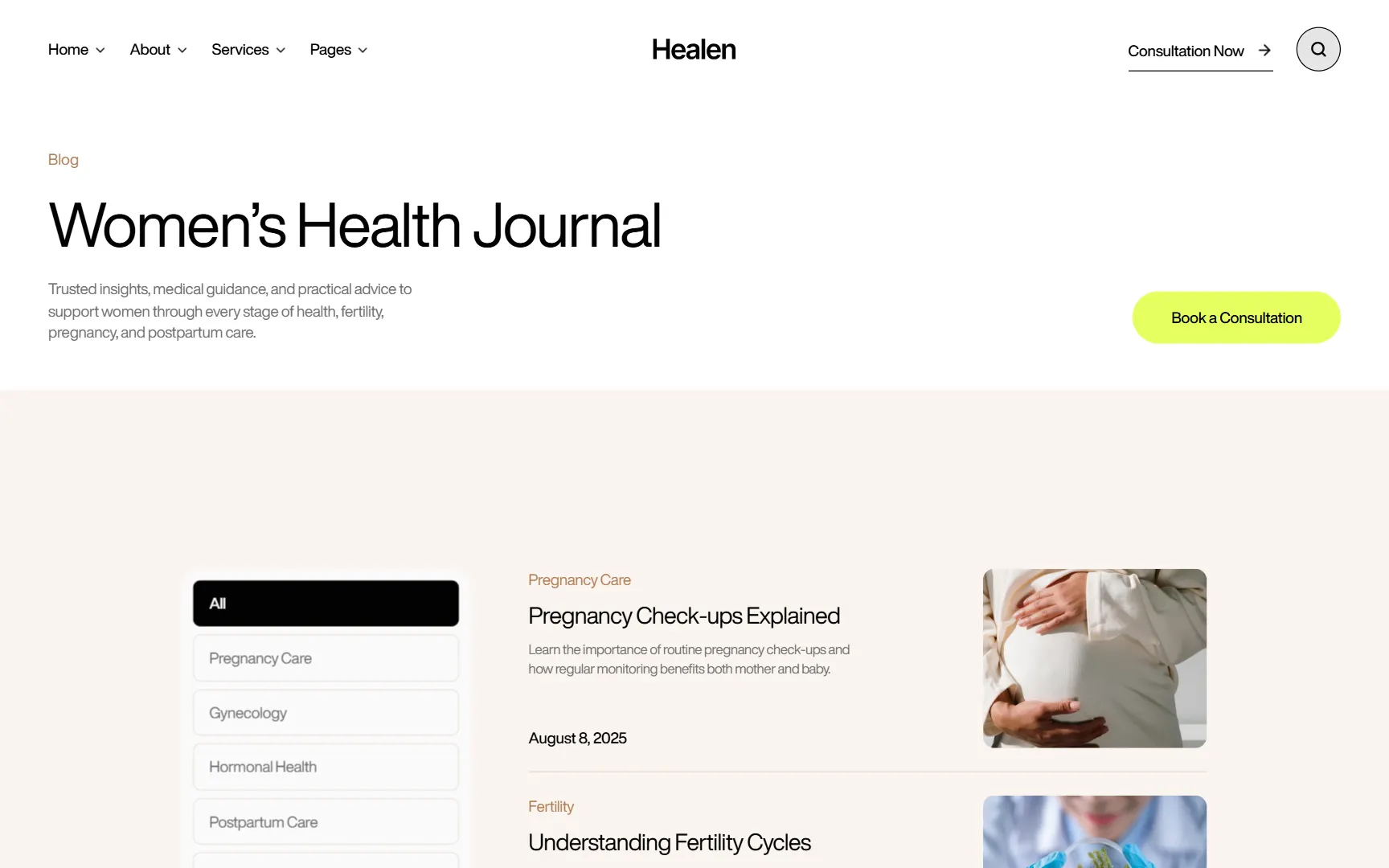
- Blog page: sample articles with category filters (Pregnancy Care, Gynecology, Hormonal Health, Postpartum Care, Women's Wellness)
- Blog post page: author, reading time, date and long-form content with headings
- Topics like menstrual cycles, preparing for pregnancy, contraception and recovery after childbirth
Patient guides answer common questions before the first visit and help your clinic show up when women search for answers.
Booking, Forms and CMS Working Together
Connect the forms to your email, CRM or booking tool from Webflow's form settings.
All 22 Pages Included in Healen
The preview also opens with a template overview page that lists every layout. You can delete it once you pick your homepage.
CMS Collections for Doctors and Articles
Add a doctor once in the CMS and they show on the Doctors page, the homepage sliders and their own profile page. Using the CMS on a live site needs a Webflow CMS site plan.
Responsive on Desktop, Tablet and Mobile
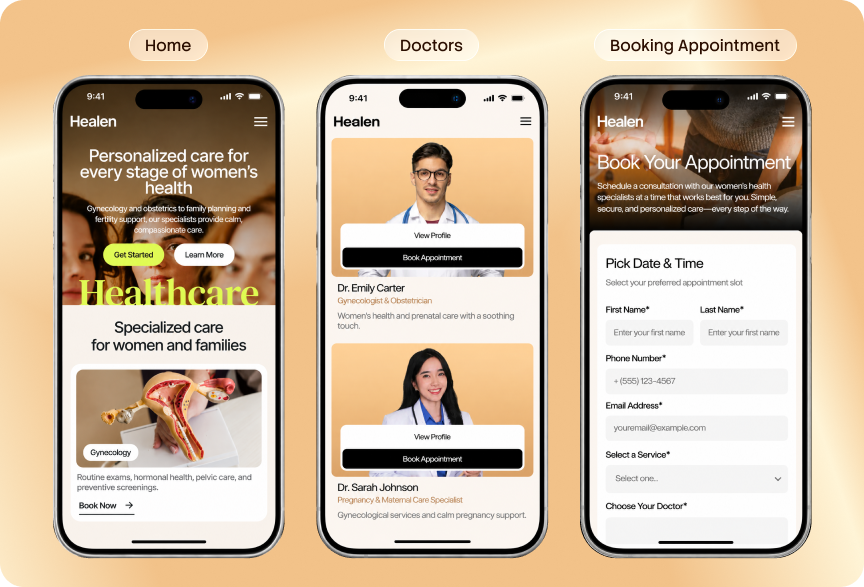
Most patients look up a clinic and book from their phone. Healen adapts every page to tablet and mobile breakpoints.
- Hero headlines and Book Now buttons stay clear on small screens
- Service and doctor cards stack one per row
- The appointment form fields go full width, so they are easy to tap
- Sliders switch to swipe on touch screens
- The menu becomes a mobile navigation
Who Healen Is For
- Women's health clinics that cover gynecology, fertility and pregnancy
- Gynecology and OB-GYN practices with one or several doctors
- Maternity and pregnancy care centers that support women from planning to postnatal care
- Fertility and family planning clinics that guide couples through their options
- Private medical practices that want online appointment requests and doctor profiles
If you run a spa, yoga studio or holistic wellness center, a wellness-focused template may fit better. Healen is built for doctor-led medical care.
Why Clinics Choose Healen
- Three of everything: three homepages, three About pages and three Services pages to fit your clinic
- Patients book faster: every page leads to the appointment form
- Doctors build trust: full profiles with experience, education and languages
- Fewer repeat questions: FAQs and patient guides answer common concerns
- A calm first impression: warm design that suits sensitive care
- Start in Figma: the free Figma file lets you plan changes before you build
Easy to Customize in Webflow
- Pick one homepage, one About page and one Services page, then delete the others
- Set your colors and font in Webflow variables and check them on the Style Guide page
- Rename the services and update what each one includes
- Add your doctors and articles in the CMS
- Update the appointment form options, clinic address and phone number
- Review the Terms and Privacy pages with your own legal details
Want it done for you? See our Webflow template customization service.
Secure Webflow Hosting for Your Clinic Website
- SSL included on Webflow hosting
- No plugins to update or patch, unlike many WordPress medical themes
- Form spam protection with Webflow's built-in reCAPTCHA option
- Password-protected pages with a branded Password page
- Backups and version history in Webflow, so you can roll back changes
The appointment form is built for booking requests. If you need to collect medical records or other protected health information, connect a dedicated, compliant intake tool instead of standard Webflow Forms.
Healen vs Building From Scratch vs a Generic Template
What You Get With Healen
Launch Your Women's Health Clinic Website With Healen
Introduce your doctors, explain your care and let patients book their next visit online. Get Healen for $129 with a free Figma file.
Pages Included
- Home v1
- Home v2
- Home v3
- About v1
- About v2
- About v3
- Blogs
- Service v1
- Service v2
- Service v3
- Doctors
- Service Details
- Blog Details
- Doctor Details
Single Use License
Can only be used by you or one client for one end product. You cannot resell or redistribute this template in its original or modified state.
Flownix supports this template
Questions about this template? Just reach out to the template designer and they will get back to you within 2 business days.
For advanced design guidance, please share your questions in the Webflow Forum or reach out to a Webflow Partner.
What is Healen?
Healen is a medical website template for Webflow, built for women's health clinics. It has 22 pages, three homepage layouts, doctor profiles, service pages, an appointment page and a blog. It costs $129 and includes a free Figma file.
Who is this medical website template for?
Women's health clinics, gynecology and OB-GYN practices, maternity and pregnancy care centers, fertility clinics and private medical practices.
Can I use Healen for another type of clinic?
Yes. The layout works for any doctor-led practice. Rename the services, update the doctors and replace the images to fit your specialty.
Does the appointment form connect to a booking system?
The form sends requests through Webflow Forms. You can connect it to email, a CRM or a booking tool with Zapier or Make, or replace it with your booking tool's embed.
How do I receive the template?
After purchase you get a Polar link that adds Healen to your Webflow Workspace, where you can start editing right away.
Which Webflow plan do I need?
You can edit the template on any Workspace. To publish with your own domain and use the CMS on the live site, you need a Webflow CMS site plan.
Is the Figma file included?
Yes. The Figma file is free with your purchase.
Can I export the code?
Code export is available on paid Webflow Workspace plans (Core and higher). CMS content and forms need Webflow hosting to work.
Healen - Health & Wellness Website Template
Healen is a modern Webflow template for healthcare, hospitals, and maternity services, designed to showcase medical services, health checkups, and pregnancy care with clean layouts, responsive design, and patient-focused sections.
Why Flownix
You can pick a launch-ready template and go live right away, get it customized in 1-3 days, or let us build a complete Webflow website from scratch. Whatever your business needs, Flownix makes building on Webflow simple and efficient.




Frequently Asked Questions
Yes, of course. You can purchase an individual template to build one website.
If you need more than one website, you'll have to purchase every template separately. That’s because every template comes with its own license to use.
In that case, you can choose one of our bundles that suits you best. With our bundles, you can use several templates to build as many websites as you need with one license.
Yes, we do. If you buy our Yearly Webflow Template Bundle, you get every new template we release for one full year.
If you buy the Lifetime Webflow Template Bundle, you get every new template we release forever (along with all their updates).
Either way, we never push updates into a site you’ve already built, so your live site stays exactly the way you left it.
Absolutely. You can edit the layouts, colors, fonts, images, and other elements directly in the Webflow Designer. We use organized classes, Webflow variables, and CMS collections to make the process easier for you.
If you would rather have us do it, our Webflow Template Customization Service starts at $149.
Yes, you can. Since every template is also sold on its own, you’ll be fine with it as long as you need just one website.
If you think you’ll need more than one sooner or later, our bundles are the better deal.
You get access to our whole Webflow template collection for about what two or three single templates would cost. That means it saves you a lot in the long run.
It’s simple - you can either click “Buy Now” on any template or open the template’s “Details" page and click the “Purchase” button. Either way, you’ll go straight to the “Checkout” page. You can then complete your payment there and get instant access to your template.
A free Webflow account is enough to open and edit a template. If you want to publish your website on your own domain, you’ll need a paid Site Plan. If your preferred template has CMS features like blogs or project listings, make sure you choose a plan that supports the CMS features you need.
Yes, definitely. Our webflow HTML website templates are designed for desktop, tablet, and mobile screens. You can check how each one looks on different devices using the Live Preview feature. We recommend that you open the preview on your phone too so you can see how it feels to browse.
Yes, you can. If you own both templates, you can copy sections from one template and paste them into another. You may need to adjust some styles or settings to get everything looking right, but it’s a great way to create the best layout for your needs. If you get stuck along the way, we're here to help with the customization too.
No worries. Feel free to send us the template link and let us know what you’d like to add. We can design and build a new section that matches the rest of your website through ourWebflow Template Customization Service.
Success Stories
Here's what designers, agencies, and businesses think about their experience with Flownix.

Exactly what I needed
I wanted something clean and simple for my business. This template had pretty much everything I needed, and making changes was easier than I expected.

Launched in two days
I bought a template on Monday and our site was live by Wednesday. Everything was well organized, so I only had to change the text and images.

Really easy to customize
The design looked great already, but I wanted to make it feel more like our brand. Changing colors, fonts, and sections was pretty straightforward.

Would definitely use again
Loved how simple everything was. The design feels modern without being too much, and updating content is easy. Already considering another template for my next project.

Made our launch easier
We were on a pretty tight schedule and needed a website quickly. The template saved us a lot of work, and we managed to launch right on time.




So easy to customize!
The attention to detail in every template is impressive. Smooth animations, clean layouts, and flexible components made the entire customization process simple and enjoyable.
So easy to customize!
The attention to detail in every template is impressive. Smooth animations, clean layouts, and flexible components made the entire customization process simple and enjoyable.
So easy to customize!
The attention to detail in every template is impressive. Smooth animations, clean layouts, and flexible components made the entire customization process simple and enjoyable.
So easy to customize!
The attention to detail in every template is impressive. Smooth animations, clean layouts, and flexible components made the entire customization process simple and enjoyable.
So easy to customize!
The attention to detail in every template is impressive. Smooth animations, clean layouts, and flexible components made the entire customization process simple and enjoyable.





Experience the Power of Ready-to-Launch Webflow Templates with Flownix
You can pick a pre-made Webflow template to launch your website right away, get help with complete customization, or build a website designed specifically for your brand.