
Greengrow: Greenhouse and Agriculture Website Template for Webflow
Greengrow is an agriculture website template for Webflow, built for greenhouse builders, growers and agritech suppliers. It follows the way a grower picks a supplier: what you build, projects like theirs, the yield and energy results, then a quote request. Five CMS service pages, a project archive with location, crop, growing area and key scope, and an enquiry form on every page do that work for you.
Quick facts
A Greenhouse Website Template That Feels Like the Field, Not a Brochure
Growers trust what they can see: real structures, real crops, real numbers. Greengrow keeps the layout calm and lets wide greenhouse photography and video carry the story, so a visitor understands what you build in the first scroll.
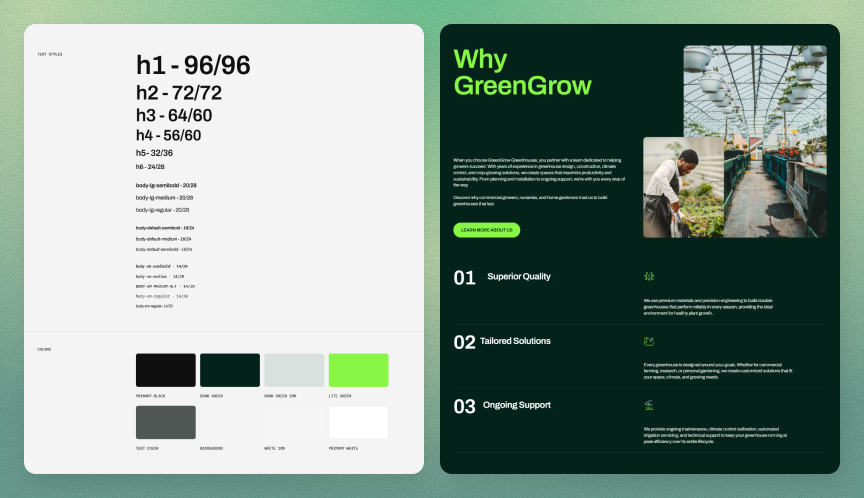
Color: deep green and fresh lime
Dark green (#03231A) anchors dark sections, the footer and the "Why" blocks. Lime green (#87F645) marks buttons and key actions, like new growth against a dark leaf. A soft off-white background (#F3F4F3) keeps long pages easy to read. All colors are Webflow variables, so your brand colors apply across every page at once.
Typography: Archivo and IBM Plex Mono
Archivo gives headings a modern, sturdy look and keeps body text clear. IBM Plex Mono is used for small labels such as location, crop and area, which makes project specs read like a data sheet. Heading sizes scale smoothly from a 96 px H1 on large screens down to 40 px on phones.
Proof in every section
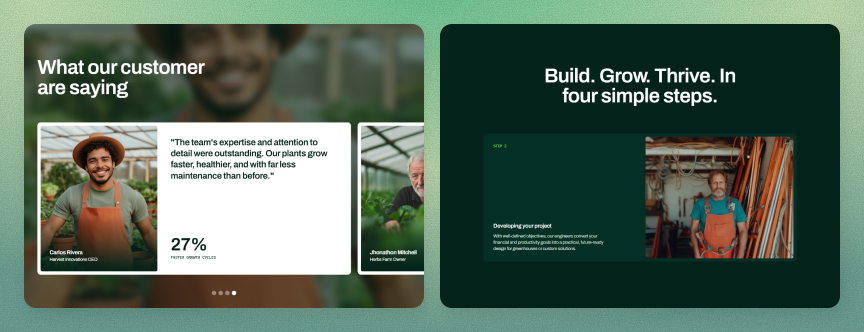
Counters (healthy plants grown, customer satisfaction, years of experience) and result-backed testimonials put numbers next to claims. Each testimonial shows one outcome, such as higher crop yield, lower energy costs or faster growth cycles.
Video and motion
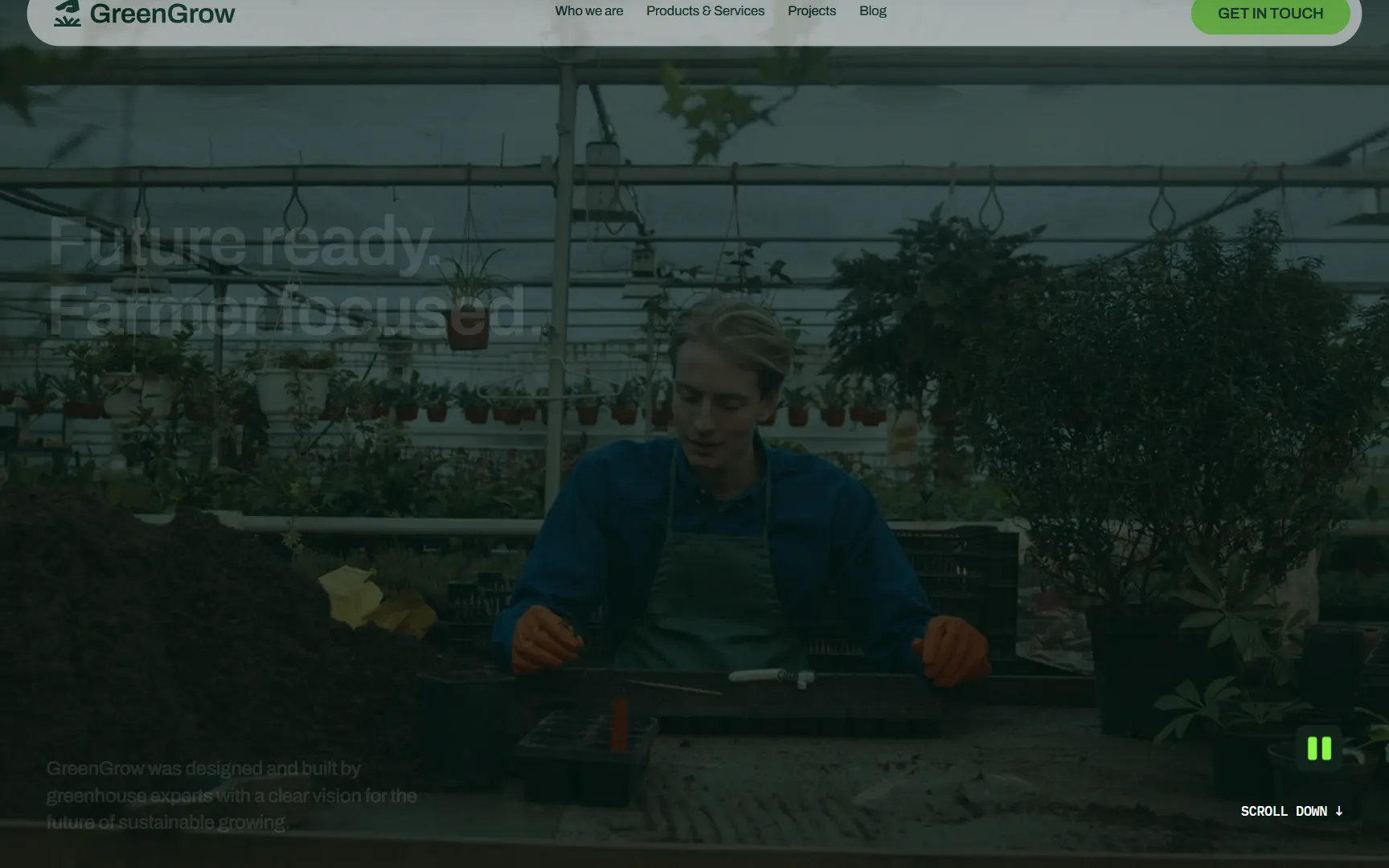
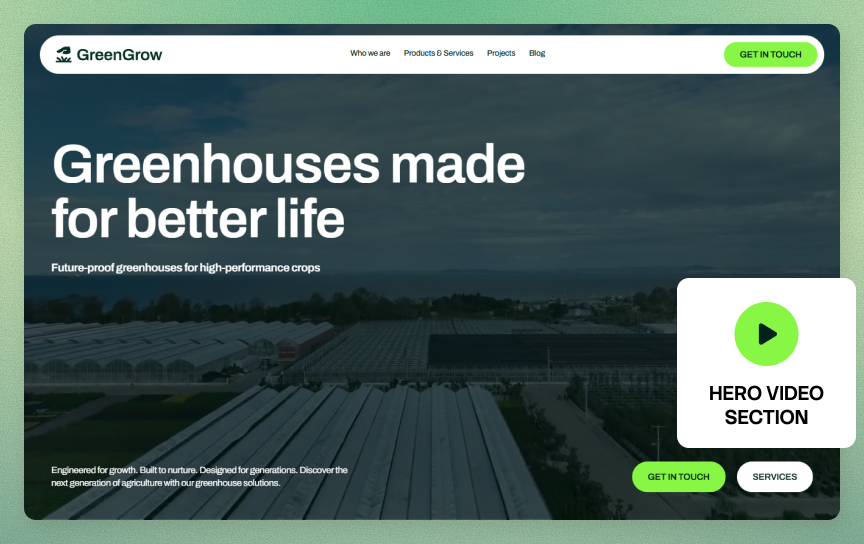
All three homepages open with a full-width greenhouse video that has a pause control. GSAP scroll animations reveal sections as visitors move down the page without hiding content.
Photography that fits the trade
Aerial views of glasshouses, irrigation rigs and crews on site match what commercial growers look for. The included images come from Lummi, and swapping in photos of your own builds makes the site yours.
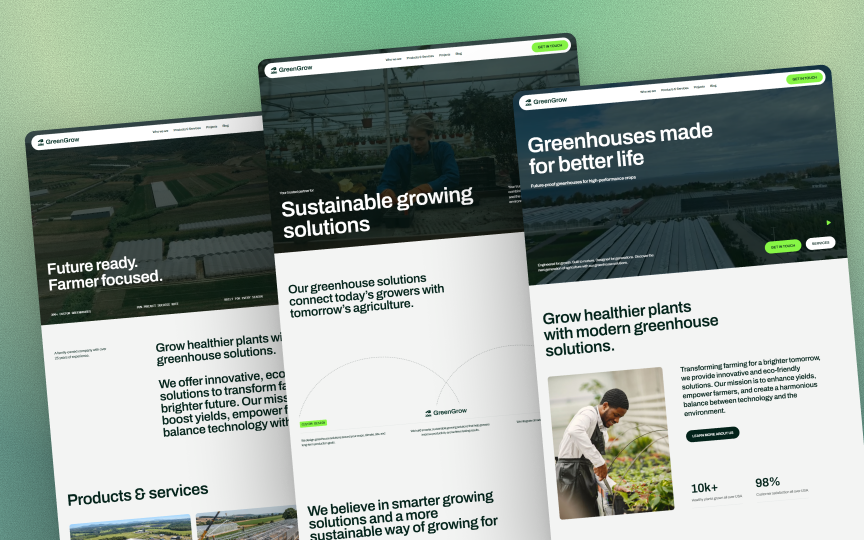
Nine Layouts for Greenhouse Builders, Growers and Agritech Suppliers
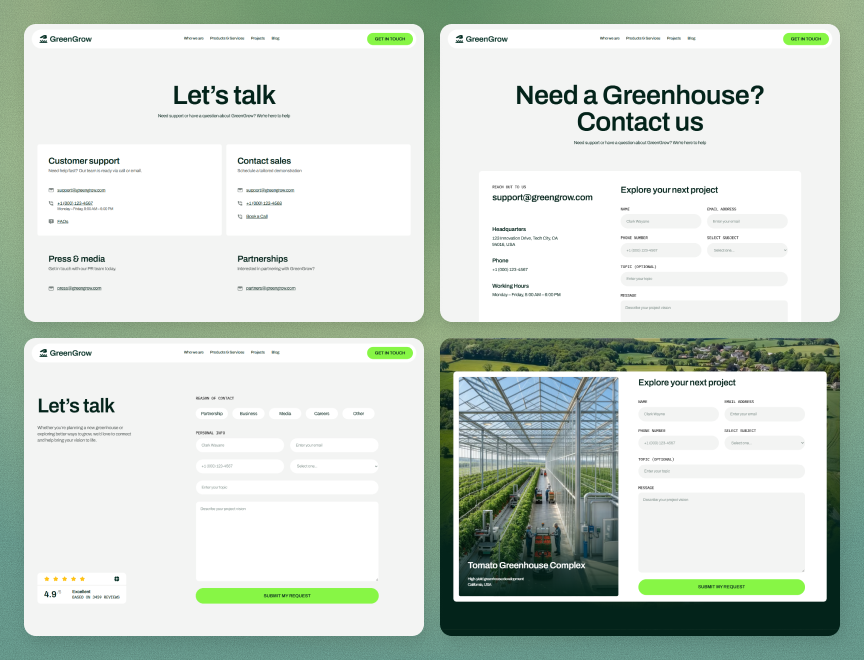
A regional greenhouse builder and a global controlled environment agriculture supplier need different first impressions. Greengrow gives you three layouts each for the homepage, blog and contact page, so you launch the version that fits and keep the others for campaigns.
All nine layouts share the same navigation and footer components, so one edit updates every page.
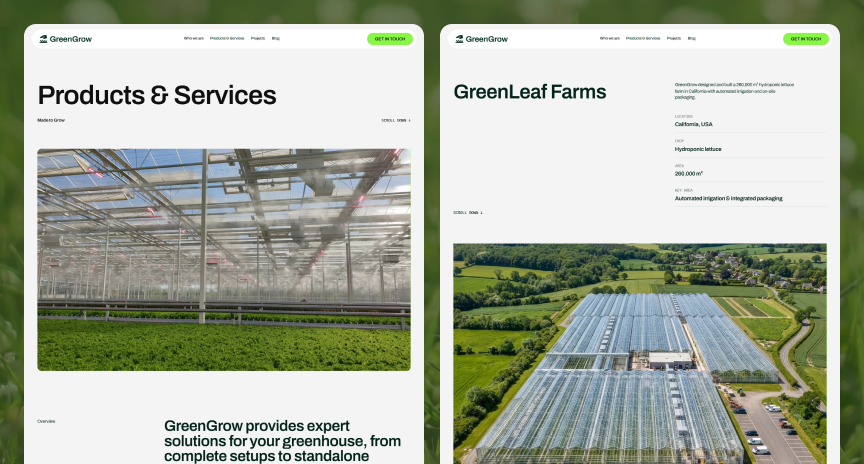
Service Pages and Project Case Studies Growers Actually Read
A grower comparing suppliers wants to know two things: do you build what I need, and have you built it for someone like me? Greengrow answers both with CMS pages.
Products & Services: one page per offering
Five entries are ready to edit: The Greenhouse, Construction, Water Solutions, Climate Solutions, and Service & Lifecycle Support. Each detail page has:
Projects: the spec sheet a grower scans
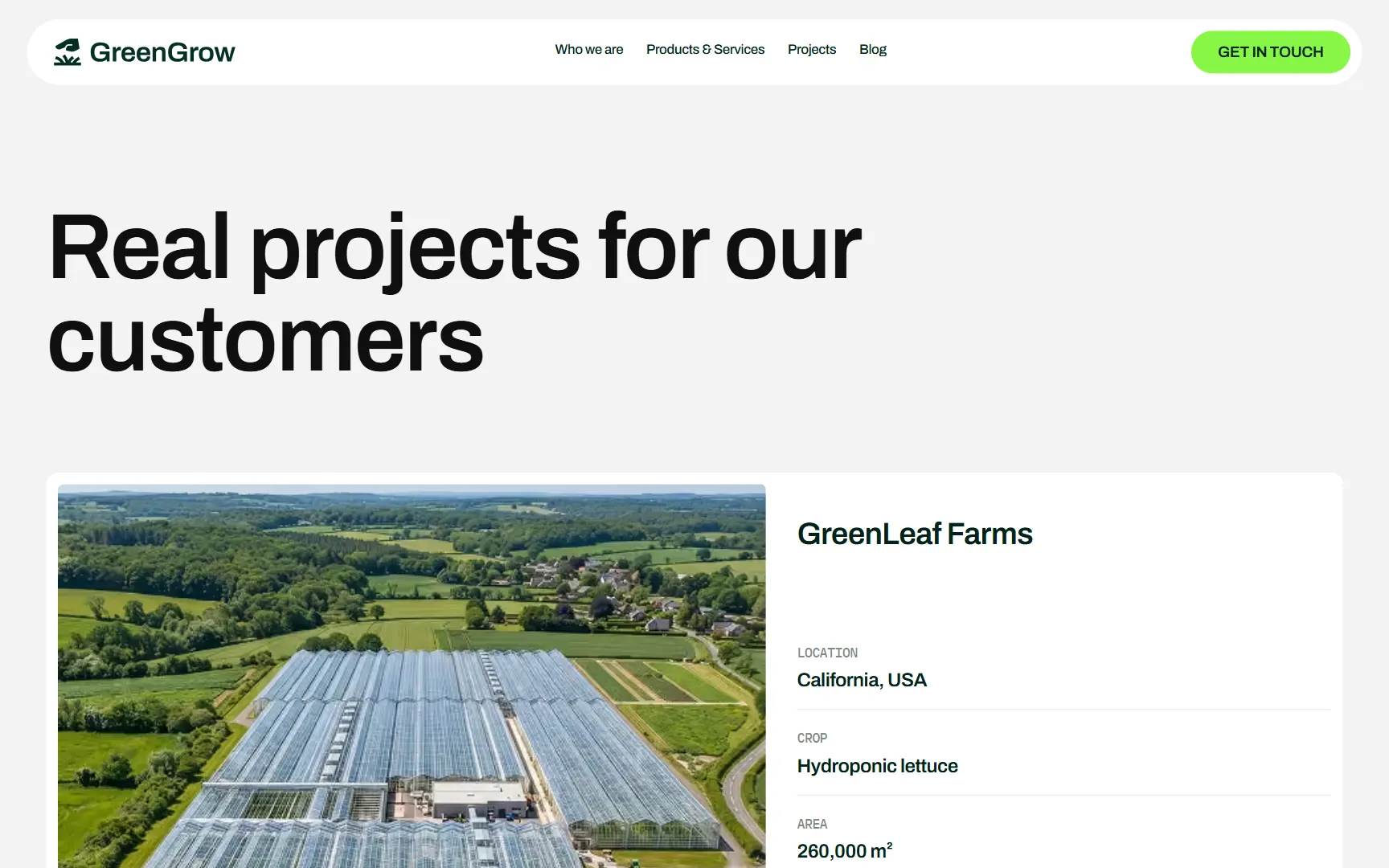
Four project entries cover a hydroponic lettuce facility, a tomato complex, an herb greenhouse and an aquaponics site. Every project card and detail page shows:
The detail page adds a project overview, the full story, a client or founder quote and a "Watch Video" button for a site tour. Add a new project in the CMS and it appears on the Projects page and the homepage project list.
Enquiry Forms, Video and Interactive Sections, Ready to Use
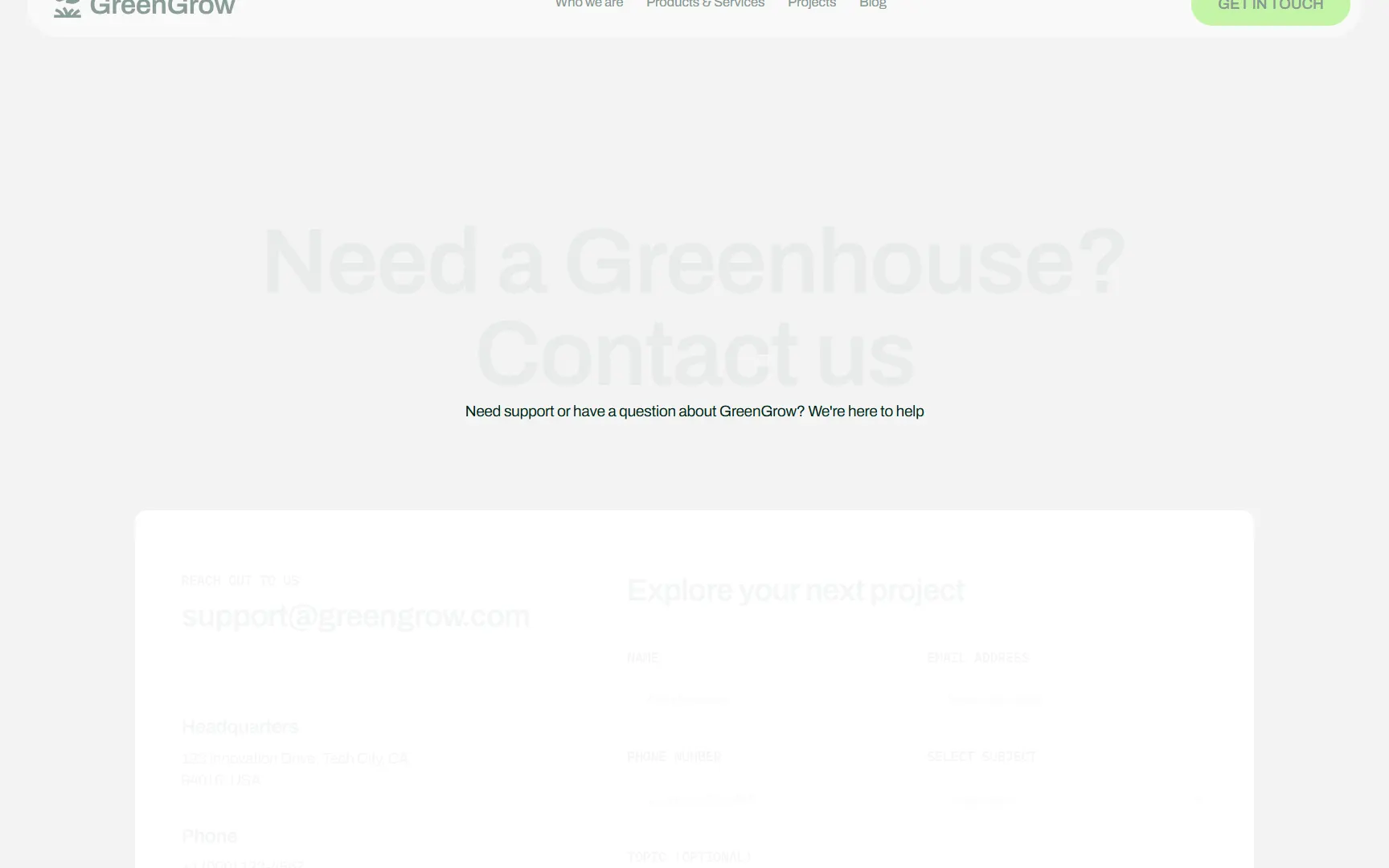
An enquiry form at the end of every page
All forms are native Webflow forms. Submissions arrive in your Webflow dashboard and by email, and you can send them on to a CRM with Zapier, Make or a webhook. The number of submissions you can receive depends on your Webflow site plan.
Video built in
- Full-width background video on all three homepages, with a pause control for visitors who prefer still images
- "Meet Greengrow" video button on Homepage 2 and a "Watch Video" button on every project page, both opening in a lightbox
Interactive sections
- Testimonial slider with a result stat on every quote
- FAQ accordions on Homepage 1, the Products & Services page and a 10-question FAQ page
- Blog topic chips and category filters
- Counters for plants grown, customer satisfaction and years of experience
Easy to connect
- Book a call: Contact 2 has a "Book a Call" button for sales. Point it to your scheduling tool.
- Careers: each open role links to a contact page. Point it to your application form or hiring tool.
- Analytics: add Google Analytics or Google Tag Manager in your Webflow site settings.
What Greengrow does not include: online checkout, a product catalog with prices, or client logins. Buyers reach you through enquiry forms, which suits how greenhouse projects are sold.
Built Around How a Grower Chooses a Greenhouse Supplier
A greenhouse is a long-term investment, so growers research carefully before they call. Greengrow places each answer where they look for it.
The path is simple: what you build, then proof, then results, then contact. Every page ends with the next step.
Every Page in the Greengrow Agriculture Website Template
Greengrow has 24 pages: 14 static pages, 3 CMS template pages and 7 utility pages.
Static pages (14)
CMS template pages (3)
- Product & Service Details: one page per offering, built from the Products & Services collection
- Project Details: one page per project, built from the Projects collection
- Blog Details: one page per article, built from the Blog collection
Utility pages (7)
Style Guide, Licenses, Changelog, Instructions, Privacy Policy, 401 (password protected) and 404. The Instructions page covers a quick start, styles and variables, the style guide and editing the SVG icons.
Add Projects, Services and Articles Without a Developer
Greenhouse projects take months, and each finished one is your best sales asset. In Greengrow, products and services, projects and blog posts are Webflow CMS collections. Fill in the fields in the Webflow Editor, publish, and the new page appears with the right layout and links.
Tips for managing content
- Add each project when it is handed over, with aerial photos and the crop, area and key scope filled in.
- Ask the grower for one number for the testimonial, such as yield gained or energy saved.
- Publish one article a month on growing seasons, water use or automation to answer the questions buyers ask before they call.
Plan note: publishing CMS collections on a live site needs a Webflow CMS site plan or higher.
Readable in the Office and on a Phone in the Greenhouse
Growers and farm managers often check suppliers on a phone, between rows or on the road. Every Greengrow page is designed for desktop, tablet and mobile, and heading sizes scale with the screen instead of jumping between fixed sizes.
Mobile tips before launch
- Preview each page in the Webflow Designer at 991 px, 767 px and 478 px.
- Check that the video pause button is easy to tap.
- Test the enquiry form on a real phone before publishing.
Who This Agriculture Website Template Is For
Commercial greenhouse builders and manufacturers
The Products & Services and Projects collections are built for companies that design, supply and install greenhouses.
Hydroponics and vertical farming companies
Project specs for crop, area and key scope show controlled environment work clearly, from lettuce halls to aquaponics.
Irrigation, water and climate control suppliers
Water Solutions and Climate Solutions pages are ready to describe drip systems, recirculation, heating, cooling and automation.
Agritech and sustainable agriculture businesses
Result-backed testimonials and a blog on market trends and sustainable practices support a data-led pitch.
Plant nurseries and garden centers
Use it as a nursery website template to present growing facilities, services and seasonal articles.
Farm and crop consultancies
As a farming website template, Greengrow gives consultants service pages, case studies and an enquiry form for site visits.
Landscaping and horticulture contractors
Firms that build glasshouses and growing spaces can adapt it, though a general landscaping website template would focus more on gardens and lawn care.
Not the right fit
If you sell produce online, run farm box subscriptions or need online booking. Those need an online store or booking tool connected to Webflow, or a farm website template built around a shop.
Why Greenhouse and Agritech Companies Choose Greengrow
- Show results, not adjectives. Testimonials carry a number, and project pages carry crop, area and scope, so growers see proof before they call.
- Turn visits into enquiries. An enquiry form closes almost every page, so a grower can ask about a service or project right where they are reading.
- One template, several businesses. Nine layouts let a regional builder and a global supplier launch different sites from one purchase.
- Your team keeps it current. Add projects, services and articles in the Webflow Editor without a developer.
- Video without extra tools. Hero videos and project video lightboxes are already built in.
- Rebrand fast. Color variables, a type scale and shared components carry your brand across every page.
Greengrow costs $129 once, includes the Figma file, and comes with free one-on-one support from the Flownix team that built it.
How to Customize Greengrow for Your Agriculture Business
- Add the template to Webflow. After checkout on Polar, open the link you receive and Greengrow is added to your Webflow Workspace.
- Set your brand colors. Change the dark green and lime variables, and every page updates.
- Check your fonts. Keep Archivo and IBM Plex Mono, or swap them in the Style Guide.
- Update shared components. Add your logo, email, phone and address in the navigation, enquiry block and footer.
- Pick your layouts. Choose one Homepage, Blog and Contact layout, then remove the others or keep them as campaign pages.
- Replace the hero videos. Upload a short clip of your own greenhouses or fields.
- Add your work. Replace the products and services, projects and blog entries in the CMS with your own.
- Connect your forms. Set the subject options to your services, set the notification email and, if you use a CRM, send submissions there with Zapier, Make or a webhook.
- Publish. Set SEO titles and descriptions for each page, connect your domain, and publish on a Webflow site plan.
Learning curve: if you have used Webflow before, you can rebrand and publish Greengrow without writing code. The Instructions page and the Figma file help at every step. If you would rather hand off the agriculture website design work, Flownix can customize Greengrow for you.
Hosted on Webflow, With No Plugins to Patch
When you publish Greengrow on a Webflow site plan, hosting and security are handled for you. There are no plugins or themes to update, which removes a common source of security problems on small business websites.
- Free SSL certificate on your custom domain
- Global content delivery network
- DDoS and bot protection
- Automatic backups and version history, so you can restore an earlier version
- Webflow holds SOC 2 Type II and ISO 27001 certifications
Learn more on Webflow Security, Webflow Hosting and the Webflow Trust Center.
Forms and privacy: add a consent checkbox to the enquiry and contact forms if you collect enquiries from the EU or UK, link the Privacy Policy page beside it, and turn on reCAPTCHA in Webflow form settings to cut spam.
Greengrow vs a WordPress Farming Website Template vs a Custom Build
If you sell greenhouse projects rather than farm produce, Greengrow fits the way your buyers decide, without plugins to maintain.
What's Included With Greengrow
- The full Greengrow Webflow project with 24 pages
- 9 layout variations for Homepage, Blog and Contact
- CMS collections for Products & Services (5 entries), Projects (4) and Blog (9), ready to edit
- Enquiry, contact and newsletter forms
- Video hero sections and project video lightboxes
- Style Guide with color variables and a fluid type scale
- Shared navigation, enquiry block and footer components
- Instructions, Licenses and Changelog pages
- The Figma file, free with every purchase
- Free one-on-one support from Flownix by email, chat or call
License
Greengrow is sold with a Single Use License: use it for one end product, for yourself or for one client. You may not resell or redistribute the template.
Webflow requirements
- Publishing on your own domain needs a Webflow site plan; CMS collections need a CMS site plan or higher.
- A template starts a new Webflow project. It can't be applied to an existing project.
- Code export needs a Core Workspace plan or higher.
- Fonts (Archivo and IBM Plex Mono) are free Google Fonts. Images come from Lummi and icons from Hugeicons; see the Licenses page.
Support From the Team That Built Greengrow
Flownix designed and built Greengrow, and every purchase includes free one-on-one support by email, chat or call. Ask us about:
- Setting up the template in your Webflow Workspace
- Changing colors, fonts, videos and components without breaking layouts
- Adding products and services, projects and blog posts in the CMS
Support covers using and editing the template. For full rebranding, new pages or custom features, see Webflow template customization. To get help, contact Flownix.
Launch a Greenhouse Website That Shows Your Best Builds
Service pages, project spec sheets, result-backed testimonials and an enquiry form on almost every page, in one agriculture website template for Webflow. Add your projects, set your colors and start taking enquiries.
Pages Included
- Homepage 1
- Homepage 2
- Homepage 3
- About
- Career
- FAQ
- Blog 1
- Blog 2
- Blog 3
- Contact 1
- Contact 2
- Contact 3
Single Use License
Can only be used by you or one client for one end product. You cannot resell or redistribute this template in its original or modified state.
Flownix supports this template
Questions about this template? Just reach out to the template designer and they will get back to you within 2 business days.
For advanced design guidance, please share your questions in the Webflow Forum or reach out to a Webflow Partner.
What is Greengrow?
Greengrow is a greenhouse and agriculture website template for Webflow by Flownix. It has 9 layout variations, CMS collections for products and services, projects and blog posts, video heroes and an enquiry form on almost every page. It costs $129.
Is Greengrow a good greenhouse website template for a small business?
Yes. A small greenhouse builder can launch with one homepage, the five service pages and a few projects, then add more as the business grows.
Which businesses is this agriculture website template for?
Greenhouse builders and manufacturers, hydroponics and vertical farming companies, irrigation and climate control suppliers, agritech firms, nurseries, farm consultancies and horticulture contractors.
Can I add my own projects?
Yes. Projects are a Webflow CMS collection. Add the location, crop, area, key scope, story and photos, and the project page and listing cards are created for you.
Can I sell products online with Greengrow?
Not out of the box. Greengrow has no checkout. Buyers contact you through the enquiry forms. You can add Webflow Ecommerce or another store tool if you need online sales.
Can I use my own video in the hero?
Yes. Replace the background video on each homepage in the Webflow Designer. Visitors can pause it with the built-in control.
Do I need to know code?
No. You can change colors, text, images, videos and CMS content in Webflow without code. Basic Webflow knowledge helps, and the Instructions page walks you through it.
Which Webflow plan do I need?
A Webflow site plan to publish on your domain, and a CMS plan or higher to publish the products and services, projects and blog collections.
Is the Figma file included?
Yes. Every purchase includes the Greengrow Figma file at no extra cost.
How do I get the template after buying?
After checkout on Polar you receive a link. Open it and Greengrow is added to your Webflow Workspace.
Greengrow - Greenhouse and Agriculture Website Template
Greengrow is a greenhouse and agriculture website template built with Webflow. It showcases greenhouse construction, climate control, irrigation, and lifecycle support through project case studies and CMS-driven service pages.
Why Flownix
You can pick a launch-ready template and go live right away, get it customized in 1-3 days, or let us build a complete Webflow website from scratch. Whatever your business needs, Flownix makes building on Webflow simple and efficient.



Frequently Asked Questions
Yes, of course. You can purchase an individual template to build one website.
If you need more than one website, you'll have to purchase every template separately. That’s because every template comes with its own license to use.
In that case, you can choose one of our bundles that suits you best. With our bundles, you can use several templates to build as many websites as you need with one license.
Yes, we do. If you buy our Yearly Webflow Template Bundle, you get every new template we release for one full year.
If you buy the Lifetime Webflow Template Bundle, you get every new template we release forever (along with all their updates).
Either way, we never push updates into a site you’ve already built, so your live site stays exactly the way you left it.
Absolutely. You can edit the layouts, colors, fonts, images, and other elements directly in the Webflow Designer. We use organized classes, Webflow variables, and CMS collections to make the process easier for you.
If you would rather have us do it, our Webflow Template Customization Service starts at $149.
Yes, you can. Since every template is also sold on its own, you’ll be fine with it as long as you need just one website.
If you think you’ll need more than one sooner or later, our bundles are the better deal.
You get access to our whole Webflow template collection for about what two or three single templates would cost. That means it saves you a lot in the long run.
It’s simple - you can either click “Buy Now” on any template or open the template’s “Details" page and click the “Purchase” button. Either way, you’ll go straight to the “Checkout” page. You can then complete your payment there and get instant access to your template.
A free Webflow account is enough to open and edit a template. If you want to publish your website on your own domain, you’ll need a paid Site Plan. If your preferred template has CMS features like blogs or project listings, make sure you choose a plan that supports the CMS features you need.
Yes, definitely. Our webflow HTML website templates are designed for desktop, tablet, and mobile screens. You can check how each one looks on different devices using the Live Preview feature. We recommend that you open the preview on your phone too so you can see how it feels to browse.
Yes, you can. If you own both templates, you can copy sections from one template and paste them into another. You may need to adjust some styles or settings to get everything looking right, but it’s a great way to create the best layout for your needs. If you get stuck along the way, we're here to help with the customization too.
No worries. Feel free to send us the template link and let us know what you’d like to add. We can design and build a new section that matches the rest of your website through ourWebflow Template Customization Service.
Success Stories
Here's what designers, agencies, and businesses think about their experience with Flownix.

Exactly what I needed
I wanted something clean and simple for my business. This template had pretty much everything I needed, and making changes was easier than I expected.

Launched in two days
I bought a template on Monday and our site was live by Wednesday. Everything was well organized, so I only had to change the text and images.

Really easy to customize
The design looked great already, but I wanted to make it feel more like our brand. Changing colors, fonts, and sections was pretty straightforward.

Would definitely use again
Loved how simple everything was. The design feels modern without being too much, and updating content is easy. Already considering another template for my next project.

Made our launch easier
We were on a pretty tight schedule and needed a website quickly. The template saved us a lot of work, and we managed to launch right on time.




So easy to customize!
The attention to detail in every template is impressive. Smooth animations, clean layouts, and flexible components made the entire customization process simple and enjoyable.
So easy to customize!
The attention to detail in every template is impressive. Smooth animations, clean layouts, and flexible components made the entire customization process simple and enjoyable.
So easy to customize!
The attention to detail in every template is impressive. Smooth animations, clean layouts, and flexible components made the entire customization process simple and enjoyable.
So easy to customize!
The attention to detail in every template is impressive. Smooth animations, clean layouts, and flexible components made the entire customization process simple and enjoyable.
So easy to customize!
The attention to detail in every template is impressive. Smooth animations, clean layouts, and flexible components made the entire customization process simple and enjoyable.





Experience the Power of Ready-to-Launch Webflow Templates with Flownix
You can pick a pre-made Webflow template to launch your website right away, get help with complete customization, or build a website designed specifically for your brand.