Finsova: AI Customer Support Website Template for Webflow
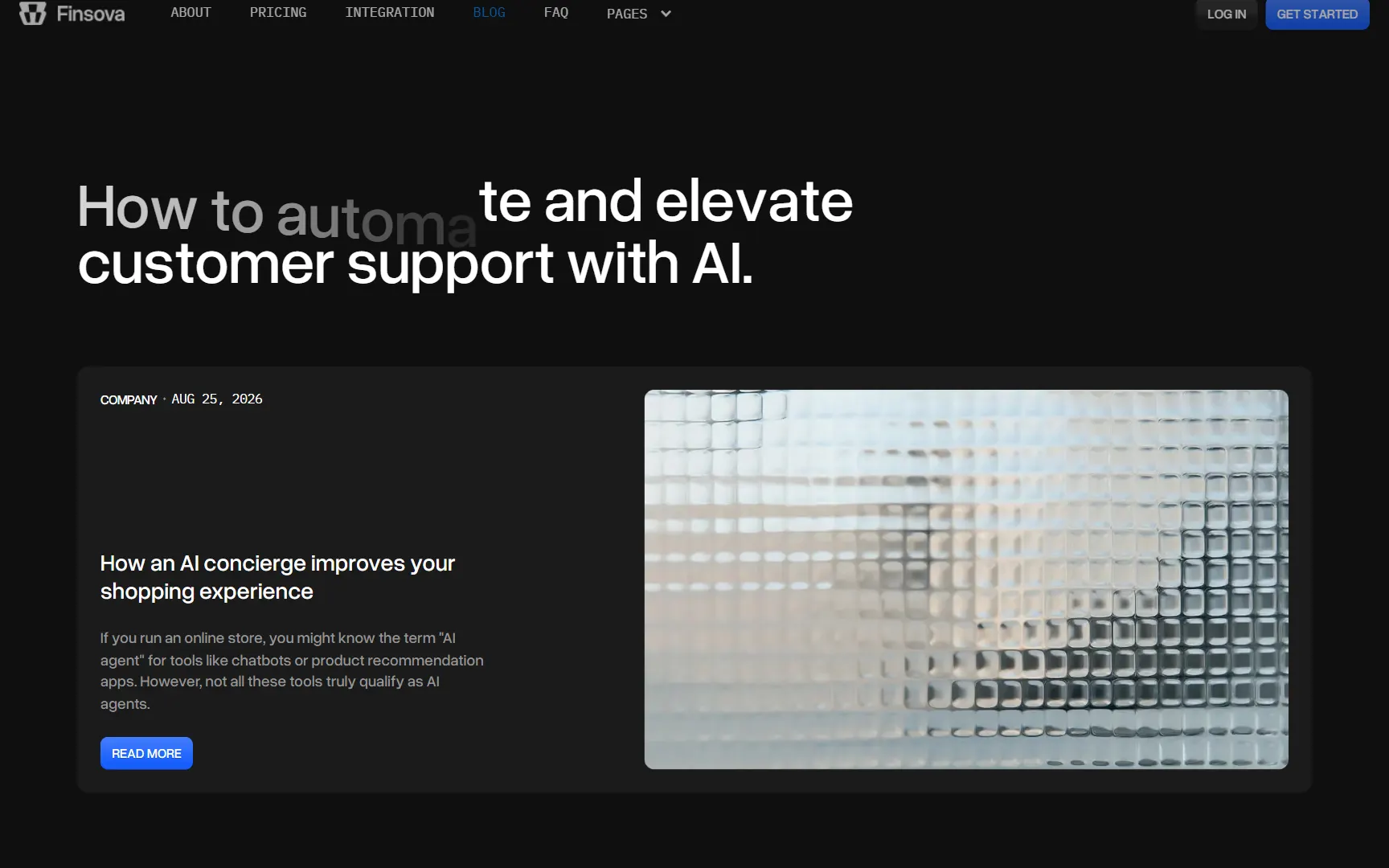
Finsova is a customer support website template for Webflow, built for software companies that automate customer conversations with AI. Realistic chat, inbox and workflow mockups show visitors how your product works before they book a demo, and a full pricing comparison table, an integrations directory and a detailed FAQ answer the questions support leaders ask before they buy. It is a complete SaaS website template with three layouts each for home, blog and contact. Every purchase includes the Figma file for free.
A Product-Led Design That Shows the AI at Work
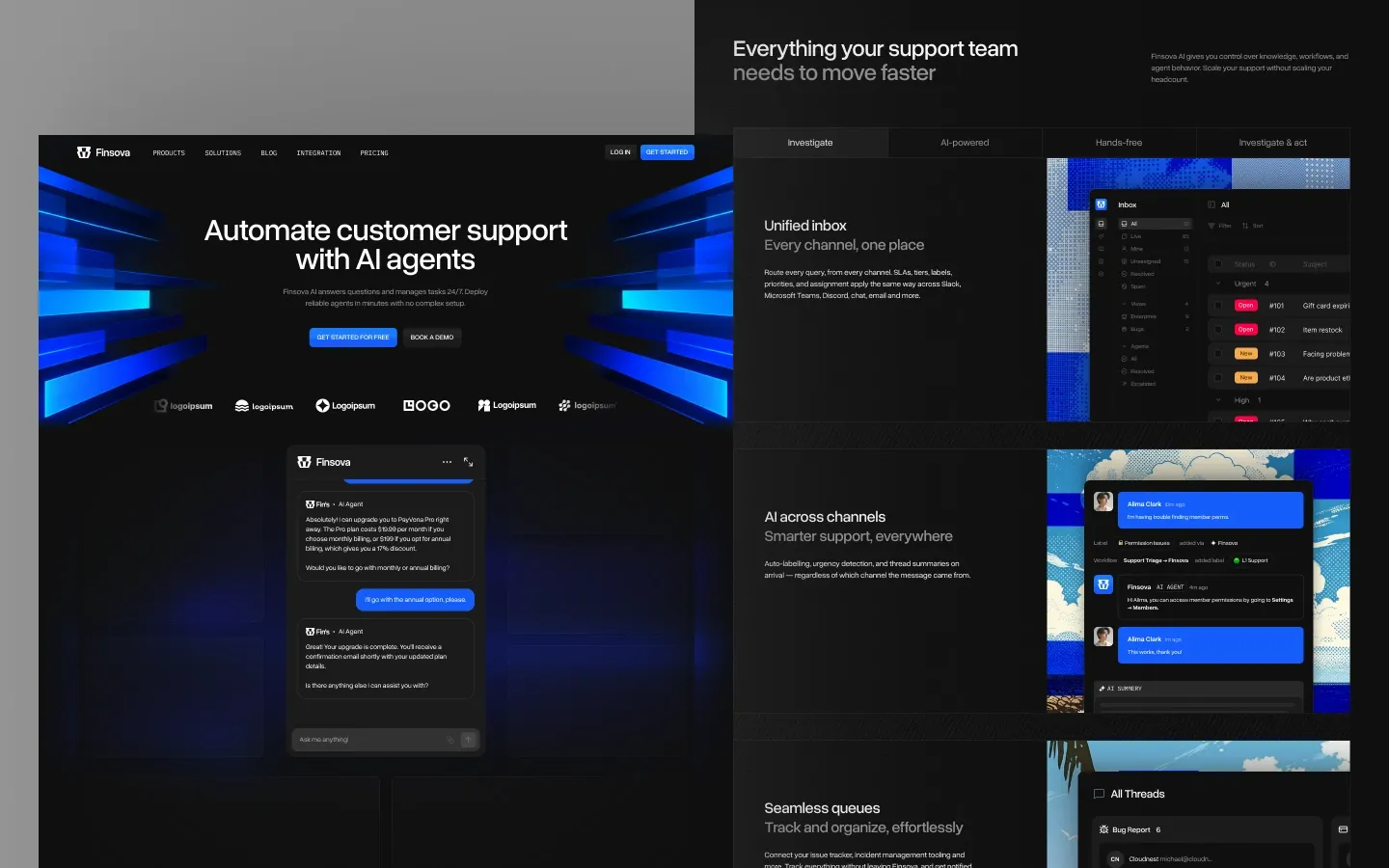
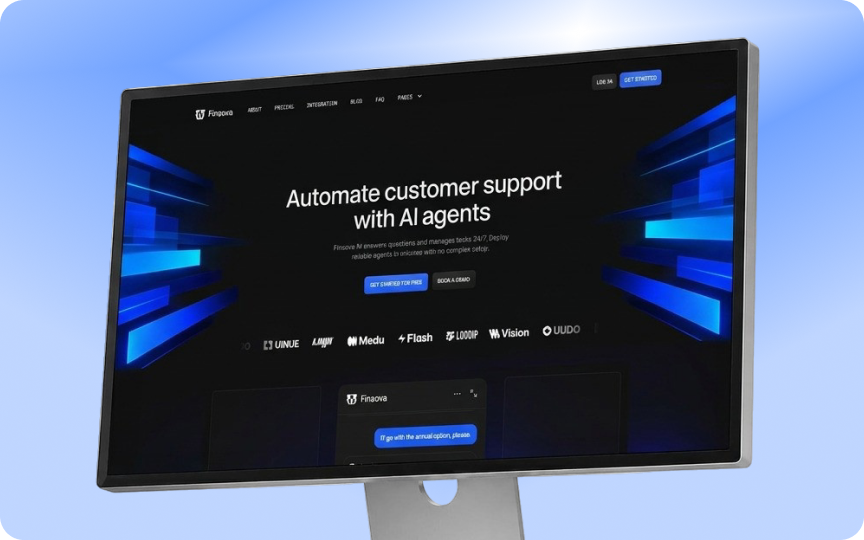
Support leaders don't buy promises; they buy what they can see working. Finsova puts the product at the center of every page: an AI agent answering a billing question, an inbox sorted by urgency, a draft reply waiting for approval. Visitors understand your product before they read a single feature list.
Dark interface, one bright accent
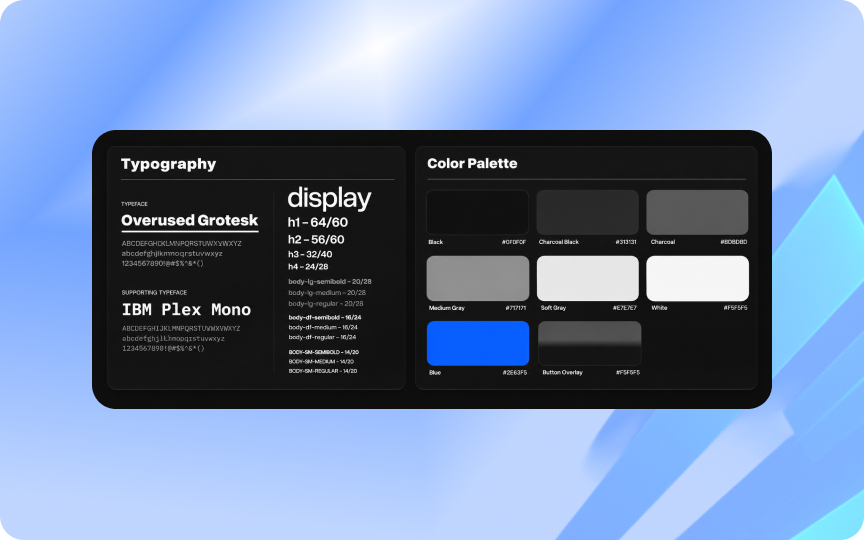
A near-black canvas with soft gray panels lets the interface mockups stand out, while a single bright blue marks every action: Get Started, Book a Demo and the active state of tabs. The result feels like a modern developer tool, which is exactly what technical buyers expect.
Typography
- Overused Grotesk for headings and body text: clean, contemporary and highly readable.
- IBM Plex Mono for labels, plan details and small UI text, which gives the site a technical, product-like tone.
Both fonts are open source and free for commercial use.
Realistic product mockups, built in Webflow
The chat windows, inbox tables, knowledge and tone controls, and email drafts are built as editable Webflow elements, not flat images. Change the sample conversation, labels or ticket names to match your own product in the Designer.
Variables, components and motion
Colors and typography use Webflow Variables, and shared parts are components, so a rebrand takes minutes. Headings reveal on scroll with GSAP, and Lenis adds smooth scrolling. Images are AI-generated from Lummi and licensed for commercial use.
Three Homepage Layouts for Different Support Products
An AI support agent, a shared inbox and a live chat widget sell in different ways. Finsova gives you three complete homepages; keep the one that fits your product and set it as your homepage.
All three share the navbar with Log in and Get Started buttons, the footer with a newsletter signup, and the same Variables, so switching layouts keeps your branding intact.
Sections That Answer What Support Leaders Ask
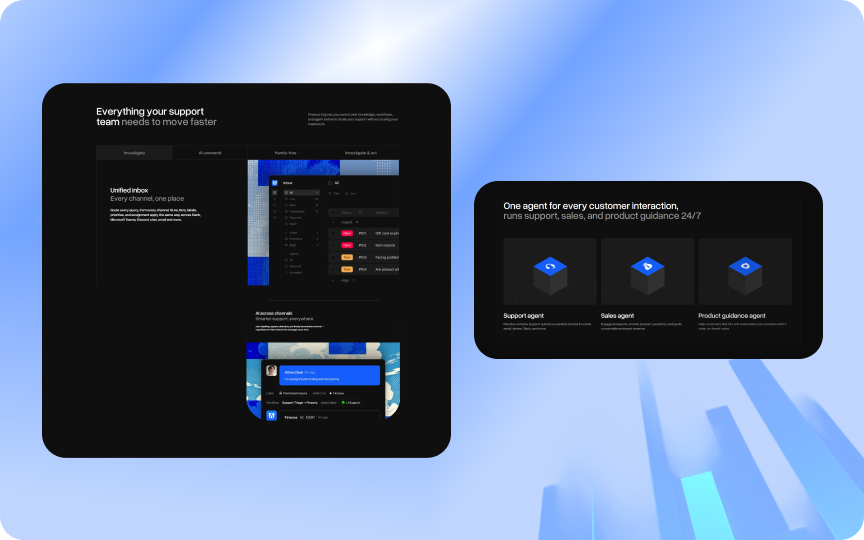
A head of support comparing tools wants to know four things: how the AI handles real conversations, which channels it covers, what it costs and whether it is safe. Finsova has a ready-made section for each.
The copy in each section is written for an AI support product, so you replace names and numbers instead of writing from a blank page.
An Integrations Directory, a Pricing Table and Working Forms
Integrations directory
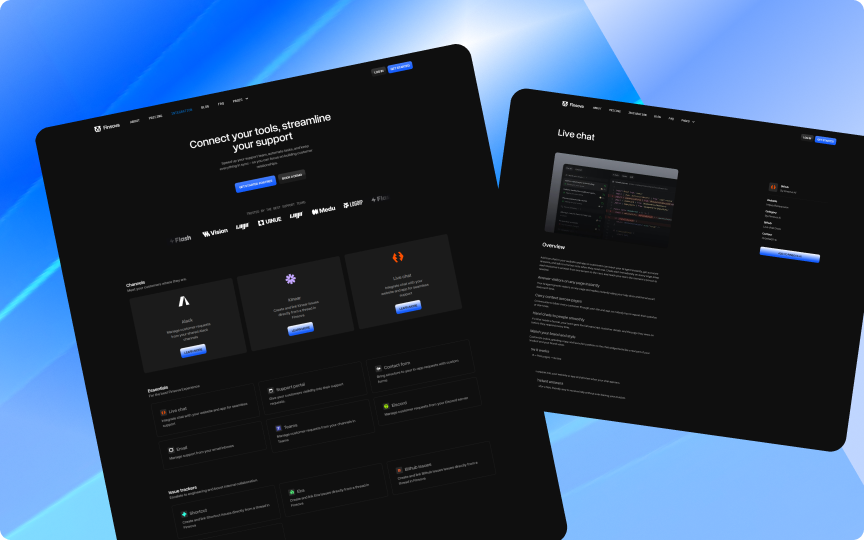
Support teams want to know your product fits their stack before they book a demo. Finsova's Integration page groups connections by category, with 11 sample integrations across Channels, Essentials and Issue trackers (live chat, email, support portal, contact form, Teams and several issue trackers).
- Integration page: cards with logo, name, short description and a Learn More link, grouped by category.
- Integration detail template: an overview, four benefit blocks, a three-step "How it works" (install, pick pages, go live), a sidebar with website, category and docs links, and related integrations.
- Integration category template: a page per category from the CMS.
Swap in the real tools your product connects to, with their logos and links. The directory then shows buyers exactly where your product fits; the connections themselves live in your product.
Pricing page built for SaaS
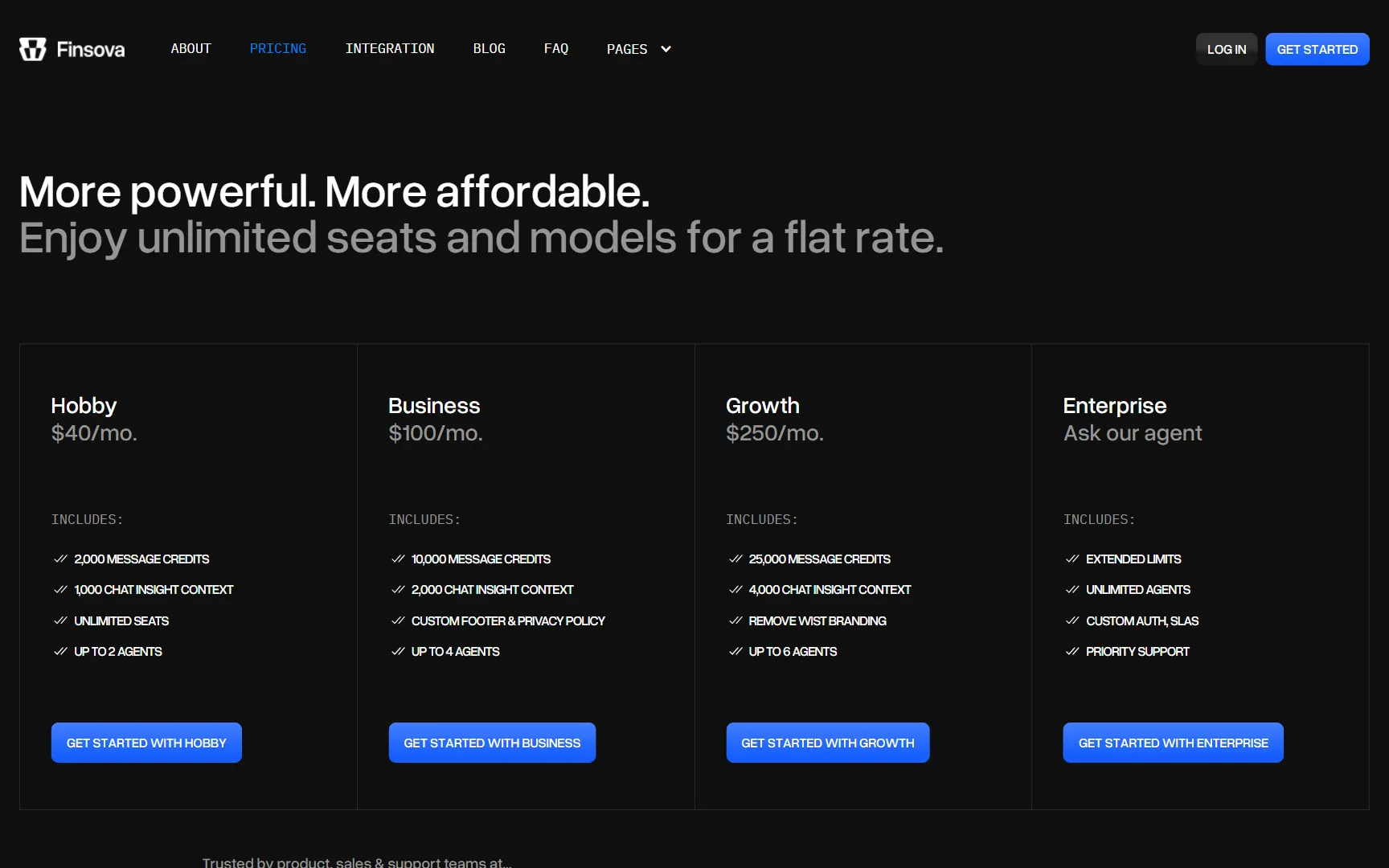
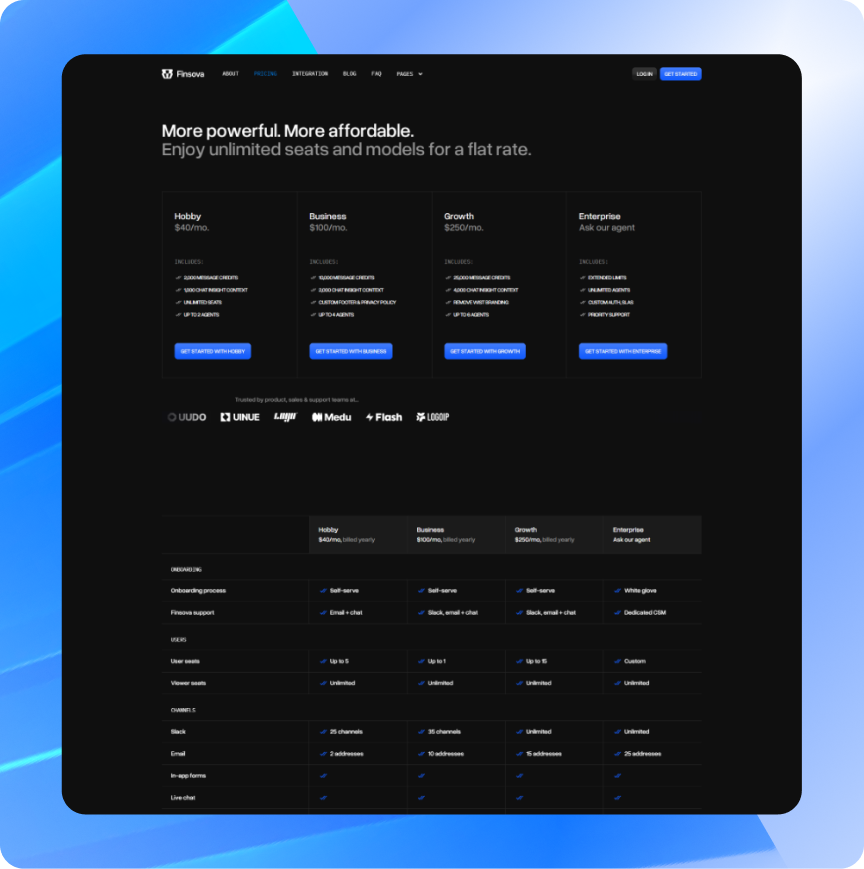
Four plan cards (Hobby, Business, Growth and Enterprise) followed by a long feature comparison table grouped by onboarding, seats, channels, AI features, help center, extensibility, workflow, reporting, data migration and compliance. Rename the plans, prices and rows to match your own packaging.
Forms and other working features
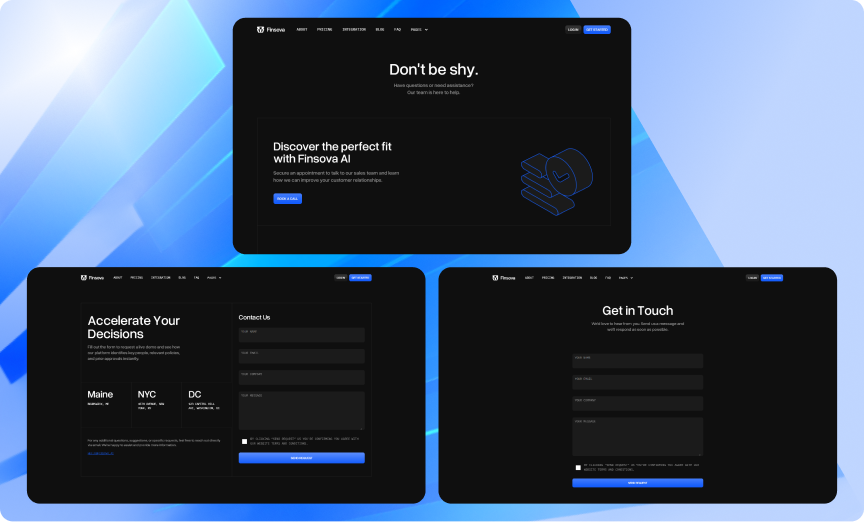
- Demo and contact forms on Contact B and Contact C: name, email, company and message, with a terms checkbox on Contact B.
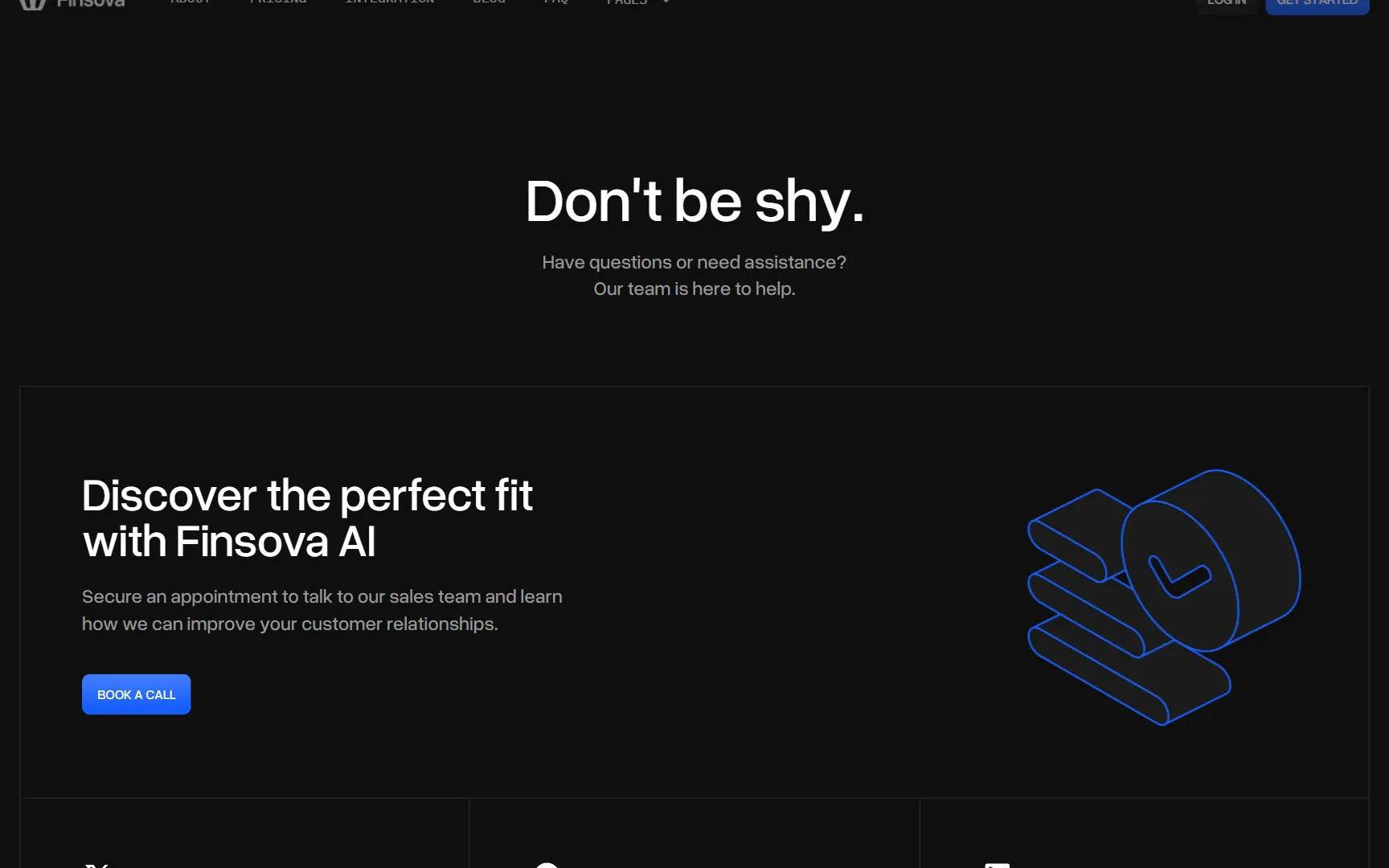
- Book a call card on Contact A, ready to link to your scheduling tool.
- Newsletter signup in the footer of every page, with success and error messages.
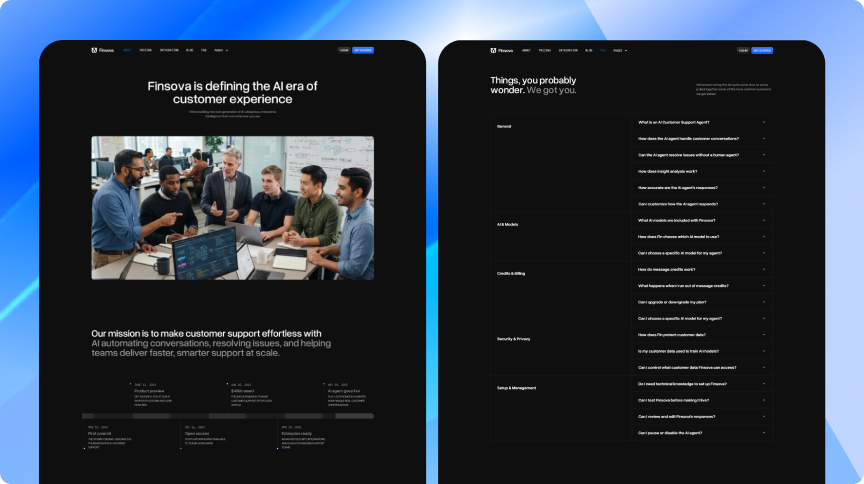
- FAQ accordions grouped into five categories.
- Navbar with Log in and Get Started buttons and a Pages dropdown, plus a password page and a custom 404.
Form submissions use Webflow's built-in form handling. Send them to your inbox, or connect them to your CRM through Webflow's form integrations or a tool like Zapier.
What This Customer Support Website Template Is (and Isn't)
Every Page in the Finsova Template
Finsova has 24 pages: 13 static pages, 3 CMS template pages and 8 utility pages.
Static pages (13)
CMS template pages (3)
- Blog details: article with author, date, category and related posts.
- Integration details: overview, benefits, a three-step setup and related integrations.
- Integration category: all integrations in one category.
Utility pages (8)
Style Guide, Instructions, Licenses, Changelog, Privacy Policy, Terms of Service, 401 password page and 404.
Publish Updates and New Integrations Without Touching the Design
SaaS sites change every month: new features, new integrations, new articles. Finsova keeps that content in the Webflow CMS, so your marketing team publishes without a developer.
Tips for your content
- Give every integration page a unique overview and real setup steps.
- Use your own product screenshots in posts and integration pages, with descriptive alt text.
- Check the SEO title and meta description settings on each CMS template page before you publish.
Plan note: publishing CMS collections on a custom domain needs a Webflow CMS site plan or higher. Check Webflow's current limits for how many CMS items you can add.
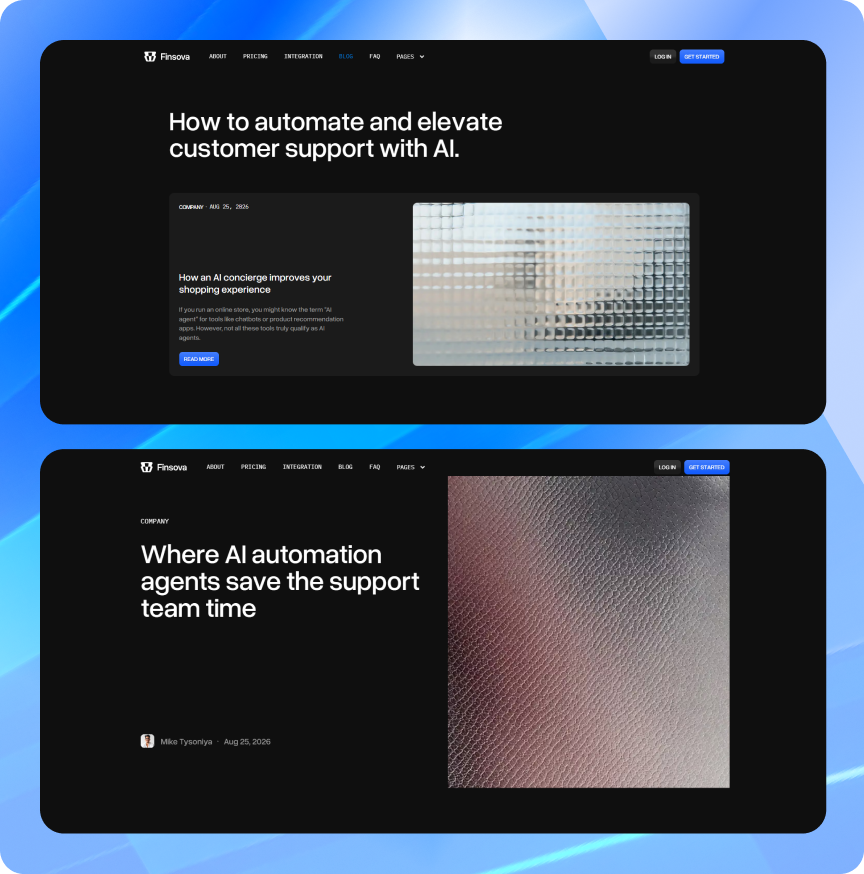
Responsive From Large Screens to Phones
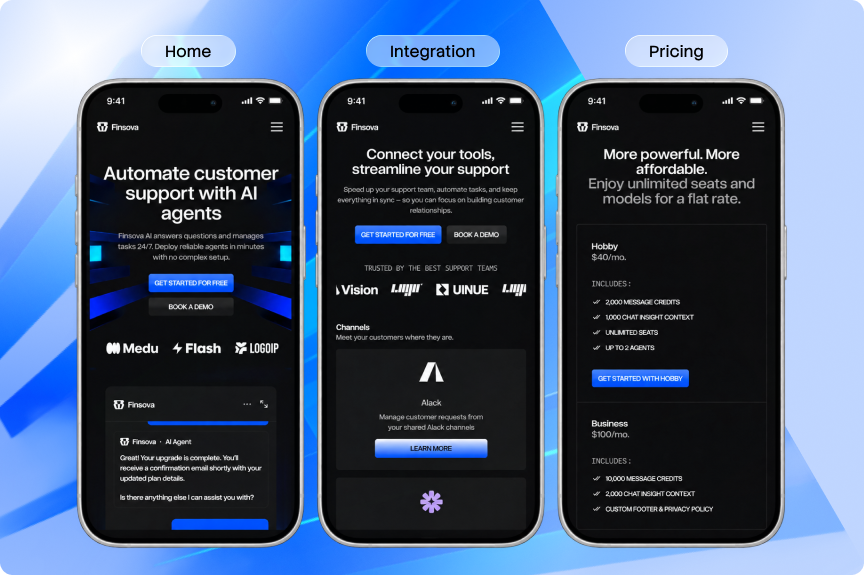
Buyers often find a SaaS product on their phone, then return on a laptop to compare plans. Finsova is styled for every Webflow breakpoint, including large 1440px screens.
Mobile details that help you convert
- The Get Started and Book a Demo buttons stay full width and easy to tap.
- Pricing plans stack in order, so visitors compare plan by plan.
- Headlines and mockups scale with the layout instead of shrinking into unreadable text.
- Check your own mockup copy and long plan names at every breakpoint before you publish.
Who Finsova Is For
AI customer support platforms
Products that resolve tickets with AI agents. The chat mockups, AI-across-channels section and three agent types fit your story out of the box.
Helpdesk and ticketing software
A helpdesk website template with a unified inbox, queues, SLAs and an integrations directory for issue trackers.
AI chatbot and live chat products
A chatbot website template for widget-first products: Home B leads with a live chat window, and the Live chat integration page explains setup in three steps.
Customer experience and support SaaS
A customer service website template for broader CX platforms, with a pricing comparison table and compliance rows that enterprise buyers look for.
B2B AI startups
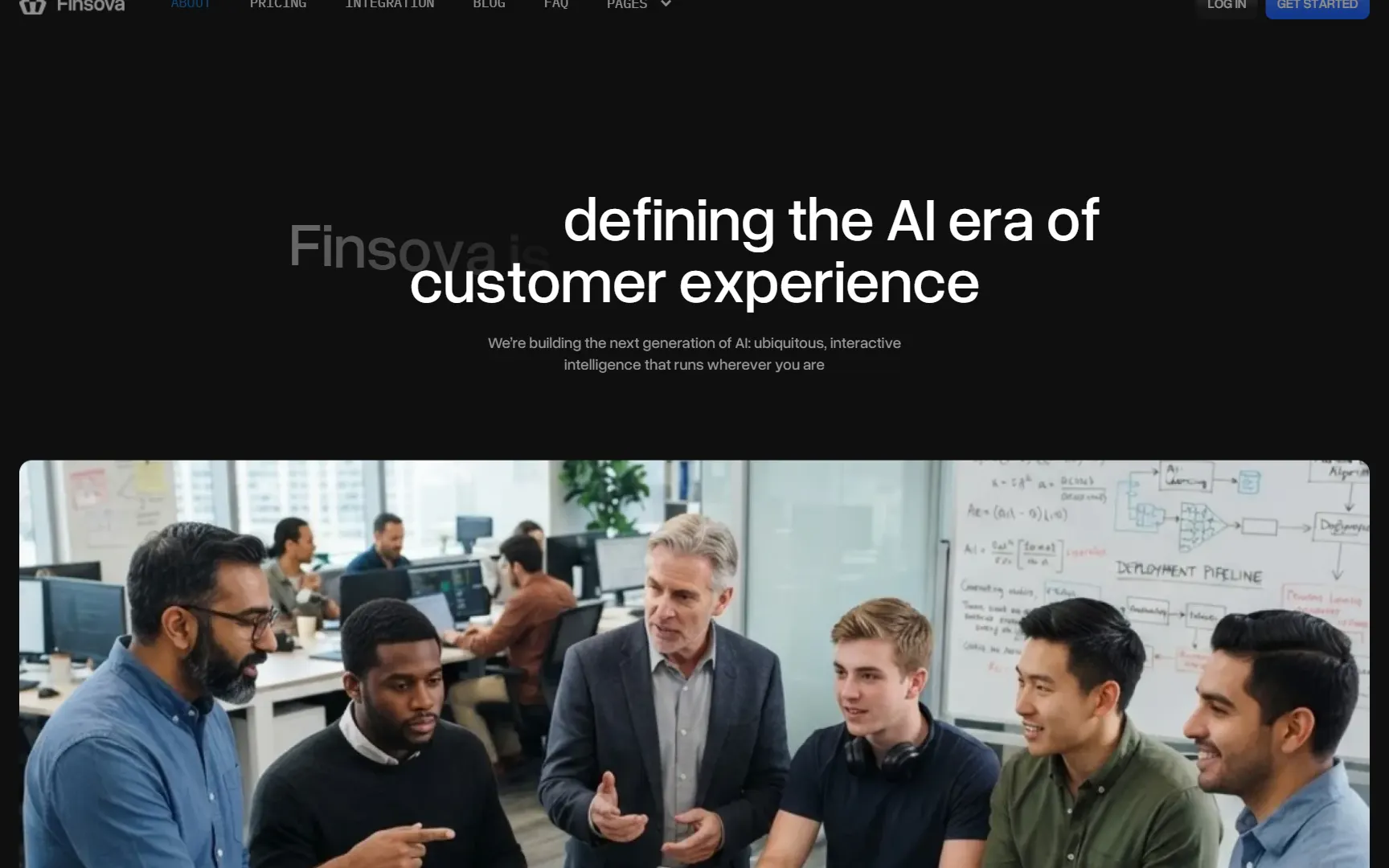
A SaaS website template with everything a launch needs: three homepages, pricing, blog, about with funding, and contact pages for demo requests.
Not the right fit
If you need an ecommerce store, a help center for your own customers, or a logged-in product dashboard.
Why Support Software Teams Choose Finsova
- Show the product, not just claims. Editable chat, inbox and reply mockups explain what your AI does in seconds.
- Shorten the sales cycle. Pricing, comparison table, security rows and a grouped FAQ answer buyer questions before the demo call.
- Prove you fit their stack. A categorized integrations directory with a page per integration.
- Launch faster. Three homepages, three blog layouts and three contact layouts are ready; you choose and edit.
- Grow content without developers. Blog posts and integrations live in the CMS.
- Own it outright. One payment, a free Figma file and free one-on-one support from Flownix.
Results depend on your product, content and marketing; Finsova gives you a strong, ready-to-launch foundation, not guaranteed signups.
How to Customize Finsova in Webflow
- Pick your layouts. Keep the home, blog and contact versions that fit your product, delete the rest, and set your homepage in the Pages panel.
- Set your brand. Change colors and type in the Variables panel; components such as the navbar and footer update everywhere.
- Rewrite the product mockups. Edit the sample chat, inbox tickets, tone settings and reply drafts so they show your own product's flows.
- Load your integrations. Add each real integration, its logo, category and setup steps in the CMS.
- Set your plans. Rename the four plans, update prices, and edit the comparison table rows to match your packaging.
- Replace company details. Update the About timeline, leadership, office addresses and social links.
- Finish SEO settings. Update the SEO title, meta description and Open Graph image of every page and CMS template.
Icons are embedded SVG code, so you can change their size and color directly in the Designer.
Learning curve: if you know the Webflow Designer, most edits take minutes. New to Webflow? Start with the Instructions page and Webflow University. Prefer to hand it off? Flownix offers Webflow template customization.
Hosted on Webflow's Secure Infrastructure
Support software buyers care about security, and your marketing site is the first place they check. When you publish Finsova on Webflow hosting, it runs on the same infrastructure as every Webflow site:
- Free SSL/TLS certificates on every published site, with HSTS support, so demo and contact forms are sent over HTTPS.
- Global CDN so pages load quickly for buyers in any region.
- DDoS protection at the hosting layer.
- No plugins to patch, which removes a common source of vulnerabilities.
- Compliance: Webflow publishes its SOC 2 report and security practices on its Trust Center.
Learn more on Webflow Security, Webflow Hosting and the Webflow Trust Center.
The pricing table already includes rows for SOC 2 Type II reports, security reviews and uptime SLAs. Fill them in with your product's own certifications; the included Privacy Policy and Terms of Service pages are starting points to review with your legal advisor.
Finsova vs a Custom SaaS Website vs a Generic SaaS Website Template
A custom build makes sense when you need a fully unique brand experience. For most support software startups, a niche SaaS website template like Finsova gets a credible site live fast, and Flownix can still customize it for you.
What You Get With Finsova
- A Webflow project with all 24 pages: 3 homepages, About, Pricing, Integration, 3 blog layouts, FAQ, 3 contact pages, 3 CMS templates and 8 utility pages
- CMS collections for blog posts, integrations and integration categories, with 10 sample articles and 11 sample integrations
- Editable product mockups: AI agent chat, unified inbox, tone and knowledge controls, and reply drafts
- A four-plan pricing page with a full feature comparison table
- Demo and contact forms, a book-a-call card and a footer newsletter signup
- Webflow Variables and components for fast rebranding
- Style Guide, Instructions, Licenses, Changelog, Privacy Policy and Terms of Service pages
- The full Figma design file, free with every purchase
- Instant delivery: after checkout you receive a link, and one click adds Finsova to your Webflow Workspace
License
Finsova is sold under a Single Use license: use it for one website, for yourself or for one client. You can customize it as much as you like, but you can't resell or redistribute it, as is or modified. For more sites, buy one license per site.
Webflow plan requirements
- Templates are added as a new Webflow project; they can't be applied to an existing project.
- Publishing to a custom domain needs a Webflow site plan, and the CMS collections need a CMS site plan or higher.
- Exporting code needs a paid Workspace plan (Core or higher).
- The forms use standard fields only, so no file-upload plan is needed.
Support From the Team That Built It
Flownix designs and develops every template in-house, so your questions go to the people who built Finsova.
- Template questions: we reply within 2 business days.
- Free one-on-one help: every Finsova buyer gets free one-on-one support.
- Email: support@flownix.co
- Done-for-you changes: need custom mockups of your real product, new pages or a full rebrand? See Webflow template customization.
Support covers the template as delivered. Your own changes, third-party code and your Webflow plan are outside template support.
Pages Included
- Home A
- Home B
- Home C
- About
- Pricing
- Integration
- Blog A
- Blog B
- Blog C
- FAQ
- Contact A
- Contact B
- Contact C
Single Use License
Can only be used by you or one client for one end product. You cannot resell or redistribute this template in its original or modified state.
Flownix supports this template
Questions about this template? Just reach out to the template designer and they will get back to you within 2 business days.
For advanced design guidance, please share your questions in the Webflow Forum or reach out to a Webflow Partner.
Is there a template demo available?
Use the Preview in Designer option to make any edits to the template pages and preview how the layout would fit your content. Changes in preview mode won't be saved.
Can templates be used in existing projects?
It isn't possible to apply a template to an already existing project. Instead, you'll need to create a new project based on the Template.
Can templates be exported?
With a Core plan (or higher), you can export sites you build in Webflow, including templates, to host them anywhere you'd like.
How to purchase a template from a legacy team account?
Webflow templates are only available for purchase through Workspaces and legacy individual accounts.
How to remove the CMS functionality from a template?
CMS templates are designed to use the power of the Webflow CMS. It is possible to downgrade to a Basic Site Plan as long as all CMS content is deleted from the project.
Use the View Connections tool to understand where the CMS content is on the site and delete any dynamic listings and CMS content. We also recommend you to check Components and the Collection page Templates.
How to remove the Ecommerce functionality from a template?
Ecommerce templates are designed to use the power of Webflow Ecommerce. It is not possible to remove Ecommerce from a template, however, deleting all Ecommerce Products and Categories from the project, will allow to select a lower Site Plan.
How to remove the Memberships functionality from a template?
Membership templates are designed to use the power of Webflow Membership. It is not possible to remove Memberships from a template.
Finsova - Technology Website Template
Finsova is an AI customer support website template built with Webflow. It showcases AI agents, a unified support inbox, live chat, workflow automation, and integrations with clear pricing plans.
Why Flownix
You can pick a launch-ready template and go live right away, get it customized in 1-3 days, or let us build a complete Webflow website from scratch. Whatever your business needs, Flownix makes building on Webflow simple and efficient.




Frequently Asked Questions
Yes, of course. You can purchase an individual template to build one website.
If you need more than one website, you'll have to purchase every template separately. That’s because every template comes with its own license to use.
In that case, you can choose one of our bundles that suits you best. With our bundles, you can use several templates to build as many websites as you need with one license.
Yes, we do. If you buy our Yearly Webflow Template Bundle, you get every new template we release for one full year.
If you buy the Lifetime Webflow Template Bundle, you get every new template we release forever (along with all their updates).
Either way, we never push updates into a site you’ve already built, so your live site stays exactly the way you left it.
Absolutely. You can edit the layouts, colors, fonts, images, and other elements directly in the Webflow Designer. We use organized classes, Webflow variables, and CMS collections to make the process easier for you.
If you would rather have us do it, our Webflow Template Customization Service starts at $149.
Yes, you can. Since every template is also sold on its own, you’ll be fine with it as long as you need just one website.
If you think you’ll need more than one sooner or later, our bundles are the better deal.
You get access to our whole Webflow template collection for about what two or three single templates would cost. That means it saves you a lot in the long run.
It’s simple - you can either click “Buy Now” on any template or open the template’s “Details" page and click the “Purchase” button. Either way, you’ll go straight to the “Checkout” page. You can then complete your payment there and get instant access to your template.
A free Webflow account is enough to open and edit a template. If you want to publish your website on your own domain, you’ll need a paid Site Plan. If your preferred template has CMS features like blogs or project listings, make sure you choose a plan that supports the CMS features you need.
Yes, definitely. Our webflow HTML website templates are designed for desktop, tablet, and mobile screens. You can check how each one looks on different devices using the Live Preview feature. We recommend that you open the preview on your phone too so you can see how it feels to browse.
Yes, you can. If you own both templates, you can copy sections from one template and paste them into another. You may need to adjust some styles or settings to get everything looking right, but it’s a great way to create the best layout for your needs. If you get stuck along the way, we're here to help with the customization too.
No worries. Feel free to send us the template link and let us know what you’d like to add. We can design and build a new section that matches the rest of your website through ourWebflow Template Customization Service.
Success Stories
Here's what designers, agencies, and businesses think about their experience with Flownix.

Exactly what I needed
I wanted something clean and simple for my business. This template had pretty much everything I needed, and making changes was easier than I expected.

Launched in two days
I bought a template on Monday and our site was live by Wednesday. Everything was well organized, so I only had to change the text and images.

Really easy to customize
The design looked great already, but I wanted to make it feel more like our brand. Changing colors, fonts, and sections was pretty straightforward.

Would definitely use again
Loved how simple everything was. The design feels modern without being too much, and updating content is easy. Already considering another template for my next project.

Made our launch easier
We were on a pretty tight schedule and needed a website quickly. The template saved us a lot of work, and we managed to launch right on time.




So easy to customize!
The attention to detail in every template is impressive. Smooth animations, clean layouts, and flexible components made the entire customization process simple and enjoyable.
So easy to customize!
The attention to detail in every template is impressive. Smooth animations, clean layouts, and flexible components made the entire customization process simple and enjoyable.
So easy to customize!
The attention to detail in every template is impressive. Smooth animations, clean layouts, and flexible components made the entire customization process simple and enjoyable.
So easy to customize!
The attention to detail in every template is impressive. Smooth animations, clean layouts, and flexible components made the entire customization process simple and enjoyable.
So easy to customize!
The attention to detail in every template is impressive. Smooth animations, clean layouts, and flexible components made the entire customization process simple and enjoyable.


Experience the Power of Ready-to-Launch Webflow Templates with Flownix
You can pick a pre-made Webflow template to launch your website right away, get help with complete customization, or build a website designed specifically for your brand.